Zum Inhalt springen
Menü

Theme ändern
Unterstütze uns
PayPal-Logo Patreon-Logo
Abonniere uns per RSS Folge uns auf X (ehem. Twitter) Like uns auf Facebook Trete dem WiiDatabase-Kanal auf Telegram bei und erhalte alle News sofort!

Wir hosten zurzeit 649 Homebrews mit über 4.369.959 Downloads!

Nützliche Links
Kategorien
Archiv
Über uns

Schlagwort: dump

nxdumptool v1.1.6

Nintendo Switch, Nintendo Switch: Update , ,

nxdumptool

Mit dem nxdumptool von DarkMatterCore lassen sich Nintendo-Switch-Cartridges und installierte Spiele, Updates und DLCs dumpen und durchsuchen.

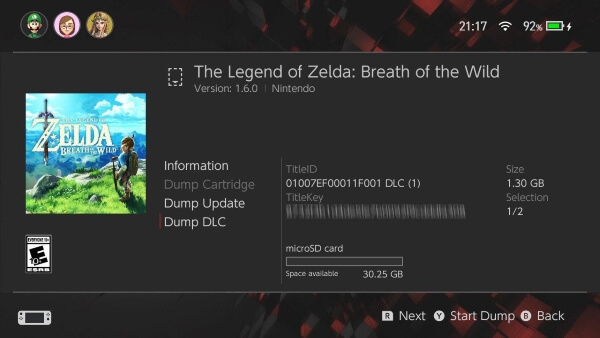
Auch mit zu wenig freiem Speicher lassen sich jetzt XCIs und NSPs dumpen – dabei werden wie bei hekate mehrere Parts angelegt, die dann zwischendurch von der SD-Karte auf bspw. den PC verschoben werden müssen. Für Mehrfachoperationen lassen sich einzelne Titel ausschließen und später überspringen, wenn die entsprechende Option aktiviert ist, selbst wenn sich die NSP nicht mehr auf der SD befindet. Zudem lassen sich Einstellungen ex- und importieren. Nicht zu vergessen sind auch die Fehlerbehebungen – so tritt beim Dumpen einer Datei aus dem RomFS eines Updates kein Fehler mehr auf und NSP-Dumps von Titeln mit einem RomFS in der Control-/Manual-NCA funktionieren wieder.

Changelog

* Added sequential dump support: it is now possible to start a XCI/NSP dump procedure even if there's not enough space available in the SD card!
* * No setting has to be modified in order to enable this feature - the application will automatically ask the user if they want to use this mode if there's not enough space for the full dump.
* * At least 1 GiB (2^30 bytes) of free space must be available in order to trigger this feature.
* * A file-based checkpoint system is used to keep track of the already dumped parts (à la Hekate).
* * The part(s) generated in each run must be transferred to a PC before continuing the process - except for the .xci.seq/.nsp.seq files used to keep track of the current dump status.
* * NSPs generated using this method will also include a .nsp.hdr file, which holds the PFS0 header data. The information from this header is filled after writing all the NCAs, thus it is saved as an additional file. This must be used as the first file (placed before .nsp.00) when merging all the parts into a full NSP.
* * The following options are ignored when this feature is triggered:
* * * Split output dump (FAT32 support) (XCI/NSP). File splitting will take place, regardless of the filesystem used by the SD card. Additionally, the creation of a directory with the archive bit set isn't performed with NSP dumps.
* * * Create directory with archive bit set (XCI only).
* * * CRC32 checksum calculation (NSP only). CRC32 checksum calculation is still available for XCI dumps.
* * This feature is not compatible with batch dump operations.
* General changes to batch dump operations:
* * Entries from the summary list displayed in the batch dump menu can now be manually excluded from the dump operation before starting it.
* * * It is possible to disable all entries, enable all entries and/or handpick specific titles from the summary list, thus letting the user further customize the batch dump process.
* * A new option has been added to keep track of previous successful dumps created using batch mode: "Remember dumped titles".
* * * If enabled, a 0-byte file will be created for each successful dump in a separate subdirectory.
* * * These files act as an override: they will make the application skip the titles they represent in later batch mode operations even if the "Skip already dumped titles" option is disabled.
* * * This is specially useful if someone wants to skip titles that have already been successfully dumped using batch mode - even more so if their NSPs have already been moved or deleted from the SD card.
* * * To restore the original behaviour, simply delete the contents from the "BatchOverrides" subdirectory inside "NSP".
* * Free storage space is now properly recalculated after each successful dump during a batch mode operation.
* UI code cleanup:
* * uiDrawString(), uiGetStrWidth() and uiPrintOption() are now compatible with variable argument lists, removing the need to format a string beforehand and pass its variable to any of those functions.
* * Preprocessor definitions are now used to specify RGB colors and for calculating vertical line coordinates, greatly simplifying calls to UI functions.
* * Menu code now properly waits for any user input before drawing changes to the screen.
* * Other minor coordinate fixes.
* The application is now capable of automatically reading/saving dump settings from/to a configuration file.
* The "Split output dump" option is, once again, enabled by default. FAT32 is the recommended filesystem for Switch SD cards if someone wants to use homebrew applications, so it's only logical to do this.
* Filenames for NACP icons in NSPs now properly reflect the NCA ID from its respective content file if it was modified.
* Fixed a bug that prevented to dump a specific file in the RomFS section from any update.
* Fixed a bug in the RomFS block collision check code that prevented to generate NSP dumps from certain titles with a RomFS section in Control/Manual NCAs that falls under an edge case that wasn't being handled properly. Thanks to Zet-sensei for reporting this problem!
nxdumptool v1.1.5

Nintendo Switch, Nintendo Switch: Update , ,

nxdumptool

Mit dem nxdumptool von DarkMatterCore lassen sich Nintendo-Switch-Cartridges und installierte Spiele, Updates und DLCs dumpen und durchsuchen.

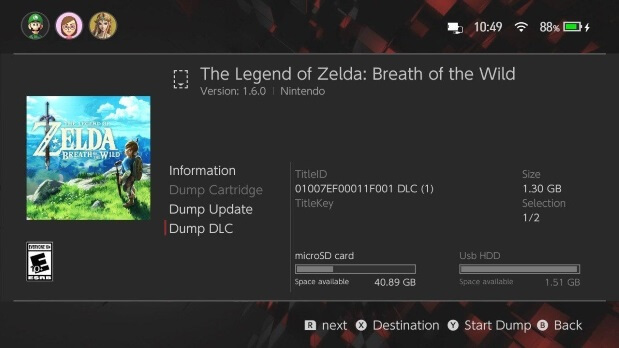
Auch hier wurde das HID-Update durchgeführt und koreanische, sowie chinesische Buchstaben werden nun unterstützt. RomFS-Sektionen in Data-NCAs von DLCs lassen sich durchsuchen und Ausgabeverzeichnisse werden jetzt klarer benannt ("(BASE)", "(DLC)", "(UPD)" oder "(RomFS only)"). Das Dumpen geschieht durch die Aktivierung des Boost-Modus noch schneller. Die NSWreleases.xml muss sich jetzt außerdem in "SD://switch/nxdumptool" befinden.

nxdumptool v1.1.4

Nintendo Switch, Nintendo Switch: Update , ,

nxdumptool

Mit dem nxdumptool von DarkMatterCore lassen sich Nintendo-Switch-Cartridges und installierte Spiele, Updates und DLCs dumpen und durchsuchen.

Abstürze beim Dumpen von RomFS-Daten und ein Problem mit dem Splitten von Dateien in Verzeichnissen mit gesetztem Archiv-Bit wurden behoben. Dateioperationen lassen sich nun außerdem immer abbrechen, wenn der Abbrechen-Button für mindestens zwei Sekunden gedrückt gehalten wird.

* Fixed building with latest libnx release.
* Optimized RomFS recursive file dump function to not rely on code recursion as much as before, avoiding stack memory exhaustion problems. Fixes crashes while dumping RomFS data from games with lots of file entries.
* Reduced max part size for split files to 0xFFFF0000 bytes in all operations (except for XCI dumps when the "Create directory with archive bit set" option is disabled). Fixes file access problems if the parts are used inside a directory with the archive bit set.
* Removed the removeDirectory() function. fsdevDeleteDirectoryRecursively() is now used instead.
* If a HFS0/ExeFS/RomFS data dump operation is cancelled or fails, a message telling the user to wait until the output directory is fully deleted will now be displayed.
* Improved the cancel button detection mechanism. Regardless of the ongoing operation, holding the button for 2 seconds will now consistently cancel it.
* Progress bar movement is now smoother.

nxdumptool v1.1.3

Nintendo Switch, Nintendo Switch: Update , ,

nxdumptool

Mit dem nxdumptool von DarkMatterCore lassen sich Nintendo-Switch-Cartridges und installierte Spiele, Updates und DLCs dumpen und durchsuchen.

Das Dumpen der NSPs erfolgt jetzt noch akkurater und ExeFS/RomFS von Updates lassen sich durchsuchen. Auch können mehrere Titel auf einmal als NSP gedumpt und auch nur ein einzelnes Verzeichnis eines RomFS gesichert werden. Das Dumpen von XCIs unter SX OS funktioniert wieder und einige Fehler wurden behoben.

Näheres findet ihr im umfangreichen Changelog auf GitHub.

nxdumptool v1.1.2

Nintendo Switch, Nintendo Switch: Update , ,

nxdumptool

Mit dem nxdumptool von DarkMatterCore lassen sich Nintendo-Switch-Cartridges und installierte Spiele, Updates und DLCs dumpen und durchsuchen.

Benutzern der letzten Version wird aufgefallen sein, dass das Dumpen oft mit der Meldung "Title Count mismatch" fehlschlug – dies wurde behoben. Auch wurde ein Fehler in Bezug auf einen invaliden Titel-Index behoben. Delta-Fragment-NCAs sind nun in Update-Dumps enthalten, wenn das Ticket mitgedumpt wird und Updates von GameCards lassen sich jetzt auch ohne Ticket dumpen, solange die prod.keys vorhanden ist. Zu guter Letzt gab es noch einige UI-Verbesserungen.

Den vollständigen Changelog findet ihr auf GitHub.

gcdumptool wird zu nxdumptool v1.1.1

Nintendo Switch, Nintendo Switch: Update , , , ,

nxdumptool

Mit dem nxdumptool von DarkMatterCore lassen sich Nintendo-Switch-Cartridges und installierte Spiele, Updates und DLCs dumpen und durchsuchen.

Dieses Update ändert nicht nur den Namen von "gcdumptool" in "nxdumptool", es hat auch vieles weitere in petto! So ist es jetzt möglich, Spiele, Updates und DLCs als NSP zu dumpen, egal wo diese installiert sind! Außerdem lassen sich das ExeFS und RomFS durchsuchen und Dateien daraus einzeln dumpen. Wer das Hauptspiel gelöscht hat, aber trotzdem installierte Updates/DLCs dumpen möchte, muss nur "Y" drücken, um verwaiste Titel anzuzeigen.

Aus NSP-Dumps lassen sich auch alle persönlichen Informationen entfernen – dabei werden bestimmte Informationen genullt. Das Ticket lässt sich aber auch ganz entfernen (per Standard-Crypto).

Die NSWDB.com XML-Datenbank wurde nach "SD://nxdumptool/NSWreleases.xml" und alle gedumpten Inhalte nach "SD://nxdumptool/TYP" verschoben.

Wichtig ist es, vorher Lockpick RCM auszuführen! Den umfangreichen Changelog findet ihr im Quellen-Link.

gcdumptool v1.1.0

Nintendo Switch, Nintendo Switch: Update , ,

nxdumptool

Mit dem nxdumptool von DarkMatterCore lassen sich Nintendo-Switch-Cartridges und installierte Spiele, Updates und DLCs dumpen und durchsuchen.

Der Changelog ist wirklich gewaltig! So werden jetzt MultiGame-Cartridges unterstützt und gebündelte Updates und DLCs lassen sich von der Cartridge dumpen. Die prod.keys wird nicht mehr benötigt, da sich gcdumptool die Keys selbst holt und das RomFS eines Spiels lässt sich durchsuchen und dumpen. Zudem wurden zahlreiche Fehler behoben und die NSP-Generierung korrigiert.

Der vollständige Changelog kann auf GitHub gefunden werden.

SX Dumper v2.0.3

Nintendo Switch, Nintendo Switch: Update , ,

Dumps für Titel ohne Title-Key ließen sich durchführen, was zu einem falschen Ticket führte. Außerdem wurde das "next" in der unteren Leiste zu "Next" korrigiert.

* dumps started for titles without titlekey and bad ticket got created.
* Next

SX Dumper v2.0.2

Nintendo Switch, Nintendo Switch: Update , , ,

DLCs lassen sich nun dumpen und die Title-Keys werden für alle Inhalte angezeigt. Der HOME-Button leuchtet außerdem auf, wenn ein Dump durchgeführt wird (nur >= 7.0.0) und die fehlenden TX-Einstellungen (LAN-Play und Stealth Mode) wurden hinzugefügt. Außerdem wurde der Ausgabe-Name geändert und Spiele lassen sich vom Hauptmenü aus starten.

* Ability to dump dlc (change selection with R or L).
* Titlekey now shows for everything (base,update,dlc).
* Output name changed.
  (gamename [titleid] type [version].nsp).
  (Mario Kart 8 Deluxe [0100152000022800] Update [v9].nsp).
  (Yoshis Crafted World [01006000040C2000] [v0].nsp).
* Home button now lights up when dump is in progress do not press while its on.
* Ability to launch games from main menu (no need to open game before you can launch).
* SD filesystem detection (No more need to set splitting automatically set when needed).
* Added missing tx settings (lanplay, stealth mode).

SX Dumper v2.0.1

Nintendo Switch, Nintendo Switch: Update , ,

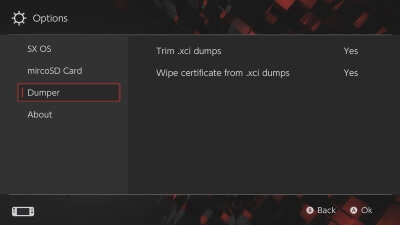
XCIs werden jetzt standardmäßig getrimmt und das Löschen des Zertifikates lässt sich abschalten. Auch können Spiele-Updates gedumpt werden und ein paar Fehler wurden behoben – u.a. einer, der dafür sorgte, dass bei Split-Dumps das Zertifikat nicht gelöscht wurde und einer, bei dem eine NCA nicht zu einem NSP-Dump hinzugefügt werden konnte.

* cache for .xci first time you run the app startup may take awhile.
* .xci are trimmed by default. (can be switched off in settings -> dumper).
* .xci wipe cert can be switched off now (settings -> dumper).
* bug fixed .xci where cert wasn't wiped on splitted dumps.
* ability to dump updates for eShop and cartridge games.
* fixed bug where could fail to add file to nsp.
* added check to see if there is a titlekey before starting the dump.

gcdumptool v1.0.6 -> v1.0.7

Nintendo Switch, Nintendo Switch: Update ,

nxdumptool

Mit dem nxdumptool von DarkMatterCore lassen sich Nintendo-Switch-Cartridges und installierte Spiele, Updates und DLCs dumpen und durchsuchen.

UPDATE: v1.0.7 fixt einen Segfault und fügt eine Meldung hinzu, die den Nutzer zum Neustarten der Applikation nach einem Update auffordert.

CARD2-Spiele lassen sich endlich dumpen (das ging schon vorher, danke NintendoX!) und ein Updater wurde hinzugefügt. Zudem wird der HOME-Button blockiert, wenn gcdumptool als reguläre Applikation ausgeführt wird (dies klappt nicht bei Applets, deshalb erscheint dort eine Warnmeldung). Gesplittete XCIs werden jetzt auch nach dem korrekten Namensschema "xc[Nummer]" für SX OS benannt. Zu guter Letzt wurde noch etliches "unter der Haube" verbessert.

Changelog

v1.0.6:
* Fixed a segmentation fault when trying to free an invalid XML node data pointer when a Scene release from NSWReleases.xml with a matching Title ID misses data related to that node.
* Added a message suggesting the user to restart the application after a successful update.

v1.0.6:
* Updated application codebase in order to make it compatible with the latest devkitA64 and libnx releases.
* Removed some fs-srv service functions from fsext.c/h that have been included in libnx (and fixed the ones that haven't).
* Revamped the GFX code to replace the 8x8 ASCII font with the shared system font, using the pl service and FreeType.
* Enabled (and fixed) the in-app update option. HTTPS compatibility is achieved through the mbedtls portlib.
* Disabled screen dimming and auto sleep.
* Added file counter to partition browser.
* Changed the naming convention for split gamecard dumps to *.xc[part number], in order to make them compatible with SX OS and other tools right away.
* Increased the delay after inserting a new gamecard by 1 second.
* Added a gamecard detection thread to monitor gamecard state changes in a better way. This thread is hooked to a gamecard detection kernel handle retrieved through an IEventNotifier object.
* Replaced partition filesystem mounting through fs-srv service calls with manual HFS0 partition header parsing. This should fix issues when browsing the Logo partition from type 0x02 gamecards.
* Blocked HOME button presses when running as a regular/system application instead of an applet. A warning message will be displayed whenever any operation is started if the application is running as an applet.
* Added detection for bundled FW versions 6.0.0 - 8.0.0.

SX Dumper v1.0.3

Nintendo Switch, Nintendo Switch: Update

Das Zertifikat der GameCard lässt sich jetzt einzeln dumpen.

* Add option for cert only dumping output:
Selected folder/certificates/gamename [cert crc32].cert
* Various stability fixes and lib upgrades

gcdumptool v1.0.4 und XCI Explorer v1.2.1.0

Nintendo Switch, Nintendo Switch: Update , ,

DarkMatterCore hat sein gcdumptool aktualisiert.

DOWNLOAD GCDUMPTOOL

Der exFAT-Modus ist nun automatisch aktiv und die Padding-Option wurde mit einer Trimming-Option wie beim XCI Cutter ersetzt. Auch wird die verbleibende Zeit und die Dump-Geschwindigkeit angezeigt und der XCI-Dump lässt sich mithilfe einer XML von NSWdb.com verifizieren. Downloadet diese einfach und packt sie in den Root der SD-Karte! Das funktioniert allerdings nur, wenn ein vollständiger Dump angelegt wird. Wenn die XML genutzt wird, werden Dumps nun auch nach den Szene-Releases benannt – für Mario Odyssey also bspw. "Super.Mario.Odyssey.NSW-BigBlueBox.xci" statt "0100000000010000_20180625-234930.xci"

gcdumptool Changelog

* exFAT mode turned on by default.
* Replaced padding option with a trim output dump option (same as XCI-Cutter).
* Added dump speed and ETA calculation.
* Added XCI dump verification using XML database from nswdb.com (NSWreleases.xml). The file must be saved to the SD card root directory. Also, keep in mind that dump verification is only performed if you choose to create a full dump (with or without cert), not a trimmed one.
* Made CRC32 checksum calculation + XCI dump verification a configurable option.
* Output XCI dumps will get renamed to their corresponding Scene release if a match is found using the XML database from nswdb.com (e.g. "sdmc:/0100000000010000_20180625-234930.xci" -> "sdmc:/Super.Mario.Odyssey.NSW-BigBlueBox.xci").


StudentBlake hat eine neue Version seines XCI Explorer Forks veröffentlicht.

DOWNLOAD XCI EXPLORER

Im "Partitions"-Tab lassen sich die NCA-Dateien verifizieren – dazu einfach auf eine NCA klicken und unten im Fenster steht dann, ob die NCA valide (grün) oder defekt (rot) ist. Des Weiteren lassen sich XCIs jetzt in die Textbox ziehen, um sie sofort zu öffnen.

XCI Explorer Changelog

v1.2.0.0:
This release adds drag and drop capabilities and some minor fixes. Just drag the XCI to the file text box (where the path would be located) and it will automatically load that file.

v1.2.0.0:
Check the partitions tab for a new feature! You can now check the integrity of your NCA files before you extract them. Just click on an NCA and look at the bottom for information (green = match, red = corrupt).