Zum Inhalt springen
Menü

Theme ändern
Unterstütze uns
PayPal-Logo Patreon-Logo
Abonniere uns per RSS Lies WiiDatabase Radar Folge uns auf X (ehem. Twitter) Like uns auf Facebook Trete dem WiiDatabase-Kanal auf Telegram bei und erhalte alle News sofort!

Wir hosten zurzeit 657 Homebrews mit über 4.610.950 Downloads!

Nützliche Links
Kategorien
Archiv
Über uns

Schlagwort: nsp

SX Installer v2.0.0

Nintendo Switch, Nintendo Switch: Update , , ,

Diese Version ermöglicht die Installation von XCIs, fügt einen Check auf die notwendige Firmware-Version hinzu und kann NSPs von Google Drive und Dropbox installieren. Auch wurde der Installer für die zurzeit aktuelle Firmware 8.1.0 stabilisiert und Savegames lassen sich direkt bei der Installation entpacken. Zu guter Letzt lässt sich noch die Firmware mit den benötigten Dateien direkt down- oder upgraden. Näheres findet ihr im Changelog.

Changelog

* Added XCI installation
* Added on-the-fly standard crypto install
* Standard crypto conversion hard drops minimum firmware requirement
* Added socket.json for fine tuning socket settings
* Added system firmware version check before installing
* Added google drive directory and file support
* Plugging in USB cable without SX Server no longer hangs SX Installer
* Added ability to reset minimum version nag in the application record.
* Fixed an out of memory crash.
* Added stability for 8.1.0 firmware.
* Improved Korean Translations.
* Added firmware installation.
* Added dropbox support. url syntax: dropbox:/token:here@/
* Miscellaneous bug fixes..
* Enabled compression on database files.
* Added hosts for custom host entries.
* Fixed game launching.
* Improved stability.
* Added ability to install save game at time of install.
* (unzips titleid.zip in the NSP to the games save)
* Added ability to install save games from zip files.
* (title id must be in brackets i.e. "doom fix [010018900DD00000].zip)"
* Fixed error installing certain titles over USB.

Goldleaf v0.6.1

Nintendo Switch, Nintendo Switch: Update ,

NSPs größer als vier Gigabyte lassen sich wieder über USB installieren und nach der Installation in den internen Speicher wird die NSP nicht mehr im Hex-Viewer geöffnet. Zudem wird die Installationsgröße korrekt angezeigt und der Webbrowser funktioniert nur noch über den NSP-Forwarder.

Fixed bugs present in 0.6:
* +4GB files are correctly handled now by the USB (remote PC) system
* Now Italian language works fine (strings were missing, what made Goldleaf insta-crash)
* Installing a NSP to console memory would later open the file for hex viewing (now fixed and nothing else is done after install)

New features:
* Install sizes (MB/s) are now accurately reported, with decimal values
* Web browser can only be used launched from the forwarder (previously any application would work)

The forwarder was not updated. Goldtree received few string changes and more changes in order to fix +4GB file issues.

Goldleaf v0.6

Nintendo Switch, Nintendo Switch: Update ,

Die Installation von NSPs wurde etwas beschleunigt, außerdem wird nicht mehr bei jeder NSP nachgefragt, ob die Firmware-Version ignoriert werden soll – dies lässt sich permanent einstellen. Der Standby-Modus wird während der Installation deaktiviert und alle NSPs innerhalb eines Verzeichnisses lassen sich auf einmal installieren.

Wird die Switch per USB an den PC angeschlossen, lassen sich alle PC-Laufwerke direkt an der Switch durchsuchen, was die Installation von NSPs über USB deutlich vereinfacht! Allerdings kann es bei Verzeichnissen mit sehr vielen Dateien zu Freezes kommen. Die Installation von NSPs über USB direkt an der Switch folgt später.

Die NSP wurde zum NRO-Forwarder umfunktioniert und Goldleaf besitzt nun einen Updater. Auch lassen sich amiibo dumpen!

Zu guter Letzt präsentiert sich Goldleaf nun in blau.

Changelog

* NSP installs:
** As Goldleaf's internal filesystem handling has been completely remade, installs have been internally remade. This apparently results in slightly faster installs, at least in my case.
** Now the user won't be asked to ignore required firmware version or not, as that can be configured on the config.
** Sleep-mode is disabled now in order to avoid to interrupt installs.
** Now all the NSPs inside a directory can be installed in a row (see below).

* USB installs:
** USB installs have been improved into a new feature: remote PC browser!
** Now you can directly browse your PC, plus any drives connected to it, as a regular filesystem, same as SD card or console memory.
** It is also worth to mention that the new USB command system seems to be way, WAY more stable than any previous USB system in Goldleaf!
** Anyway, always keep in mind that it might freeze or cause bugs with folders with tons of files.

* File systems:
** Presenting the new, remade USB system: remote PC browsing!
*** Instead of a simple connection, it's a whole filesystem implementation over USB.
*** Browse your PC (Windows-only with Goldtree) directly from Goldleaf! Any extra drive inserted browsable by the PC will be browsable here.
*** Since USB drives' support (fsp-usb service in Atmosphere) is still being worked on, you can use this system with drives inserted in your PC in order to browse or install files from there.
** Two simple, QoL features have been added to filesystems (to directories in this case): the option to install all NSPs within the directory, and the option to set the archive bit on it.

* UI
** For now on, Goldleaf main color will continue to be golden, but the "secondary" color along with gold is going to be blue.
** Therefore, both the icon and the main themes have been changed.

* Goldleaf auto-updating:
** Now Goldleaf supports updating itself, since https was supported on dkP. (this means direct access to GitHub for version checking and asset downloading)
** Nevertheless, now Goldleaf's NSP is a forwarder, what means that just by updating the NRO you will target Goldleaf from HOME menu as always.
** You can even upgrade the installed version if you want to!
** As you may suppose, this requires internet connection :)

* Amiibo dumping support
** A new option has been added to the main menu, which adds support to dump real amiibos to be used with emuiibo.
** Obviously, emuiibo 0.3 format is used. Please ensure you're also using the latest emuiibo version!
nxdumptool v1.1.3

Nintendo Switch, Nintendo Switch: Update , ,

nxdumptool

Mit dem nxdumptool von DarkMatterCore lassen sich Nintendo-Switch-Cartridges und installierte Spiele, Updates und DLCs dumpen und durchsuchen.

Das Dumpen der NSPs erfolgt jetzt noch akkurater und ExeFS/RomFS von Updates lassen sich durchsuchen. Auch können mehrere Titel auf einmal als NSP gedumpt und auch nur ein einzelnes Verzeichnis eines RomFS gesichert werden. Das Dumpen von XCIs unter SX OS funktioniert wieder und einige Fehler wurden behoben.

Näheres findet ihr im umfangreichen Changelog auf GitHub.

nxdumptool v1.1.2

Nintendo Switch, Nintendo Switch: Update , ,

nxdumptool

Mit dem nxdumptool von DarkMatterCore lassen sich Nintendo-Switch-Cartridges und installierte Spiele, Updates und DLCs dumpen und durchsuchen.

Benutzern der letzten Version wird aufgefallen sein, dass das Dumpen oft mit der Meldung "Title Count mismatch" fehlschlug – dies wurde behoben. Auch wurde ein Fehler in Bezug auf einen invaliden Titel-Index behoben. Delta-Fragment-NCAs sind nun in Update-Dumps enthalten, wenn das Ticket mitgedumpt wird und Updates von GameCards lassen sich jetzt auch ohne Ticket dumpen, solange die prod.keys vorhanden ist. Zu guter Letzt gab es noch einige UI-Verbesserungen.

Den vollständigen Changelog findet ihr auf GitHub.

gcdumptool wird zu nxdumptool v1.1.1

Nintendo Switch, Nintendo Switch: Update , , , ,

nxdumptool

Mit dem nxdumptool von DarkMatterCore lassen sich Nintendo-Switch-Cartridges und installierte Spiele, Updates und DLCs dumpen und durchsuchen.

Dieses Update ändert nicht nur den Namen von "gcdumptool" in "nxdumptool", es hat auch vieles weitere in petto! So ist es jetzt möglich, Spiele, Updates und DLCs als NSP zu dumpen, egal wo diese installiert sind! Außerdem lassen sich das ExeFS und RomFS durchsuchen und Dateien daraus einzeln dumpen. Wer das Hauptspiel gelöscht hat, aber trotzdem installierte Updates/DLCs dumpen möchte, muss nur "Y" drücken, um verwaiste Titel anzuzeigen.

Aus NSP-Dumps lassen sich auch alle persönlichen Informationen entfernen – dabei werden bestimmte Informationen genullt. Das Ticket lässt sich aber auch ganz entfernen (per Standard-Crypto).

Die NSWDB.com XML-Datenbank wurde nach "SD://nxdumptool/NSWreleases.xml" und alle gedumpten Inhalte nach "SD://nxdumptool/TYP" verschoben.

Wichtig ist es, vorher Lockpick RCM auszuführen! Den umfangreichen Changelog findet ihr im Quellen-Link.

gcdumptool v1.1.0

Nintendo Switch, Nintendo Switch: Update , ,

nxdumptool

Mit dem nxdumptool von DarkMatterCore lassen sich Nintendo-Switch-Cartridges und installierte Spiele, Updates und DLCs dumpen und durchsuchen.

Der Changelog ist wirklich gewaltig! So werden jetzt MultiGame-Cartridges unterstützt und gebündelte Updates und DLCs lassen sich von der Cartridge dumpen. Die prod.keys wird nicht mehr benötigt, da sich gcdumptool die Keys selbst holt und das RomFS eines Spiels lässt sich durchsuchen und dumpen. Zudem wurden zahlreiche Fehler behoben und die NSP-Generierung korrigiert.

Der vollständige Changelog kann auf GitHub gefunden werden.

SX Dumper v2.0.4

Nintendo Switch, Nintendo Switch: Update , ,

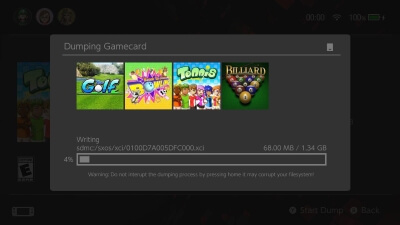
Eingelegte Cartridges oder gemountete XCIs lassen sich nun direkt installieren und XCI-Dateien können im Programm gemounted werden.

* added ability to install cartridge or loaded .xci file.
* added ability to mount xci when found.

XCI Explorer v1.4.7

Nintendo Switch, Nintendo Switch: Update ,

XCI Explorer

Zeigt verschiedene Infos zu XCIs und NSPs an und kann Zertifikate extrahieren und importieren. Der NxFileViewer ist eine bessere Alternative.

Der Text wurde aktualisiert, sodass alle Keys bis zum aktuellen MastKey 07 richtig angezeigt werden.

Updated text to properly display up to MasterKey 7

SX Dumper v2.0.1

Nintendo Switch, Nintendo Switch: Update , ,

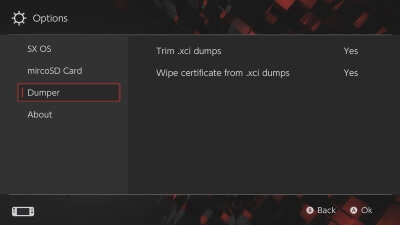
XCIs werden jetzt standardmäßig getrimmt und das Löschen des Zertifikates lässt sich abschalten. Auch können Spiele-Updates gedumpt werden und ein paar Fehler wurden behoben – u.a. einer, der dafür sorgte, dass bei Split-Dumps das Zertifikat nicht gelöscht wurde und einer, bei dem eine NCA nicht zu einem NSP-Dump hinzugefügt werden konnte.

* cache for .xci first time you run the app startup may take awhile.
* .xci are trimmed by default. (can be switched off in settings -> dumper).
* .xci wipe cert can be switched off now (settings -> dumper).
* bug fixed .xci where cert wasn't wiped on splitted dumps.
* ability to dump updates for eShop and cartridge games.
* fixed bug where could fail to add file to nsp.
* added check to see if there is a titlekey before starting the dump.

gcdumptool v1.0.8

Nintendo Switch, Nintendo Switch: Update , ,

nxdumptool

Mit dem nxdumptool von DarkMatterCore lassen sich Nintendo-Switch-Cartridges und installierte Spiele, Updates und DLCs dumpen und durchsuchen.

Cartridges lassen sich jetzt direkt als NSP dumpen – dabei werden diese auch – falls nötig – gesplittet und mit dem Archiv-Bit versehen (wie bei splitNSP), sodass diese sofort installierbar sind! Dazu werden die Keys von Lockpick in "/switch/prod.keys" benötigt. Wenn eine Multi-Game-Cartridge eingelegt wird, lässt sich auch festlegen, welches Spiel gedumpt werden soll.

Changelog

* Added proper metadata reading from multigame carts.
* Added gamecard -> NSP dump option:
* * Compatible with file splitting (for FAT32 support). The same layout from splitNSP.py is used: a directory with numbered part files (00, 01, etc.). The archive bit is enabled right away in this directory to allow HOS to treat it as if it were a whole file. This way, it can be used with any application with NSP-handling capabilities.
* * Compatible with CRC32 checksum calculation. Disclaimer: NSP dumps can't be verified against the XML database.
* * Output NSPs contain a metadata XML file based on the information from the CNMT NCA for the application, which is decrypted using code from hactool. The necessary keyset is loaded from "sdmc:/switch/prod.keys", which can be generated using Lockpick.
* * If a multigame cart is used, you'll be able to choose which application to dump from the menu.
* Dump verification process tweaked for multigame carts: it'll now look for a possible checksum match using the Title IDs from all bundled applications.
* Improved error reporting in dumper.c when a write operation fails. Furthermore, if a write error is produced when trying to write data to an offset past the FAT32 file size limit (0xFFFFFFFF bytes), the application will suggest the user to enable the file splitting option.
* Tweaked part sizes for splitted dumps: XCI/raw partition/manual file dump part size now matches the one used by XCI-Cutter, while the NSP part size matches the one used by splitNSP.py.
* Minor fixes to the UI code.

Nro2Nsp v3.3.4 Fix

Nintendo Switch, Nintendo Switch: Update , ,

Die Icon-Konvertierung wurde erneut geändert und sollte nicht mehr zu "?"-Icons führen. Ferner wurden die Dialogboxen und der Logger überarbeitet, so wie der PPSSPP-Core zum Dropdown hinzugefügt. Auch wurde ein Fehler behoben, wenn sich Leerzeichen im Pfad befanden.

* Changed icon conversion again with option to disable conversion, should fix ? icons
* Changed working directory/folder permissions
* Added Message for settings import is using for the first time
* Revamped dialog boxes
* Added psp core and rom paths
* Improved logger for troubleshooting
* Fixed error with spacing in paths