Zum Inhalt springen

Schlagwort: gba

FCE Ultra GX v4.0.3, Snes9x GX v5.0.3 und Visual Boy Advance GX v3.0.3 – jetzt auch für Wii U!

Wii, Wii U, Wii U: Update, Wii: Update , , , , ,

Tantric hat seine drei beliebten Emulatoren auf die Wii U portiert!

FCE Ultra GX

Ein klasse Nintendo-Entertainment-System-Emulator für die Wii und Wii U mit einer hübschen, grafischen Oberfläche.

Snes9x GX

Snes9x GX ist ein exzellenter Super-Nintendo-Entertainment-System-Emulator für die Wii und Wii U mit einer hübschen, grafischen Oberfläche.

Visual Boy Advance GX

Ein wunderbar Emulator für die Systeme der Game-Boy-Familie mit einer hübschen, grafischen Oberfläche.

Diese unterstützen das Wii U GamePad nativ, laufen in 1080p und akzeptieren USB-Medien im FAT32-, exFAT- sowie NTFS-Format. Voraussetzung dafür ist die CFW-Umgebung Aroma. Alle übrigen Features funktionieren wie gewohnt.

Die Wii geht aber nicht leer aus: Hier werden nun Netzwerk-Shares per SMB2 und SMB3 unterstützt (auch auf der Wii U). Auch das Hotpluggen von USB-Geräten ist jetzt möglich. Da die Einstellungen neu organisiert wurden, werden bisherige Konfigurationen einmalig zurückgesetzt.

Im FCE Ultra GX wurden Bugfixes aus dem Upstream-Projekt übernommen und Unterstützung für den Mapper 471 hinzugefügt.

Im Snes9x GX wurden ebenfalls einige Emulations-Probleme behoben, besonders in Bezug auf den Mode 7. Ein per USB-angesteckter Dualshock 4 kann nun auch verwendet werden.
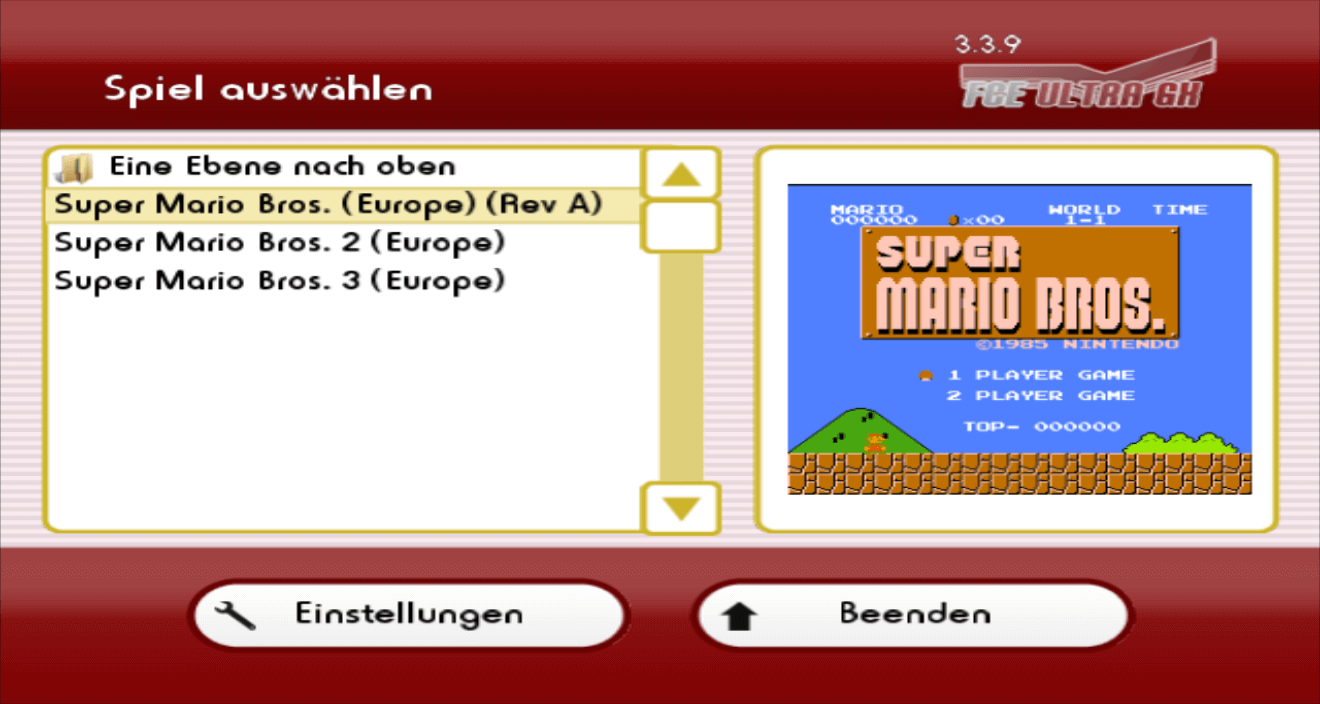
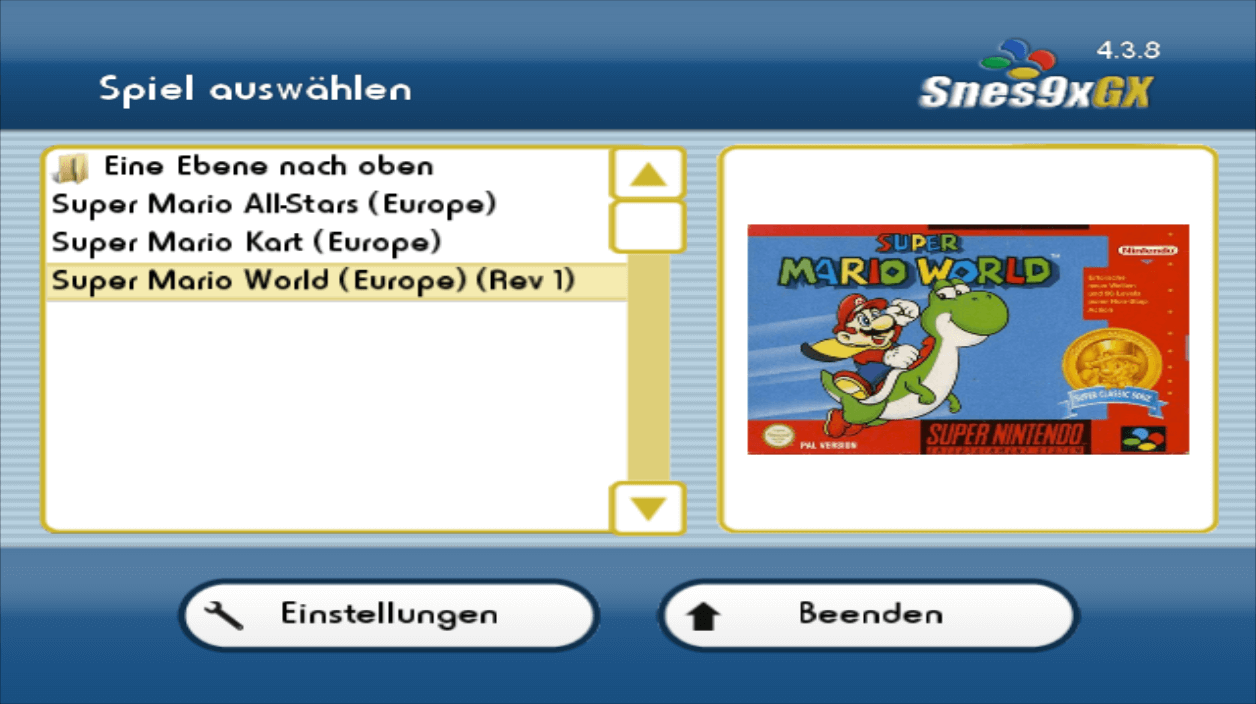
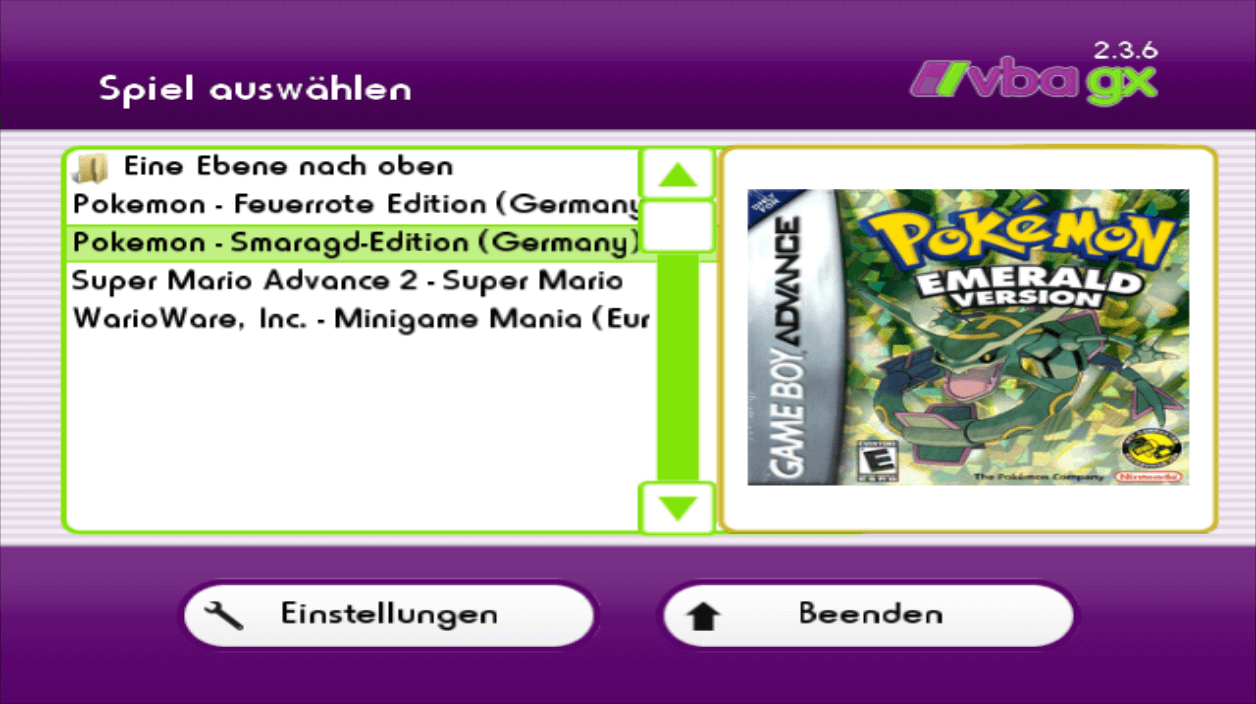
FCE Ultra GX Changelog

* Native Wii U release! FCE Ultra GX now runs natively on the Wii U as its own app, with its own icon on the Wii U Menu. Requires Aroma - run the latest Aroma release and launch the .wuhb directly from it
** Output up to 1080p, with a new GPU-powered ScaleFX upscaler shader and a Sharp Bilinear shader, plus a scanline shader
** Crisp, upscaled menus with sharper text and HD artwork
** Full Wii U GamePad support - touch screen, buttons, and rumble - alongside Wiimote, Nunchuk, Classic Controller, and Wii U Pro Controller
** Correct 16:9 aspect ratio handling, with Wii U aspect ratio handling
** SD card plus up to 3 USB drives at once, with hotplug. USB supports FAT32, exFAT, and NTFS (requires Mocha, an optional Aroma component)
** Press the HOME button to open the Wii U menu overlay. In game, HOME still opens the app menu.
** Sound plays on both the TV and the GamePad
** Recommended: install Bloopair to pair Bluetooth controllers (Switch Pro, Joy-Con, DualShock/DualSense, Xbox, and more) as if they were a Wii U Pro Controller
* Network shares now use libsmb2 (replacing the old SMB code) for modern SMB2/3 server support, on GameCube, Wii, and Wii U.
* Wii: added support for multiple USB devices at once, with proper hotplug. Only devices that are actually mounted appear in the device list
* GameCube: added hotplug support for SD Gecko and SD2SP2 - devices can now be inserted and removed while the app is running
* Reworked and simplified the video settings, and added a new Emulation menu:
** Video options are now: Output Mode, Aspect Ratio Correction, Cropping, Bilinear Filtering, Hardware Softening (GameCube/Wii), Upscaling, Scanline Overlay, Screen Zoom, and Screen Position
** Scanlines are now an independent overlay that can be combined with any upscaling filter, replacing the old "TV Mode" filter
** Game Timing, Sprite Limit, and Zapper Crosshair moved to the new Emulation menu
* Note: due to renaming, settings will all be reset upon first load
* Menu rumble is gentler
* Updated FCEUX emulation with upstream fixes: PAL noise channel fix, an FDS IRQ timer fix, and added support for mapper 471
* Fixed cheats from a cheat file not all starting disabled - they now all start off until you turn them on
* Fixed a bogus "Not Vs. System; can't insert coin" message when pressing the coin/disk button in non-VS games
* Korean translation updated

Snes9x GX Changelog

* Native Wii U release! Snes9x GX now runs natively on the Wii U as its own app, with its own icon on the Wii U Menu. Requires Aroma - run the latest Aroma release and launch the .wuhb directly from it
** Output up to 1080p, with a new GPU-powered ScaleFX upscaler shader and a Sharp Bilinear shader, plus a scanline shader
** Crisp, upscaled menus with sharper text and HD artwork
** Full Wii U GamePad support - touch screen, buttons, and rumble - alongside Wiimote, Nunchuk, Classic Controller, and Wii U Pro Controller
** Correct 16:9 aspect ratio handling, with Wii U aspect ratio handling
** SD card plus up to 3 USB drives at once, with hotplug. USB supports FAT32, exFAT, and NTFS (requires Mocha, an optional Aroma component)
** Press the HOME button to open the Wii U menu overlay. In game, HOME still opens the app menu.
** Sound plays on both the TV and the GamePad
** Recommended: install Bloopair to pair Bluetooth controllers (Switch Pro, Joy-Con, DualShock/DualSense, Xbox, and more) as if they were a Wii U Pro Controller
* Network shares now use libsmb2 (replacing the old SMB code) for modern SMB2/3 server support, on GameCube, Wii, and Wii U.
* Wii: added support for multiple USB devices at once, with proper hotplug. Only devices that are actually mounted appear in the device list
* GameCube: added hotplug support for SD Gecko and SD2SP2 - devices can now be inserted and removed while the app is running
* Reworked and simplified the video settings, and added a new Emulation menu:
** Video options are now: Output Mode, Aspect Ratio Correction, Bilinear Filtering, Hardware Softening (GameCube/Wii), Upscaling, Scanline Overlay, Screen Zoom, and Screen Position
** Scanlines are now an independent overlay that can be combined with any upscaling filter, replacing the old "TV Mode" filter
** Hi-Res Mode, Sprite Limit, SuperFX Overclock, Audio Interpolation, Mute Game Audio, Frame Skipping, Crosshair, Show Framerate, and Show Local Time are grouped in the new Emulation menu (replacing the separate Audio menu)
** Added a new "16:9 (Fixed Pixel Ratio)" aspect ratio option
* Note: due to renaming, settings will all be reset upon first load
* Menu rumble is gentler
* Snes9x emulation fixes: SA-1 memory mapping and RAM access fixes, IRQ timing fix, and a Mode 7 fix for visible glitches in games that change Mode 7 registers mid-scanline. Backported additional upstream Snes9x fixes
* Fixed ROMs with an invalid size byte in their header (such as the leaked Project Dream prototype) being mapped differently on PowerPC, which caused a black screen
* Added wired DualShock 4 (PS4) controller support (AlexVila0204)
* Wii: probe USB once for all controller drivers, fix hot-plug bugs for USB controllers
* GameCube: improve analog stick handling in menu
* Fixed cheats from a cheat file not all starting disabled - they now all start off until you turn them on
* Korean translation updated

Visual Boy Advance GX Changelog

* Native Wii U release! Visual Boy Advance GX now runs natively on the Wii U as its own app, with its own icon on the Wii U Menu. Requires Aroma - run the latest Aroma release and launch the .wuhb directly from it
** Output up to 1080p, with a new GPU-powered ScaleFX upscaler shader and a Sharp Bilinear shader, plus a scanline shader
** Crisp, upscaled menus with sharper text and HD artwork
** Full Wii U GamePad support - touch screen, buttons, and rumble (including in-game rumble) - alongside Wiimote, Nunchuk, Classic Controller, and Wii U Pro Controller
** Correct 16:9 aspect ratio handling, with Wii U aspect ratio handling
** SD card plus up to 3 USB drives at once, with hotplug. USB supports FAT32, exFAT, and NTFS (requires Mocha, an optional Aroma component)
** Press the HOME button to open the Wii U menu overlay. In game, HOME still opens the app menu.
** Sound plays on both the TV and the GamePad
** Recommended: install Bloopair to pair Bluetooth controllers (Switch Pro, Joy-Con, DualShock/DualSense, Xbox, and more) as if they were a Wii U Pro Controller
** The new GBA JIT is ported to Wii U, fully working, and on by default. You can check whether it's enabled under Settings > Emulation. If it's off and can't be turned on, that depends on how the app was launched - it's recommended to launch the .wuhb directly from Wii U menu with the latest Aroma
* Network shares now use libsmb2 (replacing the old SMB code) for modern SMB2/3 server support, on GameCube, Wii, and Wii U.
* Wii: added support for multiple USB devices at once, with proper hotplug. Only devices that are actually mounted appear in the device list
* GameCube: added hotplug support for SD Gecko and SD2SP2 - devices can now be inserted and removed while the app is running
* Reworked and simplified the video settings, and added a new Emulation menu:
** Video options are now: Output Mode, Aspect Ratio Correction, Bilinear Filtering, Hardware Softening (GameCube/Wii), Upscaling, Scanline Overlay, GBA/GB Screen Zoom and Fixed Pixel Ratio, and Screen Position
** Wii U: scanlines are available as an independent overlay that can be combined with the upscaling filters
** Frameskip, Turbo Mode, Show Framerate, and the Game Boy palette/colorization options are all grouped in the Emulation menu alongside Dynamic Recompilation
* Note: due to renaming, settings will all be reset upon first load
* Menu rumble is gentler
* GameCube: ZIP-compressed GBA ROMs up to 16MB can now be loaded
* GameCube: fixed ROM paging issues, including a freeze in the virtual memory system, and GB/GBC ROM loading

Visual Boy Advance GX v3.0.2

vWii, Wii, Wii: Update , , , , ,

Visual Boy Advance GX

Ein wunderbar Emulator für die Systeme der Game-Boy-Familie mit einer hübschen, grafischen Oberfläche.

Ein Absturz beim Zurückkehren in das Menü wurde behoben, wenn die Sprache auf einer anderen als Englisch eingestellt ist. Die gewählte Palette wird nun korrekt angewendet und die Spiele-Kompatibilität wird durch das automatische Laden der korrekten Einstellungen erhöht.

* Fixed crash returning to the menu when set to non-English language
* Fixed bug with Monochrome Screen setting not being applied consistently
* Improved game compatibility with a new mechanism to automatically detect the proper settings
* Fixed bugs with border handling code (refactored/rewritten)

Visual Boy Advance GX v3.0.1

vWii, Wii, Wii: Update , , ,

Visual Boy Advance GX

Ein wunderbar Emulator für die Systeme der Game-Boy-Familie mit einer hübschen, grafischen Oberfläche.

Ein komplett neuer dynamischer Recompiler für GBA-Spiele wurde hinzugefügt, der komplett "from scratch" implementiert wurde. Die Performance verbessert sich damit massiv. Er muss vorher in den Einstellungen unter "Emulation" aktiviert werden. Zudem wurde die Audio-Emulation verbessert; sie sollte jetzt näher am Original sein.

Genau wie die anderen GX-Emulatoren auch unterstützt der VBAGX jetzt auch Cheats. Außerdem wurde eine FPS-Anzeige hinzugefügt.

Changelog

* Implemented a brand new Dynamic Recompilation (JIT) core for GBA games on both Wii and GameCube, built entirely from scratch. This is a from-the-ground-up addition, not a port - real GBA titles now run with plenty of headroom to run at full speed, well beyond what the interpreter core could sustain. Enable it from Settings > Emulation
* Replaced GameCube's old ROM paging system with a new ARAM/SD hybrid virtual memory pager - ROM data now streams transparently from SD into ARAM and MEM1 on demand instead of needing to fit entirely in memory ahead of time, allowing the JIT to be possible (since it doesn't have to be aware of backing data location)
* Rewritten memory management for both Wii/GameCube, freeing up 8MB+ for a JIT Cache, while still allowing 32MB ROMs
* Added cheat code support for both GBA and GB/GBC games, using the Libretro .cht file format
* GB/GBA audio is cleaner and truer to the original hardware, with one less resampling step - it is now generated natively at 48kHz - instead of upsampled from 44100Hz (GBA) and 22050Hz (GB)
* Audio samples are now written directly into the output buffer with no intermediate mixing buffer in between, reducing audio latency
* Smart dynamic audio rate control keeps playback speed correctly matched to real GBA hardware timing, with a stronger correction kicking in only when actually needed to avoid a dropout - this means fewer, less noticeable pitch adjustments during normal play
* Buffer underruns (audio momentarily running dry) now fade smoothly to silence and back instead of producing a hard click, and startup/resume is primed to avoid an initial stutter
* Reworked frameskip and frame pacing so video timing is smoother and more consistent, especially when the JIT core is running well above 60fps, and skipped frames are spaced more evenly instead of clumping
* Added FPS display option

FCE Ultra GX v3.5.3, Snes9x GX v4.5.4 und Visual Boy Advance GX v2.4.7

vWii, Wii, Wii: Update , , , ,

Tantric hat die drei beliebten "GX"-Emulatoren für die Wii aktualisiert.

Alle Emulatoren wurden mit dem neuesten devkitPPC und libogc kompiliert und ein Absturz behoben, wenn die SD-Karte oder ein USB-Gerät entfernt, "Cancel" gedrückt und der Emulator neu gestartet wurde. Beim ersten Start wird zudem automatisch zum gewählten Videomodus gewechselt.

Es folgen die Neuerungen der einzelnen Emulatoren.


FCE Ultra GX

Ein klasse Nintendo-Entertainment-System-Emulator für die Wii und Wii U mit einer hübschen, grafischen Oberfläche.

Beim FCE Ultra GX wird jetzt der Mapper 126 für "Power Joy 84-in-1" unterstützt. Auch lässt sich der "Save RAM" Button ausblenden und ein Unterpunkt "Other Mappings" wurde hinzugefügt, mit dem gewisse Knöpfe umbelegt werden können – so lässt sich jetzt der Turbo-Mode auf einen Knopf legen und das Menü mit "1" + "2" + "PLUS" umschalten. Nutzer eines Classic Controllers werden darüber erfreut sein, dass der Cursor auch endlich nicht mehr an ungewollte Stellen springt, wenn der Emulator gestartet wurde.

FCE Ultra GX Changelog

* Compiled with latest devkitPPC/libogc
* Switch to chosen video mode on first load if not automatic
* Added support for mapper 126 for Power Joy 84-in-1 (Tanooki16)
* Added a toggle to hide/show the "Save RAM" button (InfiniteBlueGX)
* Added Other Mappings submenu and move Enable Turbo Mode toggle into it (InfiniteBlueGX)
* Added turbo mode remap option to Other Mappings (InfiniteBlueGX)
* Added B button back trigger to submenus (InfiniteBlueGX)
* Added the menu toggle option to Other Mappings (InfiniteBlueGX)
* Fixed a crash upon relaunching after removing a SD/USB device (InfiniteBlueGX)
* Added 1+2+Plus menu toggle option (InfiniteBlueGX)
* Added B/1 cancel trigger to window prompts (InfiniteBlueGX)
* Fixed initial game selection menu "jump" when using classic controller (InfiniteBlueGX)
* Added B/1 button press to cancel button remapping prompt (InfiniteBlueGX)


Snes9x GX

Snes9x GX ist ein exzellenter Super-Nintendo-Entertainment-System-Emulator für die Wii und Wii U mit einer hübschen, grafischen Oberfläche.

Zum Snes9x GX wurden eine Frameskip-Option und PAL-576p hinzugefügt. Ferner können der SNES Hi-Res Mode und das Sprite-Limit ein-/ausgeschaltet werden und Zubehör wird standardmäßig deaktiviert. Lange Cheat-Namen werden gescrollt und CHT-Dateien im BML-Format können geladen werden. Der obige Fix für den Cursor des Classic Controllers ist hier ebenfalls integriert, ebenso wie einige Remapping-Optionen. Der Ton lässt sich stumm schalten und für die SNES-Maus wurden neue Controller-Optionen hinzugefügt.

Snes9x GX Changelog

* Compiled with latest devkitPPC/libogc
* Updated to newer Snes9x (bladeoner)
* Switch to chosen video mode on first load if not automatic
* Added frameskip option and added PAL 576p support (Tanooki16)
* Added SNES Hi-Res Mode ON/OFF and Sprite Limit ON/OFF (Tanooki16)
* Disabled peripheral devices by default if not selected in controller settings (Tanooki16)
* Added support for BML-format .cht files and text scrolling for cheat names (InfiniteBlueGX)
* Added a B/1 button press to cancel the button remapping prompt (InfiniteBlueGX)
* Fixed default game selection menu "jump" upon startup w/classic controller (InfiniteBlueGX)
* Fixed a crash when selecting Cancel after removing an SD/USB device and re-opening the app (InfiniteBlueGX)
* Added option to mute game audio (InfiniteBlueGX)
* Added 1+2+Plus menu toggle option for Wiimote (InfiniteBlueGX)
* Added new controller configuration options for the SNES Mouse (InfiniteBlueGX)
* Added option to choose which button/combo is used to toggle the menu (InfiniteBlueGX)
* Added option to remap the ABXY buttons to the right analog stick (InfiniteBlueGX)


Visual Boy Advance GX

Ein wunderbar Emulator für die Systeme der Game-Boy-Familie mit einer hübschen, grafischen Oberfläche.

Für den VBAGX gab es keine spezifischen Änderungen.

Visual Boy Advance GX Changelog

* Compiled with latest devkitPPC/libogc
* Switch to chosen video mode on first load if not automatic
* Fixed a crash upon relaunching after removing a SD/USB device (InfiniteBlueGX)

mGBA v0.10.2

3DS, 3DS: Update, Nintendo Switch, Nintendo Switch: Update, vWii, Wii, Wii: Update , ,

Downloads anzeigen

mGBA Switch

Ein sehr guter Game-Boy-Advance-Emulator.

mGBA 3DS

Emuliert den Game Boy, Game Boy Color und Game Boy Advance.

mGBA Wii

Ein sehr guter Game-Boy-Advance-Emulator.

Dieses Update verbessert die Kompatibilität und behebt einige Fehler. Näheres im Changelog im offiziellen Blogpost.

mGBA v0.10.1

3DS, 3DS: Update, Nintendo Switch, Nintendo Switch: Update, Wii, Wii: Update , ,

Downloads anzeigen

mGBA Switch

Ein sehr guter Game-Boy-Advance-Emulator.

mGBA 3DS

Emuliert den Game Boy, Game Boy Color und Game Boy Advance.

mGBA Wii

Ein sehr guter Game-Boy-Advance-Emulator.

Dieses Update kommt mit einigen Bugfixes, insbesondere für die Emulation des originalen Game Boys.

mGBA v0.10.0

3DS, 3DS: Update, Nintendo Switch, Nintendo Switch: Update, vWii, Wii, Wii: Update , ,

Downloads anzeigen

mGBA Switch

Ein sehr guter Game-Boy-Advance-Emulator.

mGBA 3DS

Emuliert den Game Boy, Game Boy Color und Game Boy Advance.

mGBA Wii

Ein sehr guter Game-Boy-Advance-Emulator.

Cheats werden jetzt endlich mit einer richtigen Oberfläche unterstützt, in der Cheats eingegeben und (de-)aktiviert werden können. Ferner wurde die Emulation und insbesondere die Audio-Emulation, sowie die Unterstützung für Farbpaletten weiter verbessert.

Näheres findet ihr im umfangreichen Blogpost von endrift.

mGBA v0.9.2

3DS, 3DS: Update, Nintendo Switch, Nintendo Switch: Update, vWii, Wii, Wii: Update , ,

Downloads anzeigen

mGBA Switch

Ein sehr guter Game-Boy-Advance-Emulator.

mGBA 3DS

Emuliert den Game Boy, Game Boy Color und Game Boy Advance.

mGBA Wii

Ein sehr guter Game-Boy-Advance-Emulator.

Diese Version enthält wieder einige Fehlerbehebungen. Auf dem 2DS lässt sich der Widescreen-Mode nun korrekt deaktivieren und das Laden von UPS-Patches wurde beschleunigt.

mGBA v0.9.1

3DS, 3DS: Update, Nintendo Switch, Nintendo Switch: Update, vWii, Wii, Wii: Update , , ,

mGBA Switch

Ein sehr guter Game-Boy-Advance-Emulator.

mGBA 3DS

Emuliert den Game Boy, Game Boy Color und Game Boy Advance.

mGBA Wii

Ein sehr guter Game-Boy-Advance-Emulator.

Dies ist ein Bugfix-Release, welches u.a. Savestates fixt. Alle Änderungen findet ihr im Blogpost.

FCE Ultra GX v3.4.9, Snes9x GX v4.5.0 und Visual Boy Advance GX v2.4.3

vWii, Wii, Wii: Update , , , , ,

FCE Ultra GX

Ein klasse Nintendo-Entertainment-System-Emulator für die Wii und Wii U mit einer hübschen, grafischen Oberfläche.

Snes9x GX

Snes9x GX ist ein exzellenter Super-Nintendo-Entertainment-System-Emulator für die Wii und Wii U mit einer hübschen, grafischen Oberfläche.

Visual Boy Advance GX

Ein wunderbar Emulator für die Systeme der Game-Boy-Familie mit einer hübschen, grafischen Oberfläche.

Die maximale Bildergröße für Cover wurde auf 640×480 Pixel angehoben (von 512×612), damit Screenshots unterstützt werden. Der Snes9x GX zeigt außerdem wieder Satellaview-ROMs an.

FCE Ultra GX v3.4.8, Snes9x GX v4.4.9 und Visual Boy Advance GX v2.4.2

vWii, Wii, Wii: Update , , , ,

FCE Ultra GX

Ein klasse Nintendo-Entertainment-System-Emulator für die Wii und Wii U mit einer hübschen, grafischen Oberfläche.

Snes9x GX

Snes9x GX ist ein exzellenter Super-Nintendo-Entertainment-System-Emulator für die Wii und Wii U mit einer hübschen, grafischen Oberfläche.

Visual Boy Advance GX

Ein wunderbar Emulator für die Systeme der Game-Boy-Familie mit einer hübschen, grafischen Oberfläche.

Alle drei Emulatoren wurden mit der neuesten Version von libogc und devkitPPC kompiliert und der Speicherverbrauch stark gesenkt. Auch lässt sich der Spieler bei mehreren angeschlossenen Controllern ändern.

Beim Snes9x GX wurde das Seitenverhältnis korrigiert und beim FCE Ultra GX die Erkennung von PAL-Spielen verbessert, so wie Audio-Fehler behoben. Zudem wird der NES-Klon Де́нди (Dendy) unterstützt.

mGBA v0.8.3

3DS, 3DS: Update, Nintendo Switch, Nintendo Switch: Update, vWii, Wii, Wii: Update , ,

mGBA Switch

Ein sehr guter Game-Boy-Advance-Emulator.

mGBA 3DS

Emuliert den Game Boy, Game Boy Color und Game Boy Advance.

mGBA Wii

Ein sehr guter Game-Boy-Advance-Emulator.

Diese Version behebt wieder einige Kompatibilitätsprobleme und grafische Bugs.

FCE Ultra GX v3.4.7, Snes9x GX v4.4.8 und Visual Boy Advance GX v2.4.1

vWii, Wii, Wii: Update , , , ,

FCE Ultra GX

Ein klasse Nintendo-Entertainment-System-Emulator für die Wii und Wii U mit einer hübschen, grafischen Oberfläche.

Snes9x GX

Snes9x GX ist ein exzellenter Super-Nintendo-Entertainment-System-Emulator für die Wii und Wii U mit einer hübschen, grafischen Oberfläche.

Visual Boy Advance GX

Ein wunderbar Emulator für die Systeme der Game-Boy-Familie mit einer hübschen, grafischen Oberfläche.

Alle Emulatoren wurden mit der aktuellen Version von libogc kompiliert, was den 480p-Bug fixt. Auch wurde ein Widescreen-Fix für die Wii U integriert und alle Channel Installer für den vWii-Modus angepasst. Zudem lassen sich Spiele mit "L+R+START" beenden.

Beim Snes9x GX ist die BS-X-ROM nun optional und der Snes9x-Core wurde aktualisiert. Der Visual Boy Advance GX wurde zusätzlich noch mit den Bugfixes der anderen GX-Emulatoren ausgestattet.

Alle Changelogs findet ihr in den Quellen-Links.

mGBA v0.8.2

3DS, 3DS: Update, Nintendo Switch, Nintendo Switch: Update, vWii, Wii, Wii: Update ,

mGBA Switch

Ein sehr guter Game-Boy-Advance-Emulator.

mGBA 3DS

Emuliert den Game Boy, Game Boy Color und Game Boy Advance.

mGBA Wii

Ein sehr guter Game-Boy-Advance-Emulator.

Diese Version fixt etliche Emulationsfehler und Edge-Cases. Alle Einzelheiten gibt’s im umfangreichen Changelog auf der mGBA-Webseite!

mGBA v0.8.1

3DS, 3DS: Update, Nintendo Switch, Nintendo Switch: Update, vWii, Wii, Wii: Update , ,

mGBA Switch

Ein sehr guter Game-Boy-Advance-Emulator.

mGBA 3DS

Emuliert den Game Boy, Game Boy Color und Game Boy Advance.

mGBA Wii

Ein sehr guter Game-Boy-Advance-Emulator.

Diese Version behebt einige Fehler, steigert die Kompatibilität. Den vollen Changelog findet ihr im Blogpost.