Zum Inhalt springen

Schlagwort: emulator

Snes9x 3DS v2.1

3DS, 3DS: Update, Allgemein ,

Snes9x 3DS

Emulator für das Super Nintendo Entertainment System, besonders optimiert für den originalen 3DS.

Der MSU-1 mit Audio-Tracks und FMVs wird nun unterstützt. Des Weiteren wurden einige Grafikfehler behoben und Optionen lassen sich mit "X" zurücksetzen. Zudem kann ein Hotkey festgelegt werden, mit dem weitere Hotkeys nur ausgelöst werden, wenn dieser gedrückt gehalten wird.

* Added MSU-1 support (#21, #98, #97)
** Audio tracks and full-motion video.
** Packs start directly from their folder. See MSU-1 games.
** Adjust pack loudness with MSU-1 Volume in the game's settings.
* Second screen backlight turns off when its background is set to Off (not on Old 2DS) (#95)
* Optimized S-DD1 decompression; Street Fighter Alpha 2 now runs at full speed on Old 3DS
* Fixed truncated sound effects, e.g. Street Fighter Alpha 2
* Fixed flickering graphics when many tiles change at once, e.g. MSU-1 videos
* Fixed missing or blurred edge pixels at 1:1 scaling
* Added optional Hotkey Enable button; hotkeys only work while it is held
* Added per-item reset with X on the Controls tab

PPSSPP Switch v1.1.2

Nintendo Switch, Nintendo Switch: Update ,

PPSSPP Switch

Der beliebte PlayStation-Portable-Emulator jetzt auch als Standalone-Version für die Nintendo Switch.

Dieses Update verbessert weiter die Kompatibilität und hebt den PPSSPP-Kern auf den aktuellen Stand.

* Merged the latest PPSSPP updates.
* Improved Deko3D stability / rendering.
* Improved Audio.
* Fixed ad hoc relay server.
* Added Full flow resolution for frame generation.
* Fixed the updater replacing the NRO while it was still open.

DOSBox Wii v2.1

vWii, Wii, Wii: Update ,

DOSBox Wii

Port des DOS-Emulators "DOSBox" auf die Wii und Wii U.

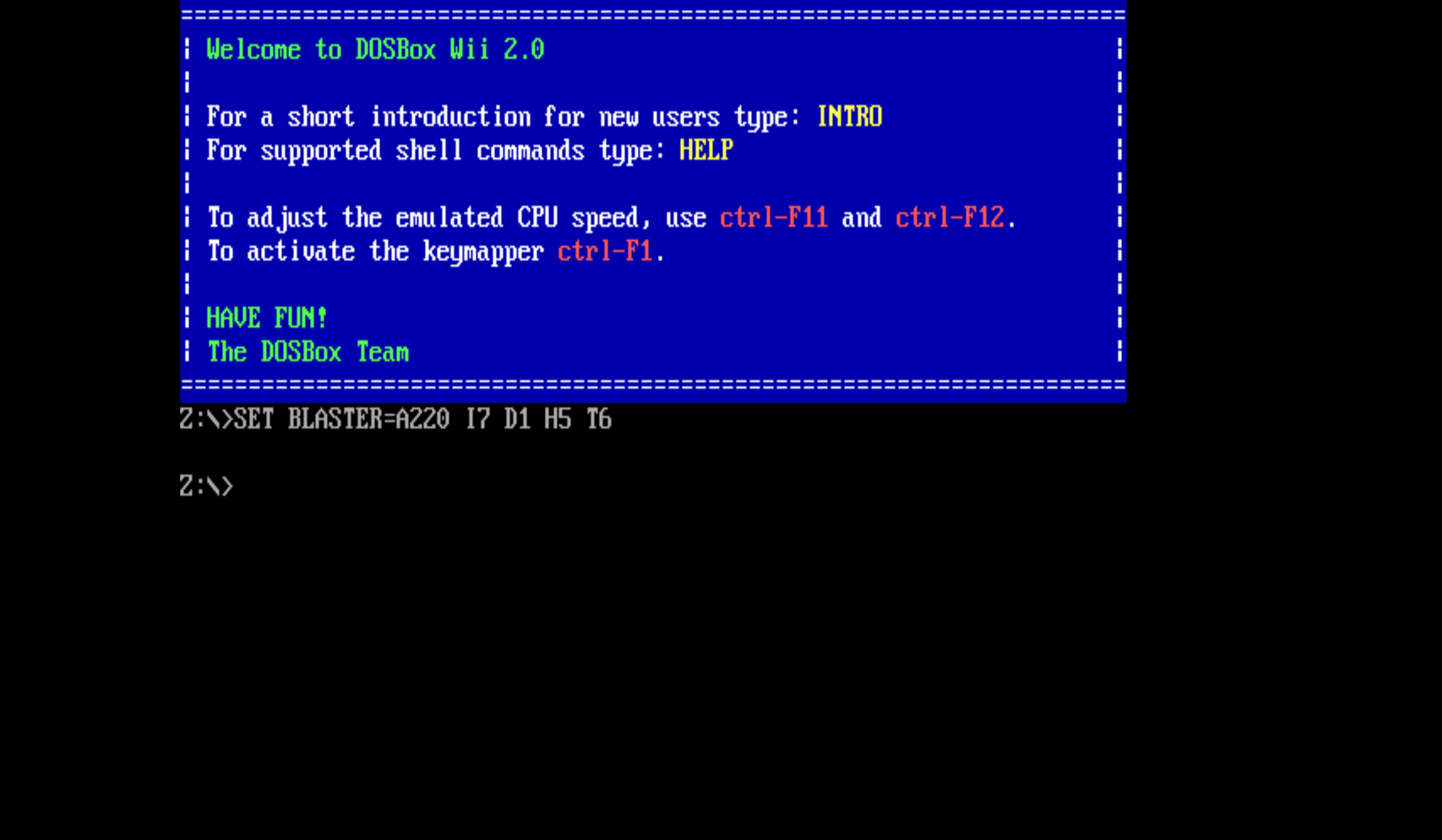
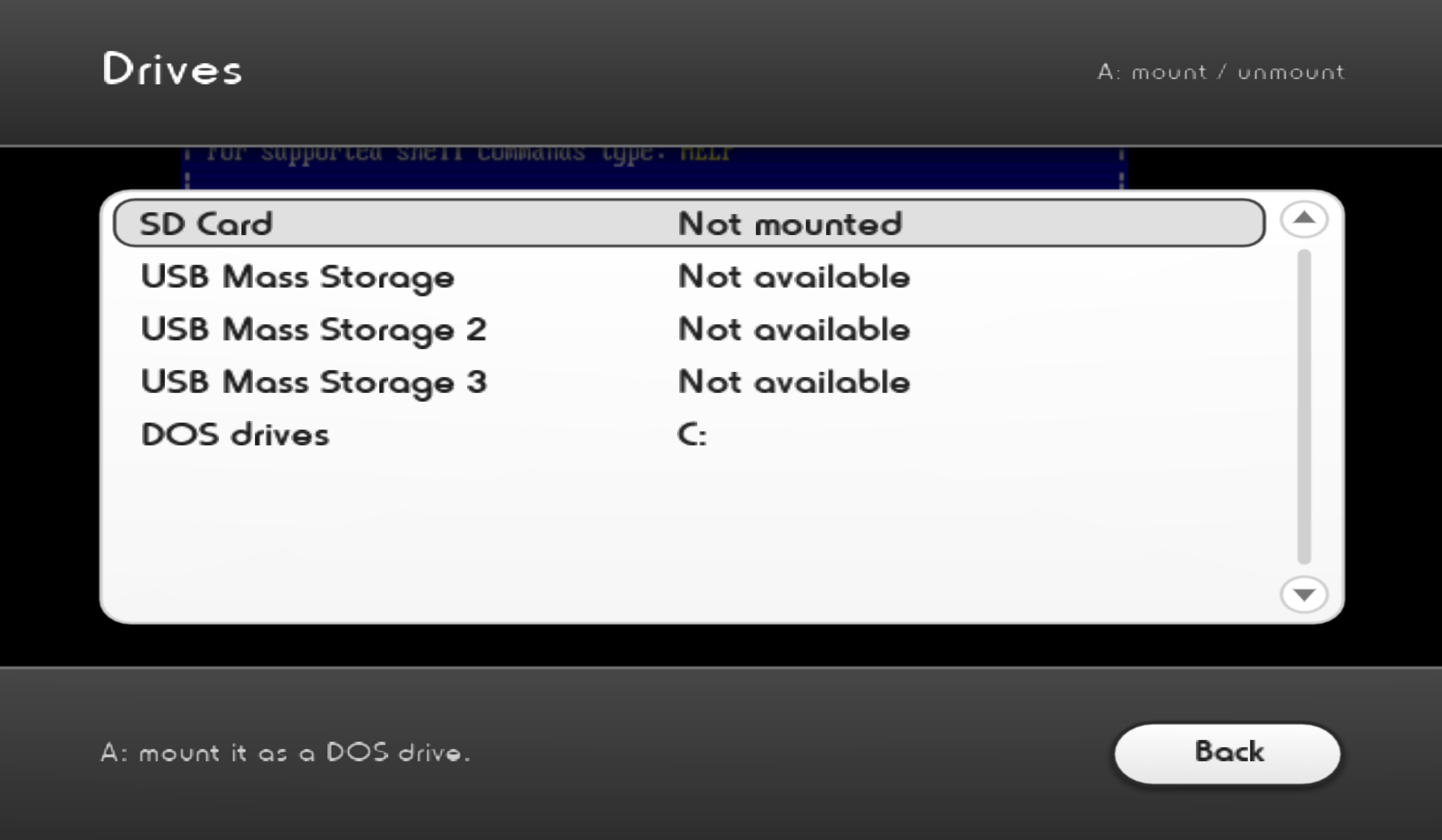
Spiele lassen sich jetzt direkt starten: Wird DOSBox Wii mit dem Namen eines Spiels aufgerufen, lädt es dessen Config zusätzlich zur dosbox.conf. Das klappt über die "<arguments>" in der meta.xml im Homebrewkanal oder über den WiiFlow. Näheres steht in der README. Auf der Wii U geht das auch: Liegt eine "autoboot.conf" im content-Ordner einer WUHB, startet diese direkt das Spiel. So lassen sich DOS-Spiele als eigene "App" ins Wii-U-Menü legen. Das neue "DOSBox Wii U Autoboot Kit" (downloadbar auf GitHub) enthält dafür eine Anleitung, eine Vorlage, wuhbtool und Build-Skripte.

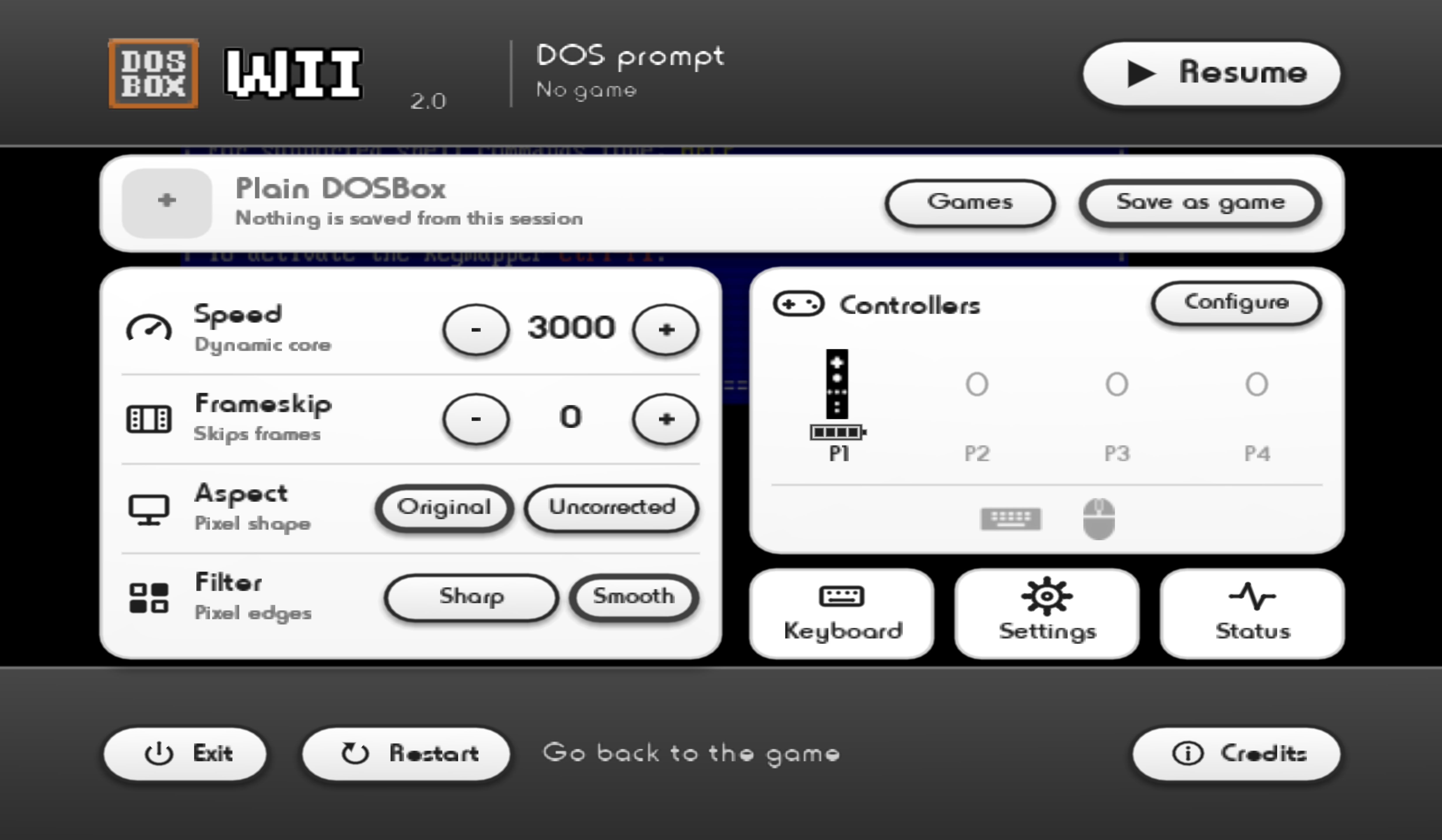
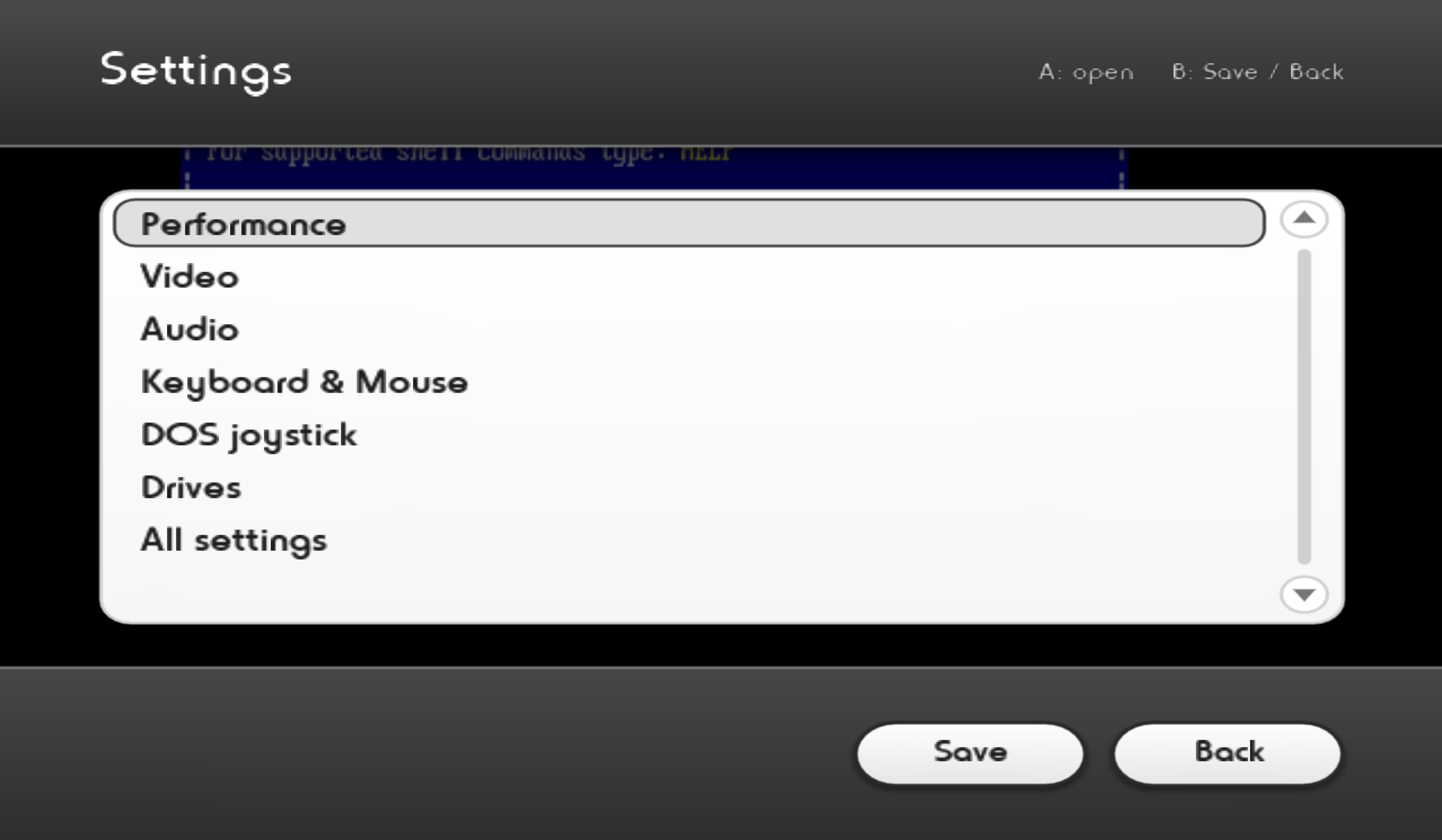
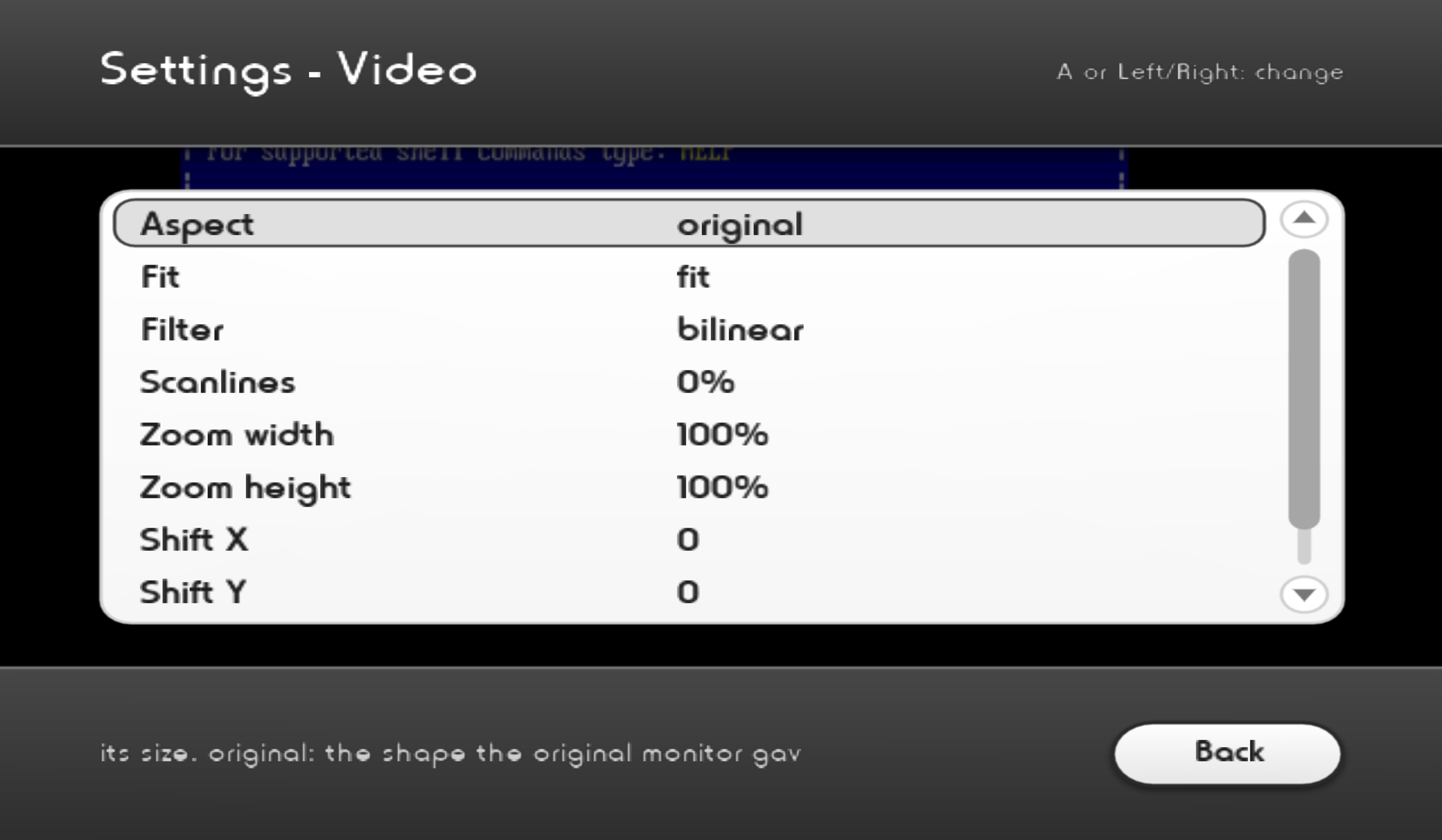
Auf der Wii kann unter "Settings" -> "Video" nun der Ausgabemodus gewählt und ein Deflicker-Filter eingestellt werden. Beides lässt sich auch pro Spiel festlegen. Ein Neustart lässt Reste der letzten Sitzung nicht mehr übrig, was u.a. zu einem Blackscreen, einer nicht mehr funktionierenden Maus oder Abstürzen führen konnte. Programme, die schneller zeichnen als der Bildschirm, bremsen die Emulation auf beiden Konsolen nicht mehr aus. Ein mount im "[autoexec]" wartet bis zu acht Sekunden auf langsame USB-Sticks und "usb:/" und "usb1:/" funktionieren jetzt auf Wii und Wii U, sodass sich Configs zwischen beiden Konsolen tauschen lassen.

Zudem friert das Menü beim Speichern auf langsamen SD-Karten nicht mehr ein. Auf der Wii U werden Wii-U-formatierte Festplatten in Ruhe gelassen und das Schließen des Laufwerk-Menüs während eines USB-Mounts lässt das Menü nicht mehr hängen.

Changelog
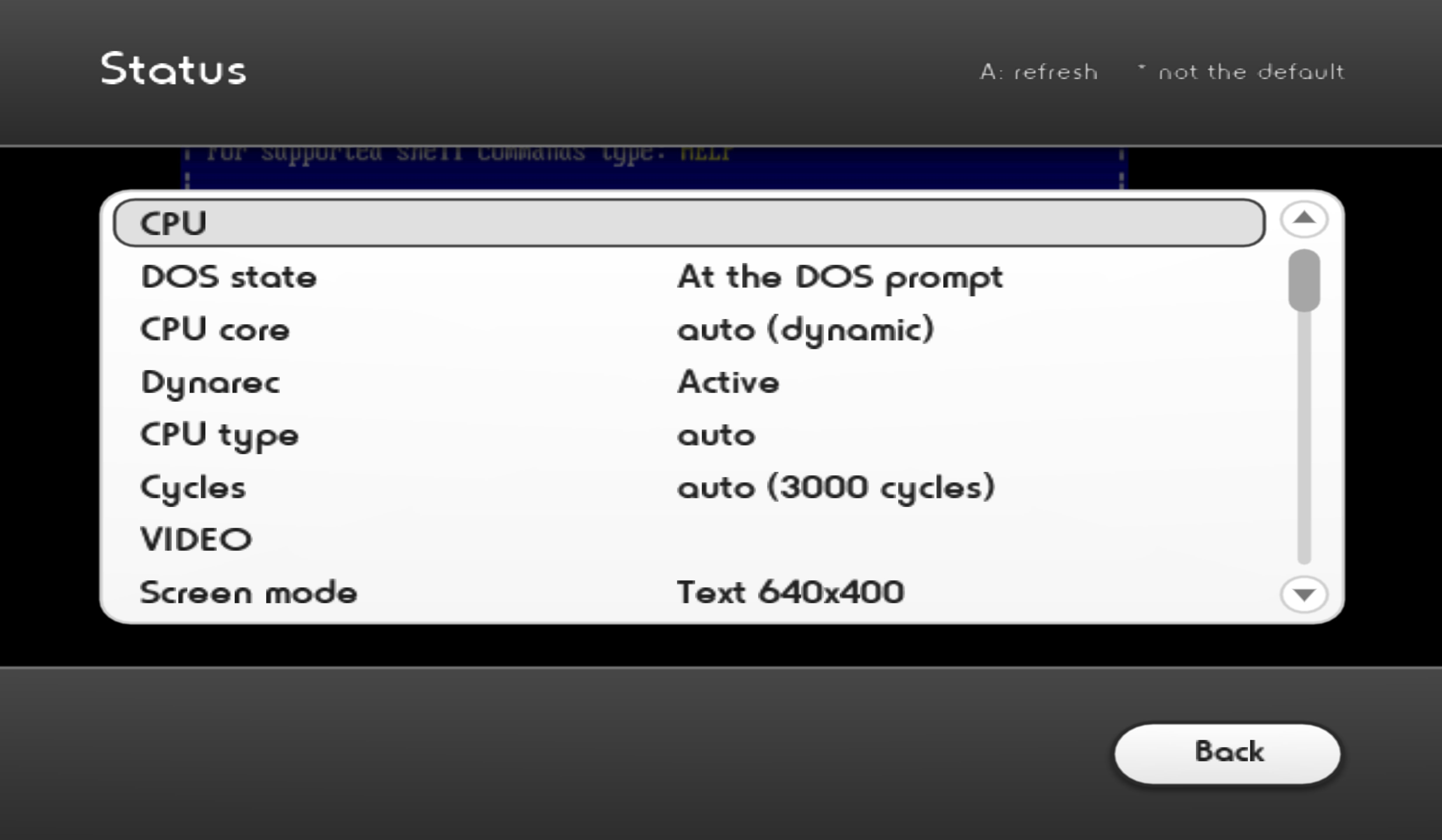
* Start straight into a game (Wii). Name a game when you launch DOSBox Wii and it starts with that game's config on top of dosbox.conf: from the Homebrew Channel ( in meta.xml) or from WiiFlow, either as a plugin (the zip now includes wiiflow/plugins/dosbox-wii.ini, which lists the .conf files in DOSBox/Games as games) or from its Homebrew list. A game can be named as -gameconf , as a bare .conf, or as a bare folder that holds one (autoboot.conf, or its only .conf). A relative name is looked for as written, beside the launched boot.dol, then in the DOSBox folder, so a game's .conf, .map and files can all live in one folder, anywhere. If the game cannot be found DOSBox starts without one and says why on the DOS screen. The Status page has an Autoboot row, and the app now knows it was started this way (IsAutoboot()), ready for a single-game menu later. See the README's Starting a game at launch
* A game in its own app (Wii U). A .wuhb with an autoboot.conf in its content folder (fs:/vol/content, which Aroma mounts) starts straight into that game. Its Games list shows what the .wuhb holds. The new DOSBox Wii U Autoboot Kit download has the .rpx, wuhbtool, build scripts, a template and instructions for making one
* Add missing keyboard keys to the mapping UI
* Video output mode (Wii). Choose the video mode the TV gets while you play: 480i, 480p (component cable) or 240p, for NTSC, PAL60 and PAL, from Settings → Video → Output mode or output in [display]. The config accepts any of libogc2's 57 stock modes. The menu stays in the console's own mode and the game screen behind it lines up with the game's, whichever mode it was in. Per-game configs can carry their own mode.
* Deflicker (Wii). Settings → Video → Deflicker (deflicker in [display]: auto, off, normal, strong) sets the vertical filter used when the picture is sent to the TV. Until now the game was always shown unfiltered, so a 480i picture shimmered on a CRT even though the menu did not. auto uses the video mode's own filter, which steadies 480i
* Fix (Wii): Scanlines no longer flash on a 480i picture. They were drawn on every other line, which in 480i is a whole field, so the screen blinked black. The row is now offered only in a progressive 480-line mode; for a CRT, use the 240p output mode instead
* Fix: MOUNT waits for a USB drive that is slow to start. An [autoexec] such as mount c usb:/dosbox used to fail at launch when the drive was not ready yet, and only worked once the Drives screen had been opened. It now prints Waiting for USB Mass Storage... and tries for up to 8 seconds. On the Wii U, a usb1:/ path mounts the drive itself
* usb:/ and usb1:/ are now accepted on both consoles, so a config written for one works on the other
* Fix: the [display] settings are now in place before the first picture, so a game config's deflicker (and output) is used from the start, not only after the menu has been opened
* Fix: Restart now gives DOSBox the state of a first start. Restarting into another game (or plain DOSBox) used to carry over leftovers from the run before, which could show up as a black screen, a mouse that stopped working, a wrong timer, or a crash on a later restart. The CPU registers and privilege level, the timer, the video card, DMA, DOS's memory and settings, the Num Lock / Caps Lock start state and any held stick direction are all reset now, and files a program left open are closed instead of piling up with each restart. A restart that is cut short by an error no longer ends in abort called
* Fix: the mouse driver is no longer overwritten by DOS's own tables after a restart (DOS's private memory is reset before the mouse driver is set up, not after)
* Fix: the PowerPC dynarec's code cache is always set up at launch, whatever core is set to, so the core can be switched to dynamic later (from the menu, or by a game's config) without it being unavailable. It has to be taken from memory at startup, before anything else uses it
* Fix (Wii): frame pacing. A program that draws faster than the display no longer stalls the emulation waiting for the screen, which also mixes the audio, so such programs no longer fall behind real time (#62)
* Fix (Wii U): non-blocking frame present. The same fix for the Wii U, where a present waited for the GPU and the swap (#62)
* Faster Save and Games. Saving a game or dosbox.conf is made in memory and written once, on a worker thread, behind a small Saving panel with a spinner, so a slow SD card or USB drive shows a moving spinner instead of a frozen screen. Renaming, deleting, saving and adding a game update the Games list directly instead of reading the card again
* Fix (Wii U): a USB drive with nothing DOSBox can mount on it (a Wii U WFS-formatted drive, or an unformatted one) is now noticed once and left alone, rather than probed again and again. Mounting is only tried when the set of USB storage devices changes, so an idle console makes no mount attempts
* Fix (Wii U): closing the Drives screen while a USB mount is still in progress no longer freezes the menu. The mount is allowed to finish while the menu keeps running. The USB and drive code also holds its locks more carefully, and the emulation thread has a larger stack
* Fix (Wii): IOS reload and the L2 cache enhancement are now the very first things done at startup


FCE Ultra GX v4.0.5, Snes9x GX v5.0.6 und Visual Boy Advance GX v3.0.6

vWii, Wii, Wii: Update , , , , , ,

FCE Ultra GX

Ein klasse Nintendo-Entertainment-System-Emulator für die Wii und Wii U mit einer hübschen, grafischen Oberfläche.

Im FCE Ultra GX wurden größtenteils Ton-Probleme behoben.

FCE Ultra GX Changelog
* Rewrite expensive sound filter that was causing us to go over frame budget
* Fixed some potential startup crash causes
* Wii U: fixed a brief audio dropout that could happen every 10-15 seconds
* Fixed a low "puff" sound that could be heard when starting a game
* Wii/GameCube: audio is now buffered ahead and adapts to timing variation, preventing brief dropouts when a frame is late
* Updated translations
* Wii U - ignore unmountable drives, improve handling of blocked threads
* Other minor fixes and enhancements

Snes9x GX

Snes9x GX ist ein exzellenter Super-Nintendo-Entertainment-System-Emulator für die Wii und Wii U mit einer hübschen, grafischen Oberfläche.

Wenn im SNES9x GX ein NTSC-Spiel über PAL (50 Hz) gespielt wird, kam es zu einem 3%igen Slowdown, der nun behoben wurde. Auf der Wii kann als Pointer nun auch ein USB-Pen-Tablet verwendet werden, wobei hier wohl uDraw gemeint sein dürfte. Zudem wurden einige potenzielle Abstürze beim Start behoben.

SNES9x GX Changelog
* Fixed games running about 3% slow on PAL (576i) 50Hz output when playing an NTSC game
* USB pen tablet support on Wii. The pen moves the pointer and aims the Super Scope, Justifier and SNES Mouse, using the USB mouse's button mapping
* Fixed some potential startup crash causes
* Updated translations
* Wii U - ignore unmountable drives, improve handling of blocked threads
* Other minor fixes and enhancements

Visual Boy Advance GX

Ein wunderbar Emulator für die Systeme der Game-Boy-Familie mit einer hübschen, grafischen Oberfläche.

Auch im VBAGX wurden Slowdowns in 50 Hz behoben. Die beim Refactor verloren gegangene spezielle Steuerung in einigen Spielen wurde auch wieder eingefügt (siehe Changelog).

Visual Boy Advance GX Changelog
* Fixed GB, GBC and GBA games running slow on PAL (576i) 50Hz output
* Fixed JIT IRQ latency bug causing graphical artifacts
* Restored the original controls of the games with special Wii controls (Zelda, Mario, Metroid, Ninja Turtles, Mortal Kombat, Star Wars, Harry Potter, Medal of Honor, Boktai, The Lord of the Rings, Castlevania and the rest). The input refactor had rewritten them as a single layout for every controller, which lost things like the Nunchuk's C fast-forward and the D-pad items in the Zelda games, the D-pad punches and kicks in Mortal Kombat, and shoot and jump on A and B in the Metroid games. Each game reads the Wii Remote, Nunchuk, Classic Controller and GameCube pad as it originally did, through a compatibility layer (legacyinput.cpp), and the Wii U Pro Controller and GamePad play as a Classic Controller everywhere, including the games that only read the Classic Controller on its own
* Match Wii Controls (Match GC Controls on GameCube) has moved to the Button Mappings screen, next to what it replaces. For a game with special Wii controls, a My Mappings | Match Wii Controls choice appears at the top; while Match Wii Controls is selected the mappings are shown faded, and the in-game menu's Button Mappings button wears a Wii badge. Games without special controls never show it, and the in-game menu is back to its simpler layout
* While Match Wii Controls is selected, the Button Mappings screen lists what each control does in that game ("A: Jump", "Z: Target / shield"...) around the controller you are using, with shakes and swings under Motion, instead of your mappings. Every game with special controls is listed for every kind of controller: from the README where it describes them, otherwise from what the code does. Where a game leaves a controller's buttons to your Button Mappings, your mappings are shown as normal, with a note when only some buttons are left to them
* Fixed some potential startup crash causes
* Updated translations
* Wii U - ignore unmountable drives, improve handling of blocked threads
* Other minor fixes and enhancements

PPSSPP Switch v1.1.1

Nintendo Switch, Nintendo Switch: Update ,

PPSSPP Switch

Der beliebte PlayStation-Portable-Emulator jetzt auch als Standalone-Version für die Nintendo Switch.

Neben einem aktualisierten PPSSPP-Kern und Mesa wurde ein Absturz behoben und der Updater gefixt, weshalb auf diese Version manuell aktualisiert werden muss. Zudem spielen die Spiele-Previews nun Musik ab, was sich auch in den Einstellungen deaktivieren lässt.

* Merged the latest PPSSPP updates.
* Updated to Mesa 26.2.7.
* Fixed Deko3D allocation crash.
* Added game preview music when highlighting a title. can be turned off under Settings → Launcher → Game preview music.
* Fixed the updater. Replace /switch/ppsspp-nx/PPSSPP.nro manually once, future updates will work from this version.

PPSSPP Switch v1.1.0

Nintendo Switch, Nintendo Switch: Update ,

PPSSPP Switch

Der beliebte PlayStation-Portable-Emulator jetzt auch als Standalone-Version für die Nintendo Switch.

Dieser Fork von NaGaa95 verbessert die allgemeine Kompatibilität, Oberfläche, Performance und Audio-Wiedergabe. Zudem wurden ein Updater und Frame-Generation hinzugefügt und Spiele können auch von USB und über SMB geladen werden. SaltyNX wird ebenfalls unterstützt.

Snes9x 3DS v2.0

3DS, 3DS: Update ,

Snes9x 3DS

Emulator für das Super Nintendo Entertainment System, besonders optimiert für den originalen 3DS.

RetroAchievements werden jetzt im Softcore-Modus unterstützt. Ergänzt wurden außerdem ein Online-Updater sowie eine Option zur Verbesserung der Auflösung. Neben überarbeiteten Menüs für Cheats und Einstellungen wurde die SuperFX-Emulation optimiert, wodurch Yoshi’s Island auf dem Old3DS nun nahezu durchgehend mit voller Geschwindigkeit läuft. Zudem führen Schnellspeichern, SRAM-Speicherstände und Screenshots nicht mehr zu Abstürzen.

Allerdings wurden auch einige Sachen entfernt; u.a.:

  • Frame Sync (nicht mehr benötigt dank verbessertem Frame Pacing)
  • Erzwungenes Schreiben des SRAMs und Verzögerung für das automatische Speichern (der SRAM wird jetzt immer beim Wechseln der ROM und beim Beenden gespeichert)
  • Cheats im alten ".cht"-Format (".chx" sind der Ersatz)
  • Arial als Schriftart
  • Separate PNG-Previews für Savestates (sie werden nun im Savestate gespeichert, ein erneutes Speichern bringt die Previews wieder zurück)
  • "_default.png" Overrides, diese kommen nun in den "defaults/" Ordner.

FCE Ultra GX v4.0.4, Snes9x GX v5.0.5 und Visual Boy Advance GX v3.0.5

vWii, Wii, Wii U, Wii U: Update, Wii: Update , , , , , ,

FCE Ultra GX

Ein klasse Nintendo-Entertainment-System-Emulator für die Wii und Wii U mit einer hübschen, grafischen Oberfläche.

Snes9x GX

Snes9x GX ist ein exzellenter Super-Nintendo-Entertainment-System-Emulator für die Wii und Wii U mit einer hübschen, grafischen Oberfläche.

Visual Boy Advance GX

Ein wunderbar Emulator für die Systeme der Game-Boy-Familie mit einer hübschen, grafischen Oberfläche.

In allen drei Emulatoren bewegt der linke Stick nun den virtuellen Cursor anstatt von Button zu Button zu springen. Das vorherige Verhalten liegt nun alleine auf dem Steuerkreuz. Eine Wiimote mit einer angesteckten Erweiterung kann nun auch immer als Wiimote alleine vertikal verwendet werden, inklusive Pointer. Die Menüs zur Controller-Belegung und das Speichermenü wurden außerdem komplett überarbeitet, um die Bedienung stark zu vereinfachen.

Beim Snes9x GX kann nun eine USB-Maus als Super Scope, Justifier und SNES-Maus verwendet werden.

DOSBox Wii v2.0 – jetzt auch für Wii U

Wii, Wii U, Wii U: Neu, Wii: Update , , ,

Tantric hat nach ganzen 14 Jahren eine neue Version seines DOSBox-Ports auf die Wii veröffentlicht – auch als native Version für die Wii U!

DOSBox Wii

Port des DOS-Emulators "DOSBox" auf die Wii und Wii U.

Dieses Update ist eine komplette Neuentwicklung und basiert auf dem gleichen Interface wie Tantrics berühmte GX-Emulatoren. Der zugrunde liegende Kern ist ein unmodifiziertes DOSBox in der SVN-Revision 4301 und der dynamsiche Recompiler von jmarsh, der von retro100 modifiziert wurde, ist ebenfalls mit an Bord.

Ein umfangreiches HOME-Menü im Stil der GX-Emulatoren ist auch enthalten und hier lassen sich zahlreiche Einstellungen treffen. Natürlich funktionieren USB-Tastaturen und -Mäuse weiterhin. Die SD-Karte und bis zu drei USB-Geräte (auf der Wii U) lassen sich nun auch einfacher einhängen und hotpluggen.

Danke an Captain HIT für den Hinweis!

ScummVM v2026.4.0

Nintendo Switch, Nintendo Switch: Update, vWii, Wii, Wii: Update ,

Downloads anzeigen
ScummVM Switch

ScummVM ist eine Software- und Skript-Sammlung, in der zahlreiche nachgebaute Spiel-Engines unter einer gemeinsamen grafischen Benutzeroberfläche zusammengefasst sind.

ScummVM Wii

ScummVM ist eine Software- und Skript-Sammlung, in der zahlreiche nachgebaute Spiel-Engines unter einer gemeinsamen grafischen Benutzeroberfläche zusammengefasst sind.

194 neue Spiele und 12 neue Engines werden nun unterstützt. Zudem wurden die allgemeine Performance verbessert und Fehler behoben. Näheres findet ihr im Release-Post und im vollständigen Changelog.

FCE Ultra GX v4.0.3, Snes9x GX v5.0.4 und Visual Boy Advance GX v3.0.4

vWii, Wii, Wii: Update , , , , , ,

FCE Ultra GX

Ein klasse Nintendo-Entertainment-System-Emulator für die Wii und Wii U mit einer hübschen, grafischen Oberfläche.

Snes9x GX

Snes9x GX ist ein exzellenter Super-Nintendo-Entertainment-System-Emulator für die Wii und Wii U mit einer hübschen, grafischen Oberfläche.

Visual Boy Advance GX

Ein wunderbar Emulator für die Systeme der Game-Boy-Familie mit einer hübschen, grafischen Oberfläche.

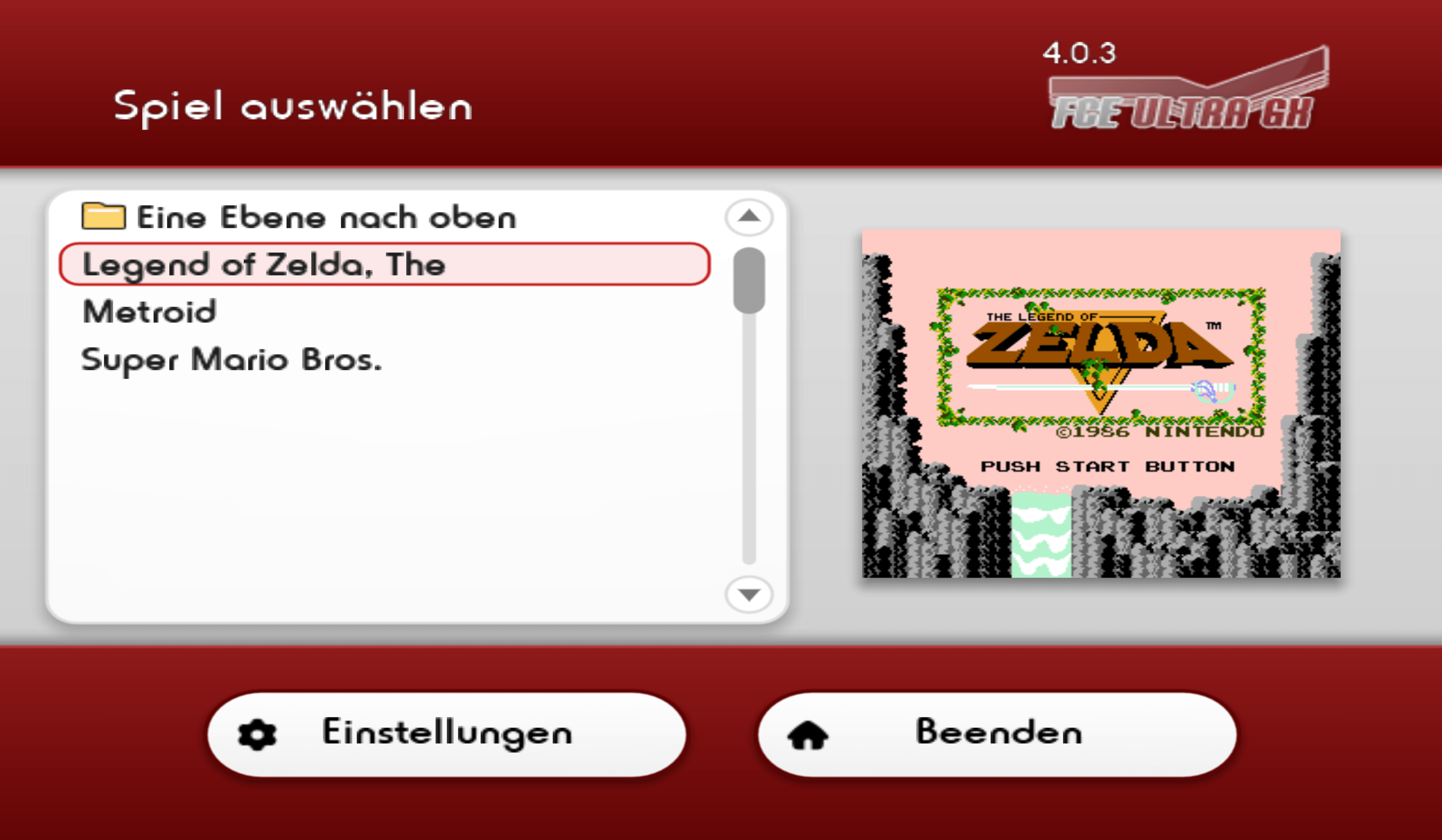
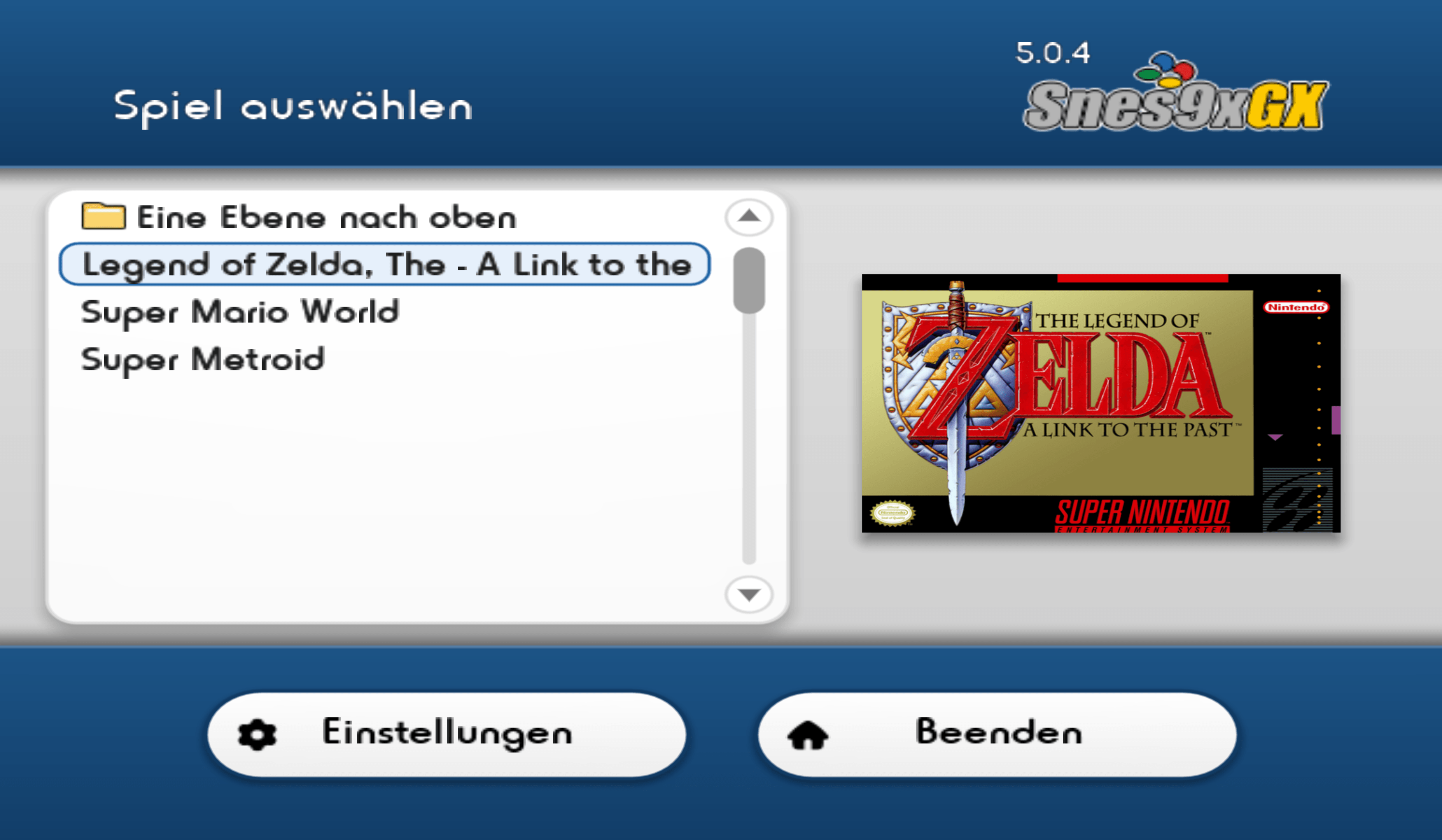
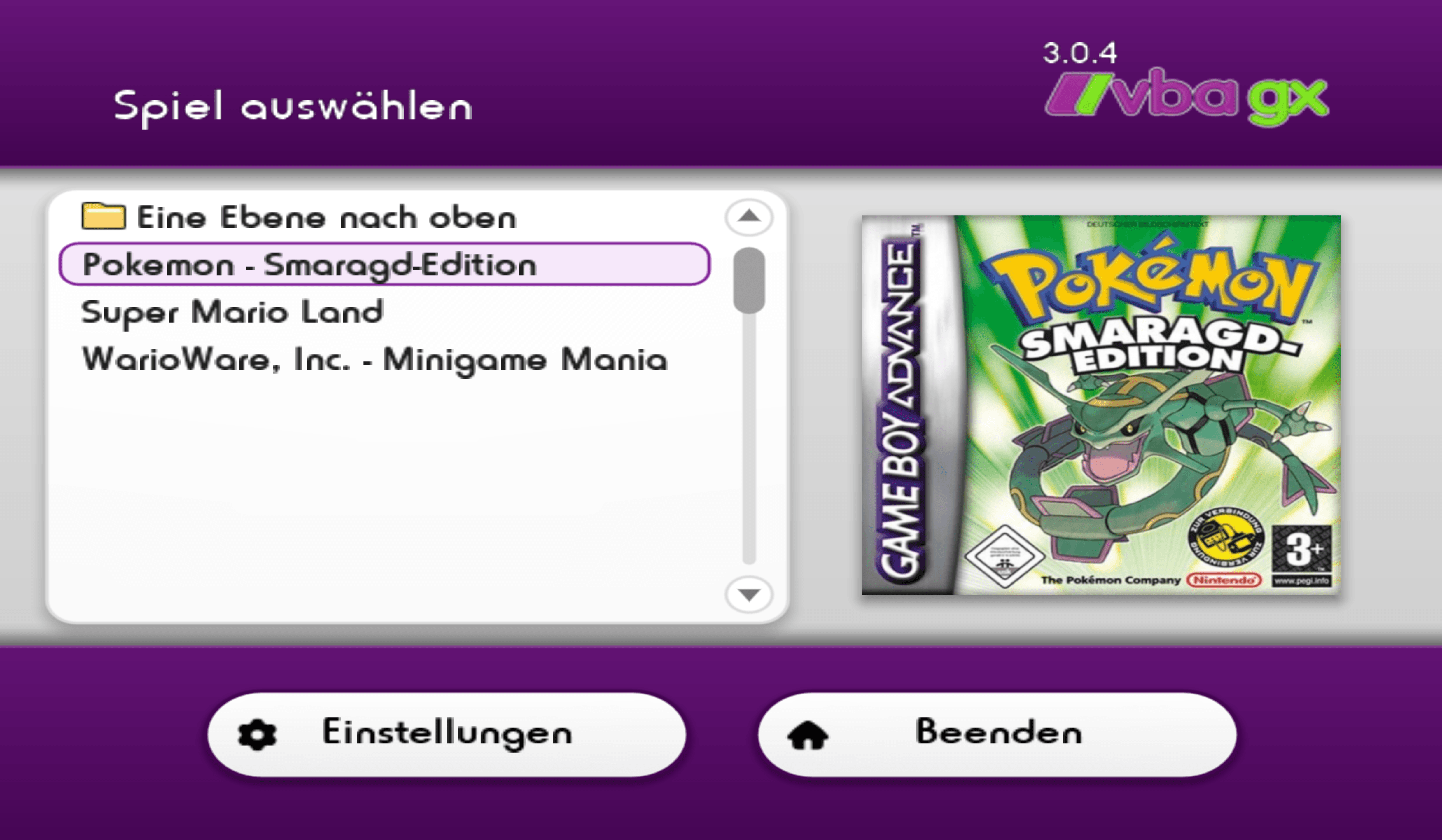
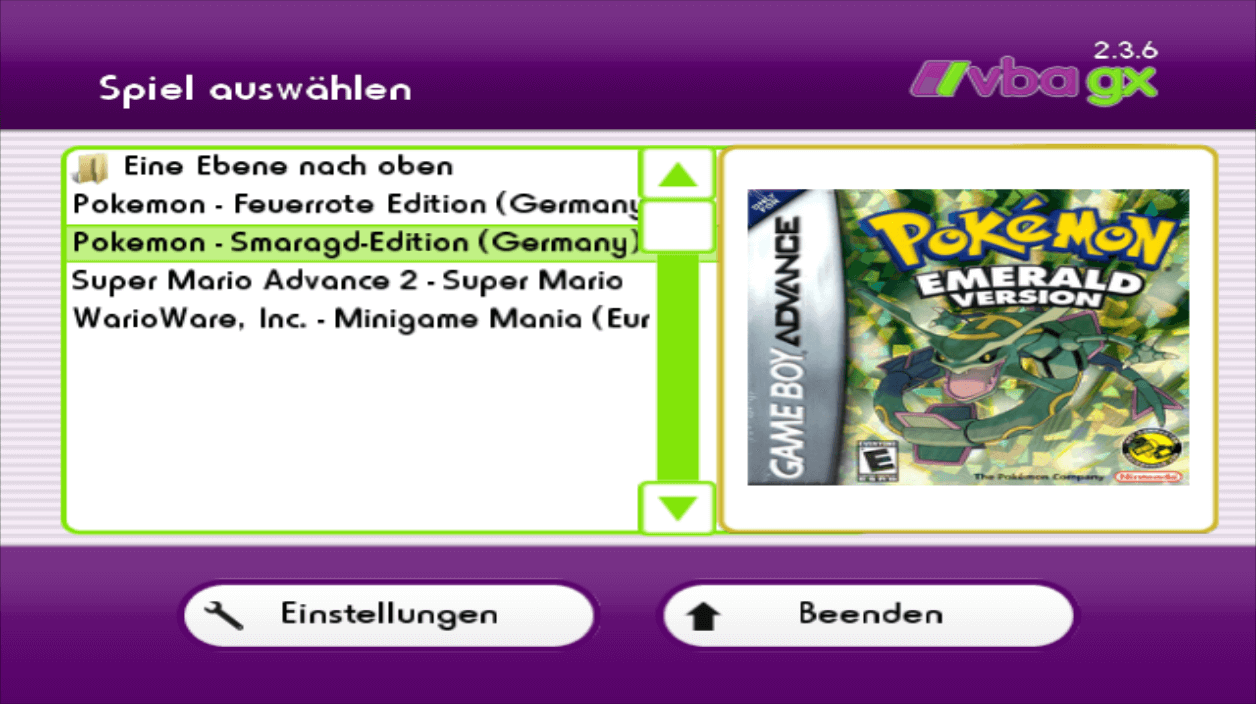
Die Menüs wurden komplett überarbeitet und kommen nun in einem frischen Look, aber gewohntem Aufbau daher.

Auf der Wii U wurden einige Fehler behoben; so wurden u.a. asiatische Schriftzeichen nicht korrekt angezeigt und die falsche Sprache eingestellt. Im Visual Boy Advance GX funktioniert nun der Beschleunigungssensor der Wiimote, sodass bspw. WarioWare Twisted gespielt werden kann.

Auf der Wii wurden einige Probleme mit Netzwerkfreigaben behoben und im Visual Boy Advance GX der benutzte RAM für den JIT-Cache auf 18 MB angehoben, was für einen ca. 5%igen Performance-Boost sorgt.

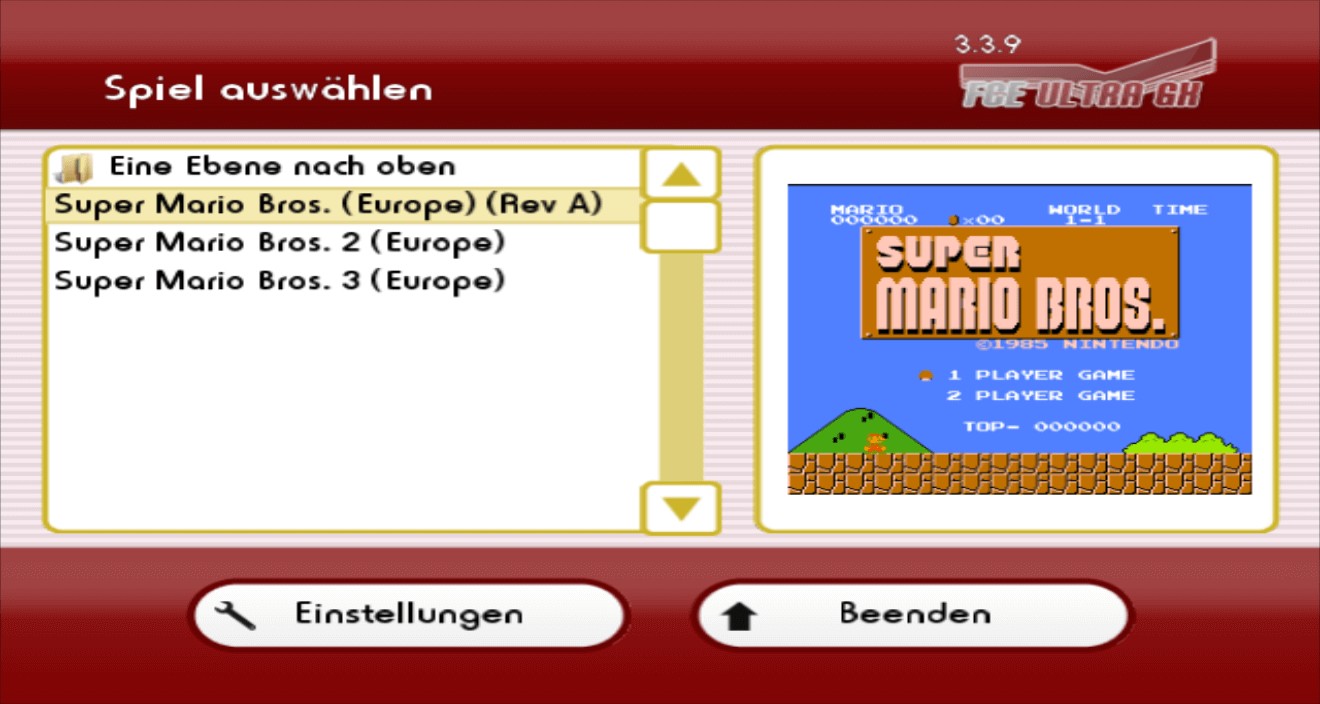
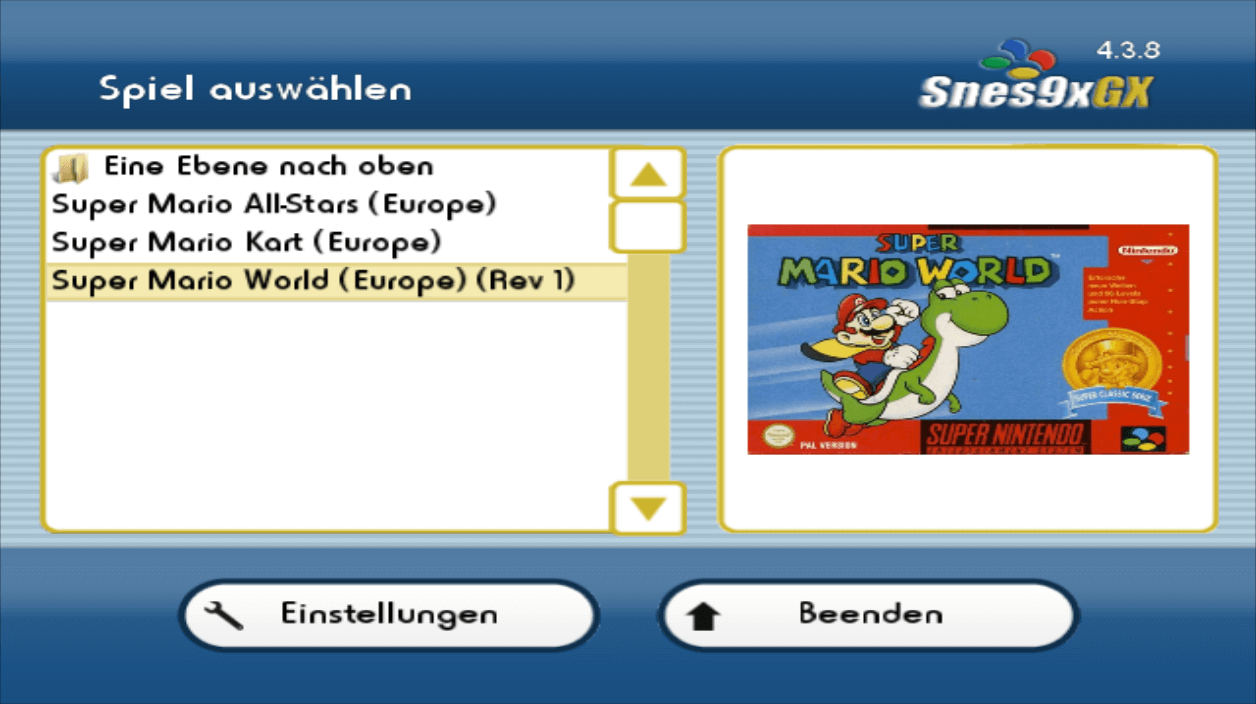
Einen Vergleich zum alten Menü findet ihr unten im Spoiler.

Im letzten Beitrag stand fälschlicherweise die falsche Version des FCE Ultra GX im Titel (v4.0.3 statt v4.0.2). Da bin ich leider durcheinander gekommen, mir ist es erst jetzt aufgefallen und ich habe es korrigiert – Entschuldigung!

Vergleich: Altes Menü
FCE Ultra GX Changelog
* New menu look! The menus have been rebuilt with a fresh, modern style: a deeper red header and footer, cleaner rounded buttons with soft shadows, a redesigned game list with a slimmer scrollbar and a clear highlight on the selected entry, new prompt windows, and more. The menu graphics are now drawn procedurally by the renderer instead of being loaded from PNG images, so they stay sharp at any output resolution
* New controller status bar in the menu footer, replacing the Wiimote battery icons. Each of the four player slots (P1-P4) now shows the type of controller connected (Wiimote, GameCube controller, etc.), with the battery level shown for Wiimote controllers and the Gamepad. Empty slots appear dimmed
* Wii U: Japanese/Korean/Chinese fonts are now also found in fceugx/ or wiiu/apps/fceugx/ on the SD card even before settings have been saved, and stay crisp at 1080p
* Wii U: fix texture reuse causing cover art issues with varying image sizes
* Wii U: fix garbled Japanese file and folder names in the game list and game menu. The Wii U returns non-ASCII names as Shift-JIS (CP932) rather than UTF-8, so they are now converted for display (file access still uses the original name)
* Wii U: the menu now defaults to the Wii U system language
* Wii - fixed some libsmb2 issues preventing network shares from working (thanks TeleTubby666!)
Snes9x GX Changelog
* New menu look! The menus have been rebuilt with a fresh, modern style: a deeper blue header and footer, cleaner rounded buttons with soft shadows, a redesigned game list with a slimmer scrollbar and a clear highlight on the selected entry, new prompt windows, and more. The menu graphics are now drawn procedurally by the renderer instead of being loaded from PNG images, so they stay sharp at any output resolution
* New controller status bar in the menu footer, replacing the Wiimote battery icons. Each of the four player slots (P1-P4) now shows the type of controller connected (Wiimote, GameCube controller, etc.), with the battery level shown for Wiimote controllers and the Gamepad. Empty slots appear dimmed
* Wii U: Japanese/Korean/Chinese fonts are now also found in snes9xgx/ or wiiu/apps/snes9xgx/ on the SD card even before settings have been saved, and stay crisp at 1080p
* Wii U: fix texture reuse causing cover art issues with varying image sizes
* Wii U: fix calculations for fixed pixel ratio
* Wii U: fix garbled Japanese file and folder names in the game list and game menu. The Wii U returns non-ASCII names as Shift-JIS (CP932) rather than UTF-8, so they are now converted for display (file access still uses the original name)
* Wii U: the menu now defaults to the Wii U system language
* Wii - fixed some libsmb2 issues preventing network shares from working (thanks TeleTubby666!)
* Fixed the default language not being applied at startup
* Fixed a mode 7 core regression introduced in 5.0.3 from upstream Snes9x
Visual Boy Advance GX Changelog
* New menu look! The menus have been rebuilt with a fresh, modern style: a deeper purple header and footer, cleaner rounded buttons with soft shadows, a redesigned game list with a slimmer scrollbar and a clear highlight on the selected entry, new prompt windows, and more. The menu graphics are now drawn procedurally by the renderer instead of being loaded from PNG images, so they stay sharp at any output resolution
* New controller status bar in the menu footer, replacing the Wiimote battery icons. Each of the four player slots (P1-P4) now shows the type of controller connected (Wiimote, GameCube controller, etc.), with the battery level shown for Wiimote controllers and the Gamepad. Empty slots appear dimmed
* Wii U: the Wiimote tilt sensor now works (Kirby Tilt-N-Tumble, Yoshi Topsy-Turvy, WarioWare Twisted!, Boktai's Gun Del Sol), and Yoshi's Universal Gravitation rotates the screen as on Wii
* Wii U: Japanese/Korean/Chinese fonts are now also found in vbagx/ or wiiu/apps/vbagx/ on the SD card even before settings have been saved, and stay crisp at 1080p
* Wii U: fix texture reuse causing cover art issues with varying image sizes
* Wii U: fix aspect ratio issues
* Wii U: fix garbled Japanese file and folder names in the game list and game menu. The Wii U returns non-ASCII names as Shift-JIS (CP932) rather than UTF-8, so they are now converted for display (file access still uses the original name)
* Wii U: the menu now defaults to the Wii U system language
* Wii - double MEM1 JIT cache from 8MB to 16MB. Gives a ~5% performance boost
* Wii - fixed some libsmb2 issues preventing network shares from working (thanks TeleTubby666!)

FCE Ultra GX v4.0.2, Snes9x GX v5.0.3 und Visual Boy Advance GX v3.0.3 – jetzt auch für Wii U!

Wii, Wii U, Wii U: Update, Wii: Update , , , , ,

Tantric hat seine drei beliebten Emulatoren auf die Wii U portiert!

FCE Ultra GX

Ein klasse Nintendo-Entertainment-System-Emulator für die Wii und Wii U mit einer hübschen, grafischen Oberfläche.

Snes9x GX

Snes9x GX ist ein exzellenter Super-Nintendo-Entertainment-System-Emulator für die Wii und Wii U mit einer hübschen, grafischen Oberfläche.

Visual Boy Advance GX

Ein wunderbar Emulator für die Systeme der Game-Boy-Familie mit einer hübschen, grafischen Oberfläche.

Diese unterstützen das Wii U GamePad nativ, laufen in 1080p und akzeptieren USB-Medien im FAT32-, exFAT- sowie NTFS-Format. Voraussetzung dafür ist die CFW-Umgebung Aroma. Alle übrigen Features funktionieren wie gewohnt.

Die Wii geht aber nicht leer aus: Hier werden nun Netzwerk-Shares per SMB2 und SMB3 unterstützt (auch auf der Wii U). Auch das Hotpluggen von USB-Geräten ist jetzt möglich. Da die Einstellungen neu organisiert wurden, werden bisherige Konfigurationen einmalig zurückgesetzt.

Im FCE Ultra GX wurden Bugfixes aus dem Upstream-Projekt übernommen und Unterstützung für den Mapper 471 hinzugefügt.

Im Snes9x GX wurden ebenfalls einige Emulations-Probleme behoben, besonders in Bezug auf den Mode 7. Ein per USB-angesteckter Dualshock 4 kann nun auch verwendet werden.

UPDATE, 21.10.2026, 11:22 Uhr: In der Überschrift stand statt "v4.0.2" für den FCE Ultra GX fälschlicherweise "v4.0.3". Dieser Fehler wurde jetzt korrigiert. Entschuldigung.

FCE Ultra GX Changelog
* Native Wii U release! FCE Ultra GX now runs natively on the Wii U as its own app, with its own icon on the Wii U Menu. Requires Aroma - run the latest Aroma release and launch the .wuhb directly from it
** Output up to 1080p, with a new GPU-powered ScaleFX upscaler shader and a Sharp Bilinear shader, plus a scanline shader
** Crisp, upscaled menus with sharper text and HD artwork
** Full Wii U GamePad support - touch screen, buttons, and rumble - alongside Wiimote, Nunchuk, Classic Controller, and Wii U Pro Controller
** Correct 16:9 aspect ratio handling, with Wii U aspect ratio handling
** SD card plus up to 3 USB drives at once, with hotplug. USB supports FAT32, exFAT, and NTFS (requires Mocha, an optional Aroma component)
** Press the HOME button to open the Wii U menu overlay. In game, HOME still opens the app menu.
** Sound plays on both the TV and the GamePad
** Recommended: install Bloopair to pair Bluetooth controllers (Switch Pro, Joy-Con, DualShock/DualSense, Xbox, and more) as if they were a Wii U Pro Controller
* Network shares now use libsmb2 (replacing the old SMB code) for modern SMB2/3 server support, on GameCube, Wii, and Wii U.
* Wii: added support for multiple USB devices at once, with proper hotplug. Only devices that are actually mounted appear in the device list
* GameCube: added hotplug support for SD Gecko and SD2SP2 - devices can now be inserted and removed while the app is running
* Reworked and simplified the video settings, and added a new Emulation menu:
** Video options are now: Output Mode, Aspect Ratio Correction, Cropping, Bilinear Filtering, Hardware Softening (GameCube/Wii), Upscaling, Scanline Overlay, Screen Zoom, and Screen Position
** Scanlines are now an independent overlay that can be combined with any upscaling filter, replacing the old "TV Mode" filter
** Game Timing, Sprite Limit, and Zapper Crosshair moved to the new Emulation menu
* Note: due to renaming, settings will all be reset upon first load
* Menu rumble is gentler
* Updated FCEUX emulation with upstream fixes: PAL noise channel fix, an FDS IRQ timer fix, and added support for mapper 471
* Fixed cheats from a cheat file not all starting disabled - they now all start off until you turn them on
* Fixed a bogus "Not Vs. System; can't insert coin" message when pressing the coin/disk button in non-VS games
* Korean translation updated
Snes9x GX Changelog
* Native Wii U release! Snes9x GX now runs natively on the Wii U as its own app, with its own icon on the Wii U Menu. Requires Aroma - run the latest Aroma release and launch the .wuhb directly from it
** Output up to 1080p, with a new GPU-powered ScaleFX upscaler shader and a Sharp Bilinear shader, plus a scanline shader
** Crisp, upscaled menus with sharper text and HD artwork
** Full Wii U GamePad support - touch screen, buttons, and rumble - alongside Wiimote, Nunchuk, Classic Controller, and Wii U Pro Controller
** Correct 16:9 aspect ratio handling, with Wii U aspect ratio handling
** SD card plus up to 3 USB drives at once, with hotplug. USB supports FAT32, exFAT, and NTFS (requires Mocha, an optional Aroma component)
** Press the HOME button to open the Wii U menu overlay. In game, HOME still opens the app menu.
** Sound plays on both the TV and the GamePad
** Recommended: install Bloopair to pair Bluetooth controllers (Switch Pro, Joy-Con, DualShock/DualSense, Xbox, and more) as if they were a Wii U Pro Controller
* Network shares now use libsmb2 (replacing the old SMB code) for modern SMB2/3 server support, on GameCube, Wii, and Wii U.
* Wii: added support for multiple USB devices at once, with proper hotplug. Only devices that are actually mounted appear in the device list
* GameCube: added hotplug support for SD Gecko and SD2SP2 - devices can now be inserted and removed while the app is running
* Reworked and simplified the video settings, and added a new Emulation menu:
** Video options are now: Output Mode, Aspect Ratio Correction, Bilinear Filtering, Hardware Softening (GameCube/Wii), Upscaling, Scanline Overlay, Screen Zoom, and Screen Position
** Scanlines are now an independent overlay that can be combined with any upscaling filter, replacing the old "TV Mode" filter
** Hi-Res Mode, Sprite Limit, SuperFX Overclock, Audio Interpolation, Mute Game Audio, Frame Skipping, Crosshair, Show Framerate, and Show Local Time are grouped in the new Emulation menu (replacing the separate Audio menu)
** Added a new "16:9 (Fixed Pixel Ratio)" aspect ratio option
* Note: due to renaming, settings will all be reset upon first load
* Menu rumble is gentler
* Snes9x emulation fixes: SA-1 memory mapping and RAM access fixes, IRQ timing fix, and a Mode 7 fix for visible glitches in games that change Mode 7 registers mid-scanline. Backported additional upstream Snes9x fixes
* Fixed ROMs with an invalid size byte in their header (such as the leaked Project Dream prototype) being mapped differently on PowerPC, which caused a black screen
* Added wired DualShock 4 (PS4) controller support (AlexVila0204)
* Wii: probe USB once for all controller drivers, fix hot-plug bugs for USB controllers
* GameCube: improve analog stick handling in menu
* Fixed cheats from a cheat file not all starting disabled - they now all start off until you turn them on
* Korean translation updated
Visual Boy Advance GX Changelog
* Native Wii U release! Visual Boy Advance GX now runs natively on the Wii U as its own app, with its own icon on the Wii U Menu. Requires Aroma - run the latest Aroma release and launch the .wuhb directly from it
** Output up to 1080p, with a new GPU-powered ScaleFX upscaler shader and a Sharp Bilinear shader, plus a scanline shader
** Crisp, upscaled menus with sharper text and HD artwork
** Full Wii U GamePad support - touch screen, buttons, and rumble (including in-game rumble) - alongside Wiimote, Nunchuk, Classic Controller, and Wii U Pro Controller
** Correct 16:9 aspect ratio handling, with Wii U aspect ratio handling
** SD card plus up to 3 USB drives at once, with hotplug. USB supports FAT32, exFAT, and NTFS (requires Mocha, an optional Aroma component)
** Press the HOME button to open the Wii U menu overlay. In game, HOME still opens the app menu.
** Sound plays on both the TV and the GamePad
** Recommended: install Bloopair to pair Bluetooth controllers (Switch Pro, Joy-Con, DualShock/DualSense, Xbox, and more) as if they were a Wii U Pro Controller
** The new GBA JIT is ported to Wii U, fully working, and on by default. You can check whether it's enabled under Settings > Emulation. If it's off and can't be turned on, that depends on how the app was launched - it's recommended to launch the .wuhb directly from Wii U menu with the latest Aroma
* Network shares now use libsmb2 (replacing the old SMB code) for modern SMB2/3 server support, on GameCube, Wii, and Wii U.
* Wii: added support for multiple USB devices at once, with proper hotplug. Only devices that are actually mounted appear in the device list
* GameCube: added hotplug support for SD Gecko and SD2SP2 - devices can now be inserted and removed while the app is running
* Reworked and simplified the video settings, and added a new Emulation menu:
** Video options are now: Output Mode, Aspect Ratio Correction, Bilinear Filtering, Hardware Softening (GameCube/Wii), Upscaling, Scanline Overlay, GBA/GB Screen Zoom and Fixed Pixel Ratio, and Screen Position
** Wii U: scanlines are available as an independent overlay that can be combined with the upscaling filters
** Frameskip, Turbo Mode, Show Framerate, and the Game Boy palette/colorization options are all grouped in the Emulation menu alongside Dynamic Recompilation
* Note: due to renaming, settings will all be reset upon first load
* Menu rumble is gentler
* GameCube: ZIP-compressed GBA ROMs up to 16MB can now be loaded
* GameCube: fixed ROM paging issues, including a freeze in the virtual memory system, and GB/GBC ROM loading

Wii64 v1.5.0

vWii, Wii, Wii: Update ,

Wii64

Ein Nintendo-64-Emulator für die Wii.

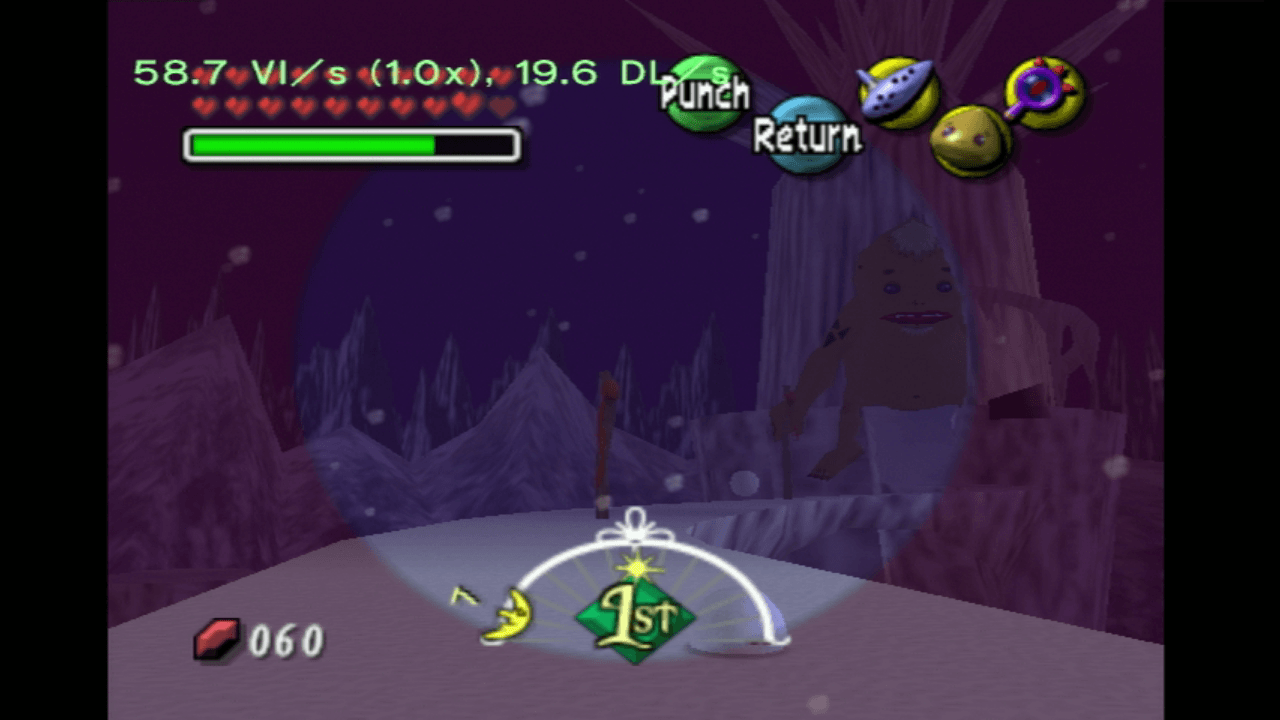
Mit dieser Version wird die Framebuffer-Emulation in glN64 verbessert, was die Kompatibilität weiter erhöht. So funktioniert nun bspw. das Auge der Wahrheit in Ocarina of Time und Majoras Mask korrekt.

Changelog
* Updates for libogc2 / better 240p support (#162, thanks @Extrems)

glN64:
* Fix stale texture/warping introduced in recent builds (fixes #159 warping issues)
* More complete framebuffer support (OoT subscreen, PD CamSpy & Night Vision, repeating texture issues when FB tex were on should be fixed), use WGPipe for a couple more cases.
* Fix flicker in GE/PD multiplayer
* Use GX_PeekZ to support what Perfect Dark needs for corona effects around lights
* Fix ucode switch issues (Majora's Mask lens of truth)
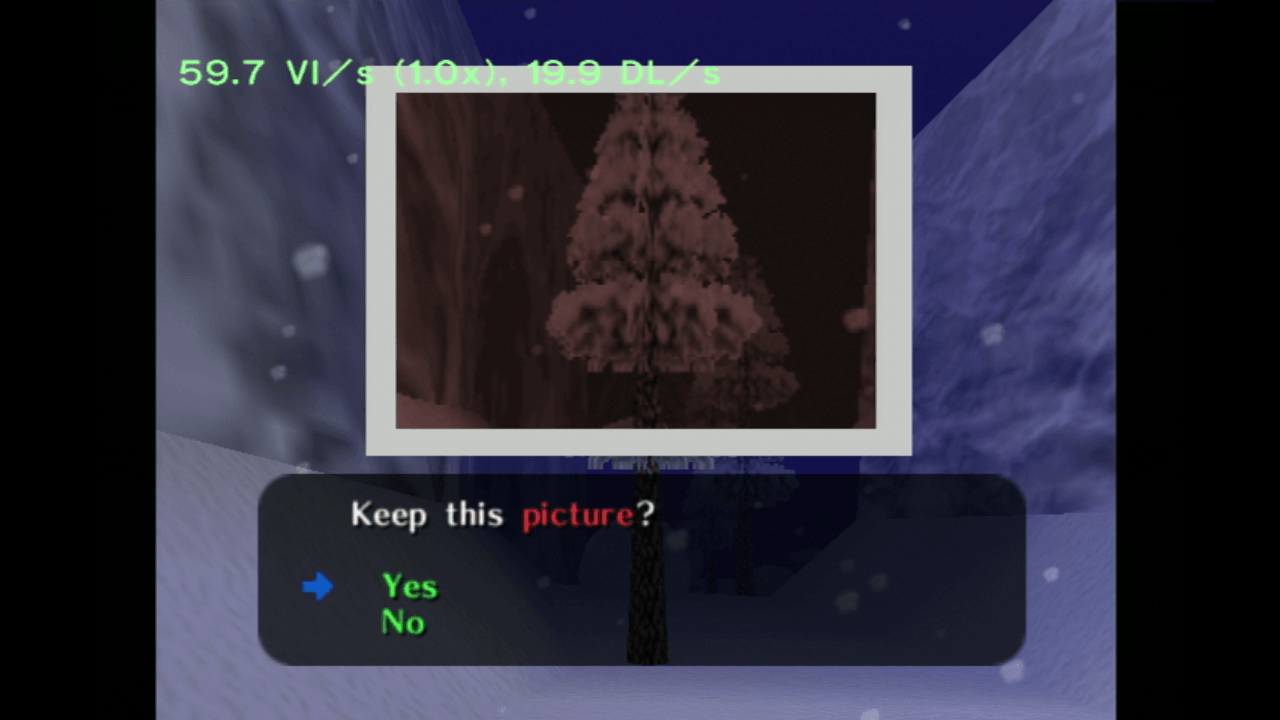
* Add Zelda MM pictograph support

Rice:
* Use GX_PeekZ to support what Perfect Dark needs for corona effects around lights

Red Viper v1.3.3

3DS, 3DS: Update ,

Red Viper

Ein Virtual-Boy-Emulator für den 3DS – natürlich mit 3D-Support!

Dragon Hopper ist nun auch auf dem Old3DS in 3D spielbar und die Kompatibilität mit Virtual League Baseball 2 wurde verbessert.

This release brings Dragon Hopper to playable status on both new and old 3DS, including when 3D is enabled. I haven't been able to test this as thoroughly as I usually do, so please let me know if there are still issues!
* Optimize rendering of affine worlds covering multiple background maps (such as those in Dragon Hopper)
* Improved accuracy of draw sorting replacement in Virtual League Baseball 2