Zum Inhalt springen
Menü

Theme ändern
Unterstütze uns
PayPal-Logo Patreon-Logo
Abonniere uns per RSS Lies WiiDatabase Radar Folge uns auf X (ehem. Twitter) Like uns auf Facebook Trete dem WiiDatabase-Kanal auf Telegram bei und erhalte alle News sofort!

Wir hosten zurzeit 651 Homebrews mit über 4.504.882 Downloads!

Nützliche Links
Kategorien
Archiv
Über uns

Kategorie: 3DS

3D ohne Brille – mit diesem Konzept gelang Nintendo 2011 ein würdiger Nachfolger für den Nintendo DS(i). Bis heute hat sich der Nintendo 3DS über 75 Millionen Mal verkauft. 2015 erschien hierzulande der "New Nintendo 3DS" – eine schnellere Version mit einem zusätzlichen Stick und zwei weiteren Schultertasten.

Jahrelang schien Homebrew unerreichbar – Nintendo hatte gegenüber der Wii definitiv dazu gelernt. Anfangs war nur eine alte Firmware per Flashcard hackbar, bis im November 2014 "NINJHAX" veröffentlicht wurde, mit dem zum ersten Mal Homebrew ohne Zusatz-Hardware (aber mit Spiel) ausgeführt werden konnte. Zahlreiche Exploits folgten, bis im August 2017 mit "ntrboothax" der "heilige Gral" erschien, mit der sich jeder 3DS auf jeder Firmware sowohl modden, als auch unbricken lässt.

Zwischenzeitlich drohte sich die Community aufzuspalten, was glücklicherweise nur von kurzer Dauer war.

Checkpoint v3.0.0

3DS, 3DS: Update ,

BernardoGiordano hat seinen Speicherstand-Manager für den 3DS aktualisiert.

DOWNLOAD

Speicherstände, die größer als 1 Megabyte sind, wurden vorher nicht richtig gesichert – es wird empfohlen, betroffene Spielstände erneut zu sichern (nur wenige Spiele nutzen so große Speicherstände). Auch wurde das Sichern und Wiederherstellen von Extdaten behoben und DS-Flashkarten verursachen keine Probleme mehr, wenn sie eingesteckt sind. Durch Caching wurden außerdem die Ladezeiten um die Hälfte reduziert – nur wenn ein Titel oder eine Cartridge installiert/entfernt wird, wird der Cache neu gebaut.

Ferner wurde auch eine nützliche Fortschrittsleiste hinzugefügt und Backups lassen sich mit "X" löschen. Neben einigen weiteren Kleinigkeiten und Bugfixes wurde zudem ein Absturz behoben, welcher bei mehr als 100 installierten Titeln auftrat.

Changelog

* Fixed: Severe bug where backups bigger than 0x100000 bytes were corrupted when stored to the SD Card.
* * Luckily, most of the games use savefiles that are smaller than that, but I'm really sorry for anyone who lost their progresses in game due to this problem.
* * You're strongly suggested to delete all the backups that may have fallen into this problem and make new backups with this build.
* Fixed: Extdata backup and restore now finally works.
* Fixed: Flashcards don't cause issues anymore if inserted when Checkpoint is running.
* Fixed: Loading time is now reduced by 50% due to caching.
* * Checkpoint will create a local cache to load faster. The cache is rebuilt when you install a title/delete a title/remove a cartirdge/insert a cartridge. To understand what's going on, you can see the mechanism here.
* Added: Progress bar. In this way, you can see the progress for every file that you're backing up or restoring.
* Added: Ability to delete backups. While you entered a title, press X to delete an entry.
* Fixed: Now Checkpoint doesn't crash anymore when you have more than 100 titles installed on your device.
* Added: custom splash logo (thanks FrozenFire).
* Fixed: backup folders now use ISO 8601 for date format. In this way, it will be easier to track your saves from the most recent to the last.
* Added: now interface displays product code for a title. This lets you know which region is the game you're dealing with, in case you have games for multiple regions installed at the same time.
* Fixed: From now, backup list is refreshed every time you do a backup for all the titles sharing the same title id.
* * This means you'll finally be able to export a save from a cartridge and import it into a digital copy in the same Checkpoint session.
* Added: Ask for confirmation when backupping or restoring a save.
* Further improvements to overall Checkpoint stability and other minor adjustments have been made to enhance the user experience.

New Super Ultimate Injector for 3DS Public Beta 26

3DS, 3DS: Neu ,

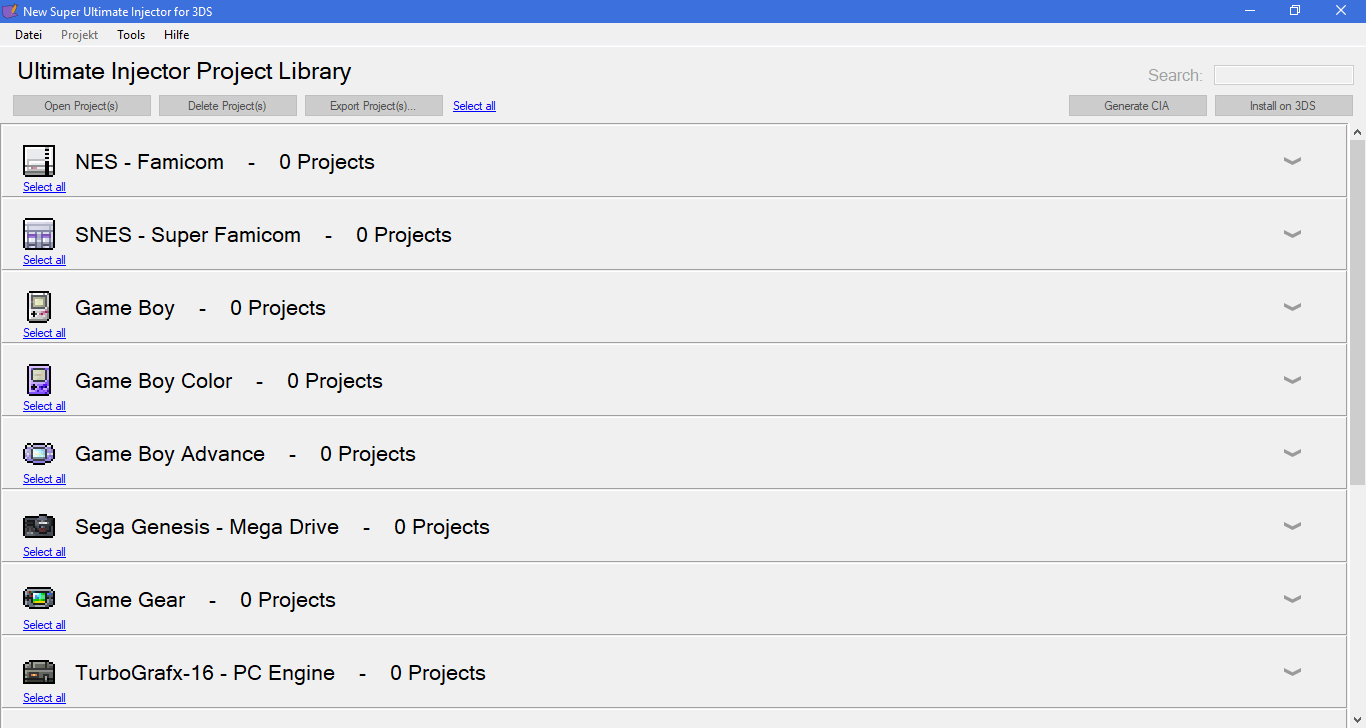
Asdolo hat eine öffentliche Beta seines lang erwarteten New Super Ultimate Injector for 3DS veröffentlicht.
DOWNLOAD

Wer die Ultimate VC Injector von Asdolo nicht kennt: Mit diesen ist es ganz einfach möglich, Spiele in Virtual-Console-Titel zu injizieren, um sie dann mit Fullspeed und Savestates abzuspielen. Das ist nützlich, falls es bspw. ein Spiel nicht als Virtual-Console-Titel gibt. Damit lassen sich auch SNES-Spiele auf dem Old3DS und Mega-Drive-Spiele abspielen – dies wird mit einer modifizierten Version von SNES9x bzw. RetroArch realisiert.

Dieses Programm vereint alle Injectoren und Forwarder Maker. Zudem funktioniert das Speichern in den GBA Pokémon-Editionen. Die fertigen CIAs lassen sich dann per FBI installieren.

Unterstützte Systeme

  • NES
  • SNES (New3DS, Forwarder auch Old3DS)
  • Game Boy
  • Game Boy Color
  • Game Boy Advance
  • Sega Mega Drive / Genesis (nur Forwarder)
  • Folgende werden erst in der Zukunft unterstützt:
    • Game Gear
    • PC-Engine / TurboGrafx16
    • Webseite (Internetbrowser-Forwarder)
    • Video

GodMode9 v1.5.0

3DS, 3DS: Update , , ,

Godode9d0k3 hat GodMode9 für den 3DS aktualisiert.

DOWNLOAD

DSiWare-Exports/TAD-Dateien und .GBA ROM-Images werden jetzt unterstützt. Ferner werden für 3DSX-Homebrews Titelinformationen angezeigt und ein Editor für Dateiattribute wurde hinzugefügt. Die aeskeydb.bin lässt sich nun auch in den NAND installieren und weitere Infos wurden zu den Systeminfos hinzugefügt. Wenn eine gefährliche Aktion durchgeführt wird, fragt GodMode9 explizit nach, ob man dies wirklich tun möchte und man muss eine Button-Kombination eingeben – in dieser Version wird diese zufällig generiert.

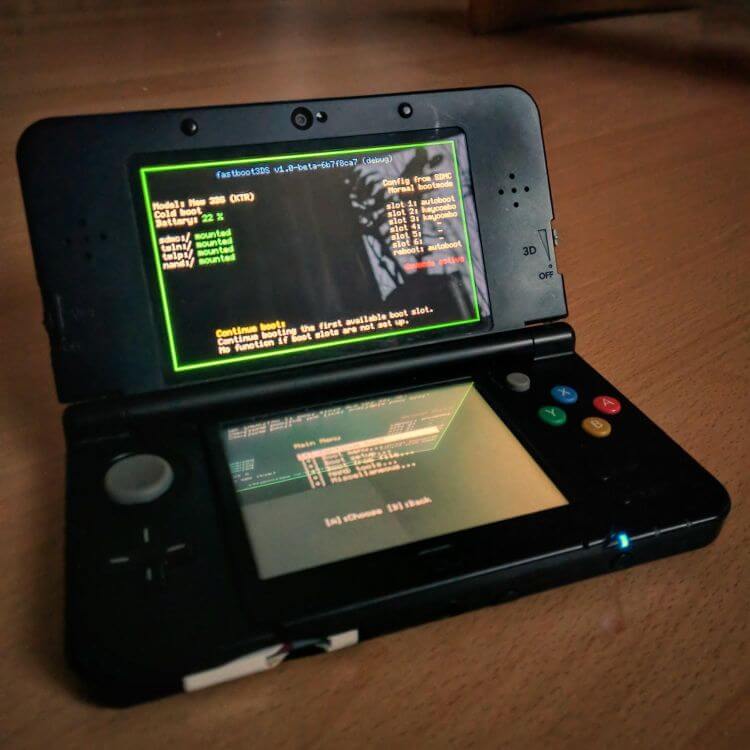
GodMode9 lässt sich jetzt per fastboot3DS chainloaden (was vorher nur mit der Nightly ging) und der Scripting-Support wurde durch Aktionen wie "if", "elif", "else", "end" und "goto" stark verbessert. Näheres im vollen Changelog unten.

Changelog

* [new] Full support for DSiWare Exports / .TAD files (thanks @ihaveamac for help)
* [new] Limited .GBA rom image support (title info / renaming)
* [new] Title info support for a .3DSX
* [new] File attribute editor (thanks @angelsl)
* [new] aeskeydb.bin can be installed to NAND, eliminating the need to have it on the SD card
* [improved] Improved string input tool, now with alphabet preview
* [improved] Write permission unlocker now uses random button sequences
* [improved] PCX support for splash bitmaps, reducing GM9 .firm size (thanks @Wolfvak)
* [improved] Slightly tweaked bootloader
* [improved] Additional entries in system info
* [improved] New battery color scheme (thanks @JoshuaDoes)
* [improved] A gigaton of smaller improvements, many of them under the hood
* [fix] Several bugfixes, fixing freeze issues with fastboot3DS (thanks, @profi200)
* [fix] Unified handling of tar (when compiling, on all OSes), via a Python script (thanks @ihaveamac)
* [scripting] Control flow support via if, elif, else, end, goto (thanks @windows-server-2003)
* [scripting] labelsel command, allowing the user to select from a range of labels to jump to
* [scripting] strsplit command, allowing to extract substrings from a string
* [scripting] New REGION environment var

RetroArch v1.7.0

3DS, 3DS: Update, vWii, Wii, Wii U, Wii U: Update, Wii: Update , ,

retroarch-wii-uEin Weihnachtsgeschenk vom Libretro-Team: v1.7.0 des Multi-System-Emulators RetroArch wurde freigegeben!

DOWNLOAD RETROARCH WII U
DOWNLOAD RETROARCH 3DS
DOWNLOAD RETROARCH WII

RetroAchivements auf der Wii U unterstützen nun Ranglisten, Badges und Thumbnails und einige Bugs wurden in allen Versionen gefixt – darunter bspw., dass "Select File" im Schnellmenü nicht auftauchte. Das Wichtigste ist aber, dass der Wii U Port wieder problemlos funktioniert – der Controller-Patcher sorgte dafür, dass die Homebrew leider ziemlich oft abstürzte.

Und euch wird vielleicht schon auffallen, dass unser größter Teil – nämlich die Core-Updates – fehlt. Der Blogpost vom Libretro-Team sollte bald online gehen, bis dahin müsst ihr euch leider gedulden!

haxfactory: Primärer 3DS-Exploit für Block Factory (nicht mehr erhältlich)

3DS, 3DS: Neu ,

Stary2001 hat einen primären 3DS-Exploit für das Spiel "Block Factory" veröffentlicht. Das Problem dabei ist allerdings, dass das Spiel nur im eShop erschien und nicht mehr erhältlich ist. Es ist also nur für die nützlich, die das Spiel mal gekauft und noch installiert haben.

DOWNLOAD

Dabei handelt es sich um einen ARM11-Userland-Exploit, es können also nur der Homebrew Launcher und kleinere Homebrews ausgeführt werden. Er funktioniert aber auch auf der aktuellen 3DS-Firmware 11.6.

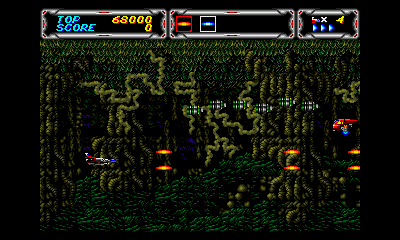
TemperPCE 3DS v1.01

3DS, 3DS: Update , , ,

bubblek216 hat seinen PC-Engine-Emulator für den 3DS aktualisiert.

DOWNLOAD

Diese Version behebt lediglich einen Absturz, der auftrat, wenn zu viele ROMs vorhanden waren. Außerdem wurde auch die Textbeschreibung im BIOS-Wähler gefixt.

* Fixed a crashing bug that happens if there are too many ROMs in the list.
* Fixed text description in the BIOS picker.

VirtuaNES v1.01

3DS, 3DS: Update ,

bubble2k16 hat seinen NES-Emulator für den 3DS aktualisiert.

DOWNLOAD

Tastenbelegungen für Fast-Forward, "Insert Coin" für VS-Spiele und das Emulatoren-Menü wurden hinzugefügt und das Konfigurationsmenü wurde aktualisiert. Automatische Savestates sind nun möglich und die allgemeine Kompatibilität wurde durch zahlreiche neue und gefixte Mapper erhöht. Zudem funktionieren Cheats wieder.

Näheres im Changelog.

Changelog

v1.01:
* Fixed cheats (previously cheats couldn't be activated whatever you did)
* Fixed mapper problem in Kabuki Quantum Fighter

v1.00:
* Added key mappings to fast forward (capped at 180 FPS), and open the emulator menu.
* Updated configuration menu
* Added feature to auto-save state
* Migrated and fixed some mappers from VirtuaNESEx (thanks to the authors of VirtualNESEx)
* The following mappers are fixed/added: 4, 7, 16, 23, 34, 47, 49, 52, 65, 69, 71, 73, 74, 86, 91, 92, 121, 132, 141, 148, 150, 162, 163, 166, 167, 168, 169, 170, 171, 172, 173, 174, 175, 176, 177, 178, 179, 189, 190, 194, 198, 199, 212, 235, 237, 240, 241, 252
* Fixed VS mapper for Super Mario Bros
* Added ability to map any 3DS key to insert coin for VS games
* Fixed Lagrange Point VRC7 emulation for the Old 3DS by playing at 20KHz. The old 3DS was too slow to render sounds at 32KHz or even at 22KHz.
* Minor optimizations for sound generation.
* A number of games are fixed due to the mapper updates. Examples are: Crisis Force (Japan), Feng Yun (Ch), San Guo Zhi (Ch), and many others.

FBI v2.4.14

3DS, 3DS: Update ,

Steveice10 hat seinem CIA-Installer für den 3DS ein Update spendiert.

DOWNLOAD

Eine Retry-Option wurde zu den meisten Aktivitäten hinzugefügt und in der Titel-Info wird nun die genaue Version angezeigt, welche von TitleDB.com kommt. Außerdem wurden die Sortier-Optionen für Titel und Extdaten erweitert – so lassen sich Extdaten jetzt nach TitleID oder Namen und andere Titel zusätzlich nach Größe sortieren. Wenn alle Sortieroptionen deaktiviert werden, werden diese vom 3DS-Betriebssystem sortiert.

* Add retry option to most operations.
* Display TitleDB-provided version string in title info display.
* Expand sorting options for titles and ext save data.
* * Titles can be sorted by title ID, name, or size.
* * Ext Save Data can be sorted by ID or name.
* * Disabling all sorting options leaves the items in the order they are provided by the 3DS OS.

Luma3DS v9.0

3DS, 3DS: Update , ,

Luma3DSNach einem halben Jahr meldet sich AuroraWright mit einer neuen Version der Custom Firmware "Luma3DS" zurück.

DOWNLOAD

ACHTUNG: NTR funktioniert mit dieser Version nicht, nur mit dem aktuellen Commit von Nanquitas! Eine aktualisierte Version wird sicherlich zügig folgen. NTR ist jetzt fit für Luma3DS v9.0!

Ein RAM-Viewer/-Editor/-Dumper wurde zum Rosalina-Menü hinzugefügt und Screenshots in Virtual-Console-Titeln wurden gefixt. Luma3DS stubbt jetzt auch die Funktion "isTitleAllowed", was von Nintendo genutzt wird, um alte Versionen von IRONFALL Invasion, SmileBASIC und Flipnote Studio 3D zu blocken, welches die Exploits für diese Titel geblockt hat. Das bedeutet, dass diese Versionen sich unter Luma3DS wieder starten lassen.

ARM9-ExHeader- und FS-Patches werden ab jetzt immer angewendet, da sie keine Nachteile verursachen und ein Fehler wird angezeigt, wenn ein EmuNAND gebootet oder eine Datei geschrieben werden soll und die SD-Karte schreibgeschützt ist. Die "Reboot"-Option in Rosalina führt nun einen sauberen Neustart durch und der 3DS schaltet sich aus, wenn er in den Luma-Menüs zugeklappt wird (außer, wenn über NTRBoothax gebootet wurde).

* Use open source reimplementations of the SM and PXI FIRM modules
* Fixed breakpoints in the Rosalina debugger (thanks @Nanquitas)
* Added RAM viewer/editor/dumper feature to Rosalina (thanks @LiquidFenrir)
* Rosalina now cleanly reboots the console when the option is selected
* Fixed Rosalina screenshots for RGB5_A1/RGBA4 framebuffer formats (used for example in Virtual Console titles)
* Stubbed isTitleAllowed to allow Nintendo-blocked titles to launch (outdated Ironfall/Flipnote Studio 3D/etc)
* ARM9 exheader and FS patches are now always applied as they cause no drawbacks
* Throw an error if file writes or emuNAND boot are attempted while the SD card is write-locked
* Display boot source on the bottom screen in the config menu
* The console will now shutdown when the shell is closed in the Luma menus, unless the user booted via ntrboothax
* Numerous Exception Handler fixes
* FatFS updated to v0.13
* Check if NWM is running before allowing WiFi toggling in Rosalina

3DSident v0.7.9

3DS: Update ,

3DSIdentJoel16 hat 3DSident erneut aktualisiert.

DOWNLOAD

WLAN-Informationen und die Firmware-Version werden wieder angezeigt, auch kann der Helligkeitswert jetzt auch auf dem alten 3DS angezeigt werden. Zudem wird in der GUI-Version wieder die MAC-Adresse für jeden Slot angezeigt.

Original Version:
* Fixed blank WiFi page.
* Fixed initial fw version only showing region code for some old 3ds users.
* Brightness is now read through hardware registers, and from this, the raw values will now be displayed on o3ds/2ds as well.

GUI Version:
* All of the above fixes.
* WiFi mac address for each slot has been brought back.

3DSident v0.7.8

3DS, 3DS: Update ,

3DSIdentJoel16 hat seinem System-Analyse-Tool für den 3DS ein Update spendiert.

DOWNLOAD

Der genaue Helligkeitswert wird jetzt auf dem New 3DS/2DS angezeigt und mit SELECT werden benutzerbezogene Informationen versteckt, was nützlich für Screenshots ist. Die GUI-Version zeigt zusätzlich noch an, ob sich das System im Energiesparmodus befindet, welcher Soundausgabe-Modus ausgewählt ist und ob die automatische Helligkeitseinstellung aktiviert ist.

Changelog

Original Version:
* Display brightness values explicitly. (New 3DS/2DS only)
* Select button on boot hides unique info. (Useful when taking screenshots and such, thanks for the idea @sirocyl).
* Now uses ac:i to obtain WiFi slot info rather than config blocks.
* Minor code clean-up.

GUI Version:
* Display initial system version.
* Display brightness values explicitly. (New 3DS/2DS only)
* Display auto-brightness status.
* Display power saving mode.
* Display sound output mode.
* Select button - toggles hiding unique info. (Useful when taking screenshots and such, thanks for the idea @sirocyl).
* Display ticket count.
* Now uses ac:i to obtain WiFi slot info rather than config blocks.
* Minor code clean-up.