Dies ist wirklich ein großes Release und in den letzten vier Monaten wurde mehr Code hinzugefügt, als in den zwölf Monaten davor! Interessierte finden einen umfangreichen Blogeintrag auf der Seite des EasyRPG-Teams.
Nintendos Wii erschien Ende 2006 und überzeugte eine breite Nutzerbasis mit einer innovativen Steuerungsmöglichkeit, bei der der ganze Körper in Bewegung gerät.
Für Nintendo war die Konsole ein voller Erfolg und sie verkaufte sich über 100 Millionen Mal.
Die Homebrew-Szene zählt zusammen mit der PSP- und PS-Vita-Szene zu einer der besten. Der Homebrewkanal ist wohl die bekannteste Homebrew-Applikation, zusammen mit Größen wie dem USB Loader GX, WiiFlow, Nintendont oder die GX-Emulatoren. Nicht umsonst ist die Wii der Namensgeber dieser Webseite!
Ende Oktober 2013 wurde die Produktion der Wii in Europa eingestellt. Die Nachfolgerkonsole "Wii U" war hingegen ein Flop.
3DS, 3DS: Update, Nintendo Switch, Nintendo Switch: Update, vWii, Wii, Wii: Update easyrpg, player, rpg
Dies ist wirklich ein großes Release und in den letzten vier Monaten wurde mehr Code hinzugefügt, als in den zwölf Monaten davor! Interessierte finden einen umfangreichen Blogeintrag auf der Seite des EasyRPG-Teams.
3DS, 3DS: Update, Nintendo Switch, Nintendo Switch: Update, vWii, Wii, Wii: Update advance, emulation, gameboy, gba
Diese Version enthält nur Fehlerbehebungen – so stürzt die Switch-Version beim Laden einer zweiten ROM nicht mehr ab und die Ausrichtung des Gyrosensors wurde behoben. Auf dem 3DS sollte das Menü auch nicht mehr einfrieren. Näheres im Blogpost.
vWii, Wii, Wii: Update szs, wiimm
Wiimms SZS Tools sind eine Ansammlung an Kommandozeilen-Tools zum Manipulieren von Dateiformaten primär für Mario Kart Wii.
Den vollen Changelog findet ihr im Spoiler unten.
- Windows version only: Update to Cygwin DLL 3.0.0 / 2019-02-16. - A binary KCL with different section order is accepted now (like KMP before). - The new option --repair-magics[=MODE] controls the reparing of missing or wrong magics of files and sub-files by analysing file path and file extension. MODE is one of OFF, ANALYSE or REPAIR. - Command FLOAT accepts '+' and '-' to print the nearest successor and predecessor of the previous value. - New command: wszst VR-CALC: Calculate a VR increment for each given delta value (=VR_winner-VR_loser). Print results as table. - New command: wszst VR-RACE: Print a table with VR calculations for a race. Each VR is the current rating of a player. - wstrt analyse StaticR.rel: Detect modifications of cannon parameters. - wstrt: New option: --cannon=IDX,P1,P2,P3,P4: Define parameters of cannon with index IDX (0..2). - New mode for option --patch-bmg: 'REGEX=list', where LIST is a semicolon separated list of "/REGEX/REPLACE/" expressions (POSIX Extended Regex). See https://szs.wiimm.de/opt/patch-bmg for details. - New command: wbmgt REGEXP: Test implementation of regular expressions. - New tool: wlect: Manage the LE-CODE (Leserattes CT-CODE) extension. TOOL IS EXPERIMENTAL AND CAN'T BE USED WITHOUT ADDITIONAL FILES! - Tool wctct accept LE-BIN files (LE-CODE binaries) as input. - Global option --le-code: Enable LE-CODE (Leserattes CT-CODE) support for all tools. It includes option --ct-code.
Diese Version behebt einen Fehler mit sekundären Eingängen in ROMs, die mithilfe der Verson v2.43 oder früher von Lunar Magic aktualisiert wurden. Auch wurden wieder einige kleine Fehler behoben – näheres in der Hilfedatei von Lunar Magic unter "What’s New".
This version of Lunar Magic fixes an issue with secondary entrances in ROMs upgraded from version 2.43 or earlier of LM, and a few other small things. Read the "What's New" section of the help file for more details.
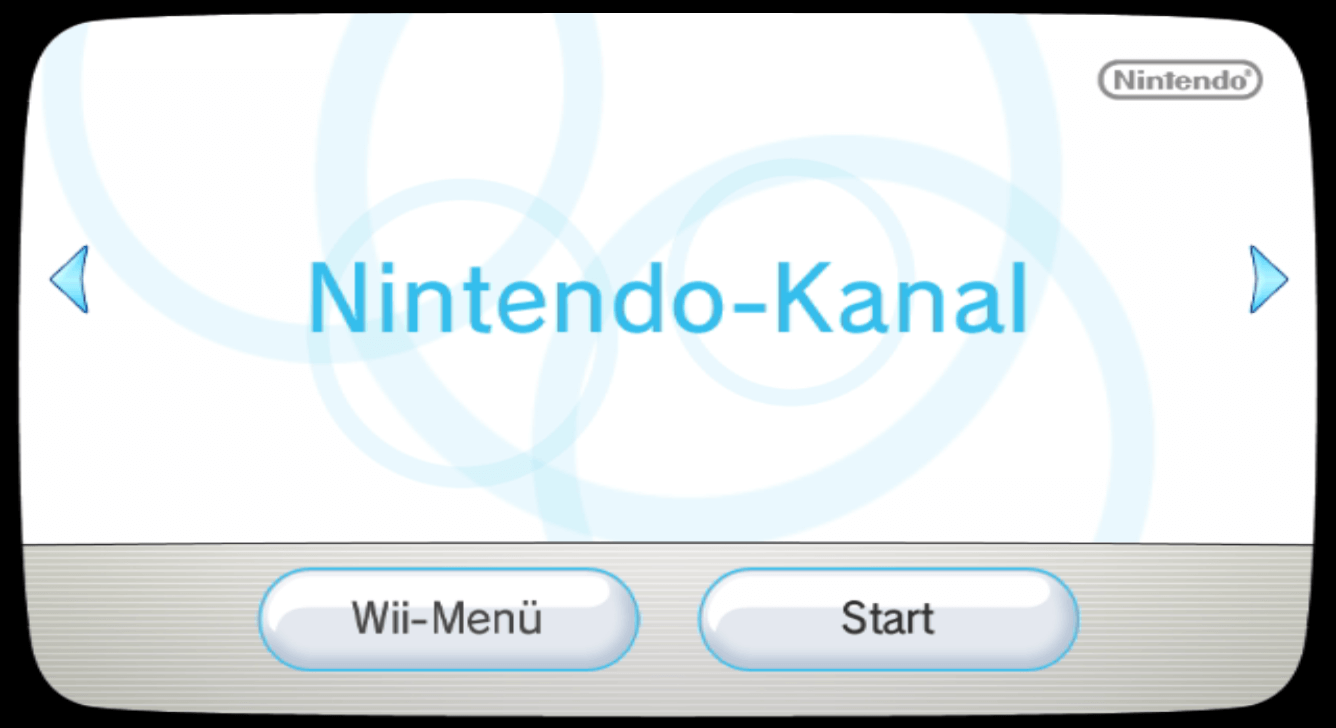
Das RiiConnect24-Team bringt mit dem neuesten Patcher den Nintendo-Kanal teilweise wieder zurück!
Der Nintendo-Kanal war ein Kanal für die Wii, mit dem man sich Videos, Interviews und Informationen über erschienene und neue Spiele ansehen konnte, zudem konnten diese bewertet werden, wenn sie länger als eine Stunde gespielt wurden. Ferner konnten DS-Demos auf den Nintendo (3)DS übertragen werden. Dazu musste man sich einverstanden erklären, die "Heutigen Ereignisse" an Nintendo zu senden, was insbesondere bei Homebrewkanal-Besitzern für Aufregung sorgte – allerdings war dies nie mit Konsequenzen verbunden.
Nun hat das RiiConnect24-Team diesen Kanal wieder mit alten Inhalten gefüttert, sodass er wieder aufgerufen werden kann. Folgendes sollte beachtet werden:
In Zukunft hofft man, den Kanal mit aktuellen Informationen füttern zu können. Bis dahin könnt ihr ja den Wetter-, Nachrichten- und Meinungskanal genießen! Das Ganze funktioniert auch bisher nur auf der Wii, nicht im Wii-Modus der Wii U.
3DS, 3DS: Update, Nintendo Switch, Nintendo Switch: Update, vWii, Wii, Wii: Update emulator
Hier ist wieder eine neue Version von RetroArch für die Switch, Wii U, Wii und den 3DS!
Weitere Plattformen: 3DS – Wii U – Wii
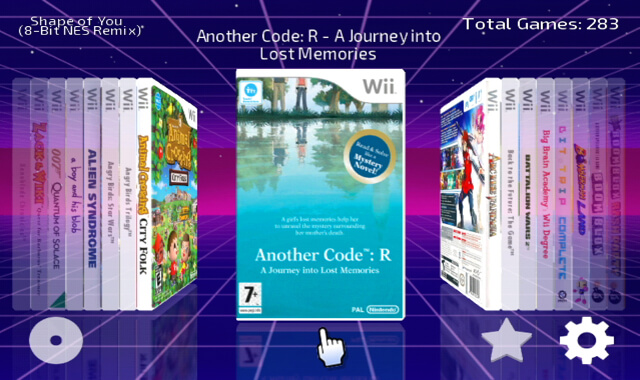
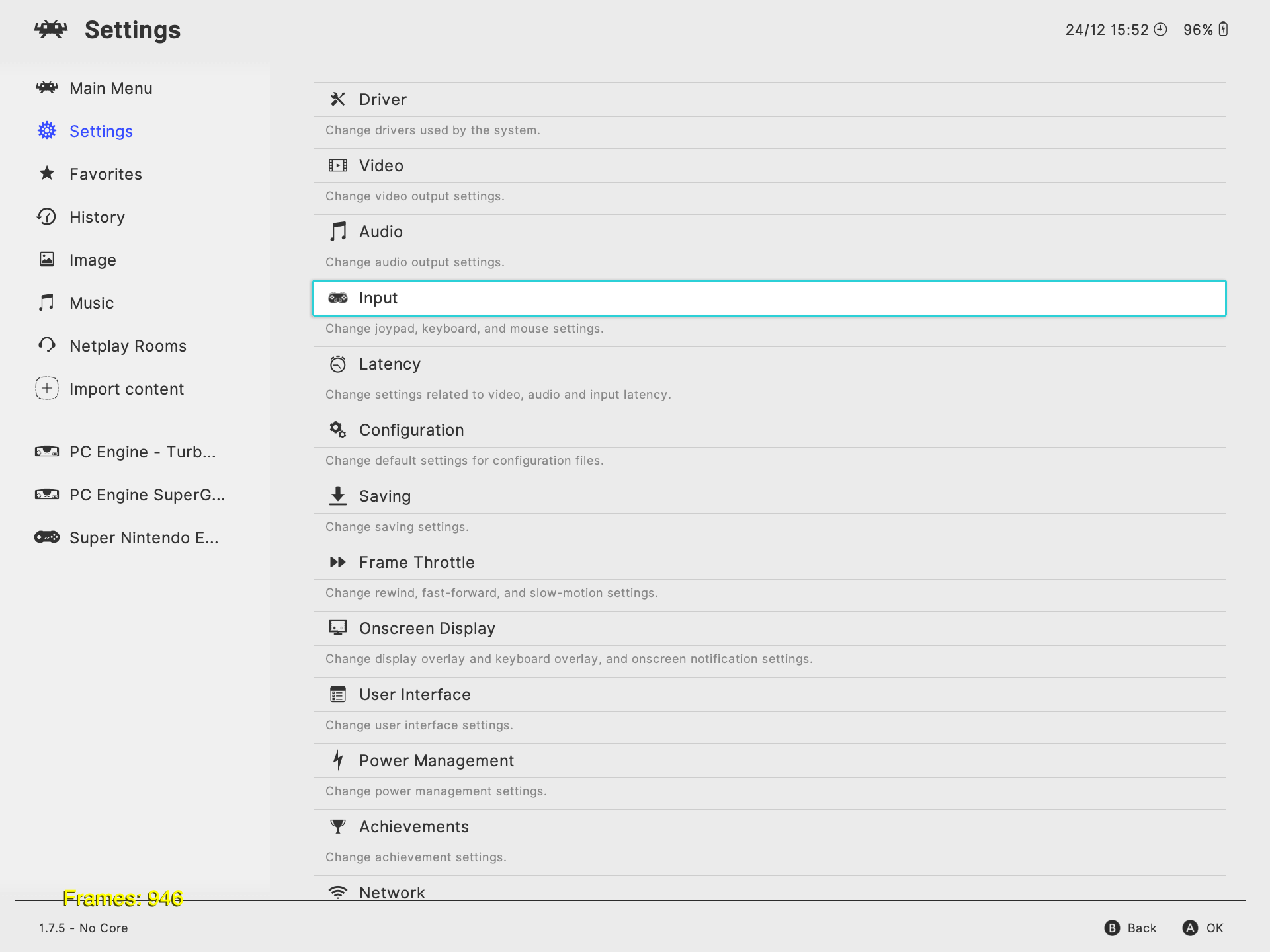
Neu ist das Ozone-Menü, welches an das Switch-Menü angelehnt ist. Es ist auch für die Wii U verfügbar – vorher sollten aber alle Assets aktualisiert werden. Thumbnails werden allerdings noch nicht angezeigt.
Wer noch das XMB eingestellt hat, kann das Ozone-Menü in den Einstellungen unter "Treiber" -> "Menü" einstellen.
Übrigens gibt es jetzt einen dynamischen Recompiler für Mupen64Plus für ARM64, was bedeutet, dass Nintendo-64-Spiele nun spielbar sind! Das Ganze befindet sich noch in der Beta und es ruckelt auch noch beim Kompilieren des Codes, läuft aber danach schon ganz ordentlich! Am besten aktualisiert ihr Mupen64Plus täglich über den Core-Updater und passt eure Config-Datei mit der aus diesem GBATemp-Thread an. Beachtet, dass die NSP oder Title-Takeover benutzt werden MUSS und es nicht über das Album läuft!
Die Wii-U-Version unterstützt jetzt außerdem Peer-To-Peer Netplay.
Diese Version fügt mehr Video-Patches und die Option zum Invertieren des Kamera-Sticks in einigen Spielen hinzu, verbessert die Kompatibilität mit dem "In-Game-Reset"-Feature und unterstützt die Game Boy Player Start-Up-Disc von Geräten wie dem SD Gecko. Wenn "Y" gedrückt wird, lassen sich für einige Optionen auch Beschreibungen einblenden!
@Extrems commits: * Support read patches for Game Boy Player Start-up Disc. * Find VIInit. * Patch ImportAdjustingValues. * Rewrite force text encoding. * Add game-specific patch for X-Men Legends II: Rise of Apocalypse. * Add game-specific patch for X-Men Legends. * Add game-specific patch for Spyro: Enter the Dragonfly. * Fix invert camera stick with missing PADInit. * Add game-specific patch for Prince of Persia: The Sands of Time. * Add game-specific patch for Animal Crossing. * Fix NES emulator in 480p. * Add help for force vertical offset. * Support VIConfigurePanD. * Add invert camera stick. * Rewrite IGR hooking. * Move VIConfigurePan hook past barrier. * Fix off-by-one error in function length. * Find GXAdjustForOverscan before GXSetDispCopySrc. * Find GXCopyDisp after GXSetDispCopyGamma. * Add GXAdjustForOverscan signature for Mario Golf: Toadstool Tour, Mario Power Tennis. * Add basic branch tracking. * Clarify missing component cable. * Fix unnecessary setFbbRegs patch. * Patch VISetBlack. * Support PAL-M in-game, again, when not forced. * Fix force vertical offset. @emukidid commits: * Fix DVD FST parsing when reading from real discs * Add file specific patching * Tidy up more common code in gcm.c * Consolidate some common FST read code * Set default config device to the first writeable device if not yet set (at boot) * Expand on settings on-screen help/descriptions * WIP tooltips on the settings screen
3DS, 3DS: Update, Nintendo Switch, Nintendo Switch: Update, vWii, Wii, Wii: Update emulator, game boy, game boy advance
Diese Version stellt die erste stabile Version des Nintendo-Switch-Ports dar! Im Gegensatz zur Vorabversion unterstützt diese auch Rumble und den Gyrosensor. Auch kann der Bildschirmmodus gestreckt werden.
In der 3DS-Version wird außerdem die Game Boy Camera unterstützt! In den Optionen kann zwischen der Front- und Hinterkamera gewechselt werden.
Auch wird in allen Versionen der Super Game Boy unterstützt. Das BIOS kann auch gewählt werden, ebenso wie das automatische Laden und Speichern von Savestates.
vWii, Wii, Wii: Update emulator, famicom, gameboy, gameboy advance, nes, snes
In allen drei Emulatoren können jetzt externe Schriftarten geladen werden. Um die japanische bzw. koreanische Übersetzung zu nutzen, müssen die Dateien "jp.ttf" bzw. "ko.ttf" in das Daten-Verzeichnis des Emulators kopiert werden (bspw. "/snes9xgx/", nicht "/apps/snes9xgx"!). Auch lässt sich die Hintergrundmusik ändern! Platziert dazu einfach eine "bg_music.ogg" in das Daten-Verzeichnis des Emulators. Die originale Hintergrundmusik der Emulatoren haben wir ebenfalls im Angebot. Außerdem kann mit dem "Plus"-Knopf durch die verschiedenen Cover-Arten geblättert werden.
Beim NES-Emulator FCE Ultra GX wurde die Steuerung per GameCube-Controller behoben.
Beim SNES-Emulator Snes9x GX wurde zusätzlich noch die Steuerung per Wii U GamePad (über VC-Injection) gefixt, Speed-Hacks für Super Mario RPG und Kirby’s Dream Land 3 hinzugefügt und der Snes9x-Core auf die aktuelle Git-Version angehoben.
Im Emulator der Game-Boy-Familie Visual Boy Advance GX wurden ebenfalls die Steuerung per GameCube-Controller, sowie das Zurücksetzen der Bewegungssteuerung und Transparenz im Mode 0 behoben.
Die Changelogs findet ihr auf den verlinkten Release-Seiten der Emulatoren.
Vor anderthalb Jahren gab Nintendo die Schließung des Wii-Shop-Kanals bekannt. Schon seit dem 26. März 2018 können keine neuen Wii Points mehr hinzugefügt werden; ab dem 31. Januar 2019 kann keine neue Software mehr gekauft werden. Dies gilt auch für Gratis-Software.
Wer jetzt also noch seine letzten Punkte loswerden muss oder die übrigen Kanäle noch nicht geladen hat, sollte dies bis Ende des Monats tun. Irgendwann in diesem Jahr soll auch die Funktion zum erneuten Herunterladen der eigens gekauften Spiele eingestellt werden – allerdings ist unklar, ob Nintendo das auch durchziehen wird, da bspw. der DSi-Shop immer noch online ist.
Es gibt übrigens schon mehrere NUS-Backups. Mithilfe unseres PyNUSD-Tools ist es auch sehr einfach, selbst ein solches anzulegen – es werden nur die Title-IDs und ihre Versionen benötigt.
Die neue Version des USB Loader GX wird jetzt heruntergeladen und eine Modifikation von YAWMM wird als WAD-Manager verwendet.
* Updated MD5 for latest USBLoader GX released in Dec 2018. Also changed download link to always download r1271 as opposed to most recent release to avoid potential unstable releases. * Updated YAWMM to the modified rev5e version from the Complete Softmod Guide that supports Motion+ remotes, AHBPROT and WiiU (vWii).
vWii, Wii, Wii: Update emulator, game boy, game boy advance, nes, snes
Beim FCE Ultra GX wurde die WiiFlow-Integration verbessert und Controller ohne Analog-Sticks behoben. Außerdem lässt sich der Emulator per Wii U GamePad steuern, wenn er in die WiiVC injiziert wird.
Beim Snes9x GX wurden ebenfalls Controller ohne Analog-Sticks gefixt. Die restlichen Änderungen wurden schon vor zwei Wochen eingefügt.
Neben den oben genannten Verbesserungen zur WiiFlow-Integration, den Controllern und dem Wii U GamePad Support wird es Fans des GBA-Emulators Visual Boy Advance GX freuen, dass verloren gegangene Features wieder eingefügt wurden. So lässt sich die Farbpalette für Game-Boy-Spiele wieder ändern und Rumble funktioniert wieder. Auch zurückgekehrt ist der Neigungssensor per Wiimote – so lässt sich WarioWare Twisted per Wiimote spielen!
* Improved WiiFlow integration * Fixed controllers with no analog sticks * Added Wii U GamePad support (thanks Fix94!)
* Fixed controllers with no analog sticks * Fixed GameCube build
* Restored changes lost from 2.3.0 core upgrade (GameCube virtual memory, optimizations from dancinninjac, GB color palettes, rotation/tilt for WarioWare Twisted, in-game rumble) * Improved WiiFlow integration * Fixed controllers with no analog sticks * Added Wii U GamePad support (thanks Fix94!)
Es wurden etliche Fixes in Bezug auf das Erzwingen des Videomodus und die UI vorgenommen. Außerdem funktioniert Swiss wieder mit der WODE Jukebox.
Changes by @Extrems: * Fix Star Wars Rogue Squadron II: Rogue Leader. * Add VIConfigure signature for Pikmin. * Add GX signatures for Mario Power Tennis. * Rework PAL 60Hz forcing. * Remove exceptions for Metroid Prime 2: Echoes, Resident Evil Zero. * No longer support PAL-M in-game. * Fix Metroid Prime's screen offset X, screen stretch. * Add exceptions for F-Zero GX, Super Mario Sunshine and Enter the Matrix. * Properly resolve branch target. * Make indirect function matching more robust. * Use BI2 region code. * Add disable alpha dithering. * Allow video format change. * Replace GXSetCopyFilter. * Disable vertical filter when appropriate. * Rework PAL 60Hz fallback. * Improve PAL 60Hz forcing. * Support GXAdjustForOverscan B. * Support GXAdjustForOverscanD. * Improve PAL 60Hz forcing with field rendering. * Fix Tony Hawk's Pro Skater 3. * Fix video mode switching with read patches. Changes by @emukidid: * Avoid excessive heap allocations in the UI thread to fix some stability issues * Add ARAM dumping * Fix DVD read issues * Fix WODE cold boot device hang * Add WODE extcfg ISO Swiss to the distribution * Fix WODE reload, dir listing issue, add missing icon * Fix files without extensions
Ein paar Fehler wurden behoben, u.a. einer, bei dem dem "No Yoshi"-Intro Tiles gefehlt haben und ein Problem mit dem Scrollen per Mausrad.
* fixed a bug from 3.00 where vertical levels with a "No Yoshi" intro would have tiles missing in the intro. Thanks goes out to Shiny Ninetales for reporting this. * fixed a bug from 3.00 where if there was only a horizontal scroll bar you couldn't use the scroll wheel to move objects backwards/forwards by one. Thanks goes out to Daizo Dee Von for reporting this. * fixed a bug from 2.41 where the warning for sprite 19 (display level message 1) could be triggered in level 0xC5 when using the "Import Multiple Levels from File" function. Thanks goes out to WhiteYoshiEgg for reporting this. * fixed a bug in the original game where if you placed Mario's starting position near the far right side of a horizontal level, the game would not set the initial X scroll position correctly.
Lunar Magic ist mittlerweile 18 Jahre alt! In dieser Version wurde ein ASM-Hack integriert, der das Verstellen der Höhe von horizontalen Leveln erlaubt. Es gibt auch ein neues FG/BG Init-System mit neuen Optionen für Eingänge, Verbesserungen für den Sprite Loader (so können sich nun 128 Sprites in einem Level befinden, statt 84), Unterstützung für geheime Ausgänge 2 und 3 im Overworld-Editor und viele weitere Änderungen und Fixes.
Alle Änderungen findet ihr hier unten im recht umfangreichen Changelog oder in der Hilfe-Datei von Lunar Magic.
* integrated an ASM hack submitted by Vitor into LM that allows changing the height of horizontal levels, effectively making it possible to change the level dimensions. You can find the new setting controlling this in the "Change Properties in Header" dialog, along with a new * option that lets you view the full bottom row of tiles in horizontal levels. * the sprite loader now has a cache added by Vitor to reduce the performance impact from parsing most of the sprite list to access sprites on later screens. * added a setting to the "Change Properties in Sprite Header" dialog to control the sprite vertical spawning range for horizontal levels and an option for smart spawning. * levels can now have up to 128 sprites instead of 84 for non-SA1 ROMs. * a limitation of the original game where sprites could not start with an FF byte has been removed (previously LM would silently move the sprite on save when it encountered this to avoid premature termination of the sprite list for the level). * in vertical levels most objects will no longer break up on horizontal subscreen boundaries (but they still will on vertical ones). * added an option for entrances to use a new FG/BG init system which can set the FG relative to the player, and calculates the BG position relative to the FG position, scroll settings, level height, and BG height. The BG height is a new setting in the "Change Other Properties" dialog, along with an option to just set the BG relative only to the FG which is meant mainly for layer 2 levels. * added 4 new vertical scroll settings for layer 2 (Variable 2, Variable 3, Variable 4, and Slow 2). Note that these take up slots that were previously blank (H/V Scroll of None), so you may want to double check your scroll settings in older levels. To have H/V scroll set to None, you should be using the 4th entry in the list rather than one of the later ones. * added a new option for entrances to have Mario face the left direction. * made it so that using the "Shoot From Slanted Pipe Right" entrance action combined with the "Face left" option will make Mario shoot left instead of right. * added a new option for midway entrances to redirect a midway entrance to another level. This allows you to have the midway entrance for an overworld level be in another level entirely. * added a new option for secondary entrances to make the level a water level. Note that the older option for the same thing in screen exits can also still be used. * added a new option for secondary entrances to exit to the overworld. You can also optionally set an exit to the overworld to pass the level with the normal/secret exit of your choice or just switch players, use a different base event when passing the level, and teleport to a different location. * added a new toolbar button to the overworld editor that can set secondary exit teleport locations, which uses the same table as the Star/Pipe tiles. * made it possible for the overworld Star/Pipe index table to hold twice as many entries (0x100), to accommodate secondary exit teleport locations. * made it possible to use Secret Exit 2 and Secret Exit 3 in the game. This means the overworld editor now has direction to enable settings on level tiles for both of these, and the Secret Exit 2 and Secret Exit 3 goal point tape sprites have been added to the sprite list. * made it possible to change level tile settings for tiles 0x82-0x86 in the overworld editor. While they can't be entered as levels, they are valid stopping points so this allows you to assign them a level number in case you want them to display a name or give them initial enabled directions. * moved the music and time limit settings from the "Change Properties in Header" dialog to the "Bypass Music and Time Limit Setting" dialog, then renamed the latter to "Change Music and Time Limit Settings". * made it so that when you copy a color to the windows clipboard in the palette editors, it will also copy the SNES RGB hex value in text to the clipboard so you can paste it into edit fields in the ExAnimated Frames dialogs. * added a new toolbar button to the level editor and overworld editor that will insert all GFX and ExGFX then reload the graphics. * added a new view menu option that allows viewing tile surfaces. This is mainly meant for showing the shape of slopes and for revealing if a tile is solid or not. * added a few basic command line functions for some common operations. See the technical section in the help file for more info. * added a new option to the overworld editor that allows disabling the Forest of Illusion ghost from being hidden until an event has been passed. Also made it so you can change the events that it gets shown on. * when linking star/pipe tiles, the program no longer requires that the second tile be a star/pipe tile. This makes it easier to create warps from a star/pipe tile to tiles that you can't warp from. * changed the Modify Screen Exits dialog to allow typing full values directly into the index combo box for faster selection. * changed how the "Insert Manual" dialog works for objects and sprites in the level editor. Instead of specifying X/Y and the screen number, LM will now simply insert the object or sprite near the upper left corner of the level editor window. * made it so that the sprite size table is loaded on level load, not just on ROM load. * added "Delete All" to the level editor's "Edit" menu, which was previously only available through the Ctrl+Del keyboard shortcut. * moved Shift+Scroll Wheel for Bring to Front/Send to Back to Ctrl+Alt+Scroll Wheel, added Ctrl+Shift+Scroll Wheel for vertical scroll, and made Shift+Scroll Wheel and Ctrl+Shift+Scroll Wheel unaffected by objects/sprites selected. * tweaked some code so that scroll bar thumbs are now sized proportionally more like the way you'd expect. Thanks goes out to Vitor for pointing this out. * fixed a bug from 2.43 where the undo/redo/F3 keys in the palette editors would not function while any other modal dialog window in the program was open at the same time. * fixed a crash bug from 2.30 that could occur under certain circumstances when selecting tiles in the Layer 1 Event Editor Mode of the overworld editor. Thanks goes out to Wiimeiser for reporting this. * fixed a bug from 2.30 where if you saved a level then used undo to revert a change to a secondary entrance then saved again without making any other changes to secondary entrances, LM would not save the reverted change for the secondary exit. Thanks goes out to Ramon for reporting this. * fixed a bug from 1.70 in smkdan's VRAM patch where if you rapidly scrolled past the top of the BG image (such as by setting layer 2's vertical scrolling to constant), there was a chance you could get a brief 1 frame glimpse of a couple rows of pixels at the top or bottom of the screen showing the wrong tiles. Thanks goes out to Vitor and Super Maks 64 for reporting this. * fixed a bug from 1.10 where the program would not load/save/export/import the last color of the Special World shared palettes for when Special World had been passed. Thanks goes out to yoshifanatic for reporting this. * corrected the description for Mario Action 7 of midway entrances to "Do Nothing or Pipe Exit Down (Water Level)" and changed how it's displayed in LM. Normally midway entrances that use this setting skip the pipe exit part. It never came up in the original SMW levels, though it seems to have been used in SMA2. However it still acts as a pipe entrance if accessed via a screen exit. To avoid confusion, it may be better to instead use the "Vertical Pipe Exit Down" action with the separate "Make this a Water Level" setting. * renamed Layer 1 vertical scroll setting 2 to "No Vertical Scroll at Bottom unless Flying/etc" to more accurately describe what it's for. Also adjusted the code for this setting to work for horizontal levels that have different heights and vertical levels. * fixed an issue in the original game where when switching between levels if you entered a level with layer 2 horizontal scrolling set to None, the layer 2 X position was carried over from the last level instead of being reset to 0 like it does when entering from the overworld. * fixed an issue in the original game where if a "No Yoshi" entrance intro is activated for a vertical level, the layer 2 Y position in the intro could be wrong and even possibly display garbage tiles. * fixed an issue in the original game where using a pipe exit at the very top of a vertical level could malfunction if Mario's Y coordinate ended up being beyond the top of the level. * added a fix for the original game where the sprite load status for indexes 64-127 were not cleared between sublevels, leading to some sprites not appearing if a sprite at that index was killed in another sublevel. * adjusted tile used for sprite 99 (Volcano Lotus) in LM so it will appear the same way in the editor as it will in the game. Thanks goes out to WhiteYoshiEgg for reporting this. * added a bit of info for sprite 70 (Pokey), as it can't detect if Mario is riding Yoshi if it's within spawning distance of Mario entering the level. Thanks goes out to Wiimeiser for pointing out that something was up with this.