Dateimanager für die Switch, der sich mit externen Servern über FTP, SMB und WebDAV verbinden kann.
Im Fortschrittsdialog wird nun statt den verbleibenden Prozent die durchschnittliche Übertragungsgeschwindigkeit angezeigt und der Cursor landet wieder am Anfang der Datei-Liste, wenn man unten ankommt und weiter nach unten drückt. Ferner wurde ein Absturz bei einer ungültigen SMB-URL behoben.
* Updated Progress Dialog to show Avg Transfer Speed instead of percentage completed
* Implemented wrap around while scrolling file list
* Fix crash caused by invalid SMB url
Die Android Aftermarket-Firmware "LineageOS" wurde schon vor rund fünf Jahren zum ersten Mal auf die Switch portiert; doch nun hat das Switchroot-Team ihre gesamte Arbeit upstreamed und damit die Unterstützung für die Switch nun ganz offiziell gemacht!
LineageOS ist eine Aftermarket-Firmware für Android-Geräte und jetzt auch für die Nintendo Switch!
Es gibt die gewohnte Tablet-, als auch die Android-TV-Version sowie Varianten mit integrierten Google-Apps und Google-Pixel-Goodies. Wer alles lieber selber macht: die einzig unterstützten GApps sind die von "MindTheGapps".
Wie immer wird Android nicht auf der Switch "installiert", sondern auf der SD-Karte und es kann jederzeit zwischen dem normalen System und Android umgeschaltet werden.
Ein Virtual-Boy-Emulator für den 3DS – natürlich mit 3D-Support!
Ein Antiflicker kann nun aktiviert werden, was gerade auf IPS-Bildschirmen helfen sollte. Ferner wurde ein kritischer Bug behoben, bei dem der Emulator abstürzte, wenn ein Spiel gestartet wurde und das Home-Verzeichnis nicht existierte.
* Added antiflicker option to mitigate image retention issues, particularly on IPS models
* Added an input display (buttons light up in red if turbo is enabled and blue if toggle is enabled)
* Fixed a critical bug where the emulator crashes when starting a game if the home directory doesn't exist
Mit Anemone3DS lassen sich Custom-Themes, Marken und Luma3DS-Splashscreens herunterladen und installieren.
Diese Version ist kein Pre-Release mehr und bringt noch einige neue Features mit sich! So kann Anemone3DS nun Marken installieren; auch solche, die Software-Titel starten können! Mehr Infos dazu findet ihr auf GitHub. Zur Theme-Preview wurde außerdem ein BCSTM-Player hinzugefügt, falls keine OGG zur Vorschau vorliegt.
Unten gelistet sind nur die Änderungen seit der v3.0.0b.
* A failed search in the ThemePlaza browser now properly returns you to the previous page rather than locking the browser in a glitched state.
* Various scroll/jump bugs fixed
* Full badge support! Anemone3DS now supports installing badges, complete with custom sets and set icons. Additionally supports dumping badges, maintaining the set they're from and also dumping the set icon. For more info, check out our wiki.
* BCSTM Player added for theme previews, meaning that Anemone3DS should now more accurately represent what will be played on the Home Menu, and allowing for easier testing with tools like Kame Editor which don't produce a preview ogg file.
Das TWiLight Menu++ sieht aus wie das DSi-Menü und kann in Verbindung mit NDS-Bootstrap DS-Homebrews und DS-Spiele von der SD-Karte abspielen.
Das TWLMenu lässt sich auf dem 3DS autobooten, wenn "Set Luma Autoboot" unter "Misc" gewählt wird. GBARunner3 muss nicht mehr über eine Einstellung umständlich aktiviert werden und es wurden wieder einige Fehlerbehebungen in Themes durchgeführt.
What's new?
* You can now have TWLMenu++ autoboot on your 3DS or 2DS console, with a setting called Set Luma Autoboot (in the Misc settings page)!
* Adding GBARunner3 just got easier! You no longer need to add a specific setting to settings.ini (which was GBARUNNER3_TEST = 1), and now only GBARunner3.nds needs to be placed in sd:/_nds/TWiLightMenu/emulators/!
* Genesis and SNES ROMs are now visible on flashcards again!
** If the filetype for the ROM(s) is .md, it'll not be visible until you set the Gen/MD emulator to PicoDriveTWL in TWLMenu++ Settings.
* Various: Updated translations.

Bug fixes
* @mentusfentus: Fixed cursor behavior when sorting by recently played (#2430)
* Wood theme: Icon zoom animation has been slowed down by a frame to closely replicate the animation from the original Wood UI menu.
Ein Virtual-Boy-Emulator für den 3DS – natürlich mit 3D-Support!
Die Buttons können beliebig umgemapped und Konfigurationen pro Spiel angepasst werden. Ferner wurde ein seltener Absturz beim Start behoben
Changelog
Control changes
* New "Custom" control scheme (#67)
* In the Custom control scheme, any 3DS button can be mapped to any VB button
* Toggle and Turbo modes are available for each button
* The previous control menu is still available as "Preset" for its ease of use
* Added remapping option to 3DS D-Pad in Preset mode (#65)
* Virtual buttons on the touchscreen can now be set to the face buttons by default
* "Switch" button can now be turned off

Other settings changes
* Configurations can now be game-specific, including controls, graphics, etc
* Moved rv_config.ini to a more standard location (sdmc:/config/red-viper)
* The red-viper directory with savestates and per-game configs can be moved by manually editing rv_config.ini
* Added VBLink for homebrew developers, accessible by pressing Y on the main menu (will be supported in future versions of VUEngine Studio)

Other changes
* Improved stability for capture cards
* Fixed occasional bug where the emulator would crash on startup
Wer WiiLink (früher RiiConnect24) verwendet, muss den eingestellten DNS-Server ändern. Der alte Server wird am 09. Juli 2024 abgeschaltet.
Die Adresse des neuen Servers lautet 167.235.229.36. Dieser wird nur noch für den Mii-Wettbewerbskanal benötigt. Dieser wird nur noch für ganz wenige Dienste benötigt, wie bspw. die Nutzung von Miis aus dem Mii-Wettbewerbskanal in Wii Sports Resort.
Die Adresse des alten Servers war 167.86.108.126. Diesen nicht mehr verwenden!
Signatur-Patches für Custom Firmware zur Installation von unsignierten NSPs und konvertierten XCIs.
Hier ist alles, was ihr für die neue Switch-Firmware 18.1.0 braucht! Denkt dran, dass die Signatur-Patches hekate benötigen, da Atmosphères fusee keine KIP-Patches mehr anwendet. Hekate bootet einen EmuMMC auf der 18.1.0 nun auch korrekt und in einigen Fällen wird das System bis zu 70% schneller gebootet. Alle Änderungen im Detail findet ihr in den Quellen-Links.
UPDATE: Wer hekate vor dem 11. Juni 2024, 20:54 Uhr bei uns heruntergeladen hat, sollte es noch einmal herunterladen, da CTCaer noch ein stilles Update dafür veröffentlicht hat.
UPDATE 2, 13.06.24, 18:12 Uhr: Ein vierter Hotfix wurde veröffentlicht, der den L4T-Loader auf Erista-Geräten behebt.
UPDATE 3, 13.06.24, 20:54 Uhr: Wer immer noch Probleme mit den Signatur-Patches hat sollte sys-patch versuchen; wir haben eine neue gepatchte Version 1.5.1 hochgeladen. DENKT AUCH DARAN DASS IHR ÜBER HEKATE BOOTEN __MÜSST__, NICHT ÜBER FUSEE.BIN!!! 99% der Probleme hier würden sich in Luft auflösen wenn ihr einfach mal lesen würdet!
UPDATE 4, 13.06.24, 21:01 Uhr: Ich habe soeben die neuesten Signatur-Patches hochgeladen (Quelle: GBATemp). Ich möchte extra betonen, dass die Zeit nach einem System-Update immer sehr stressig ist weil hier sehr viele nahezu gleiche Kommentare eingehen.
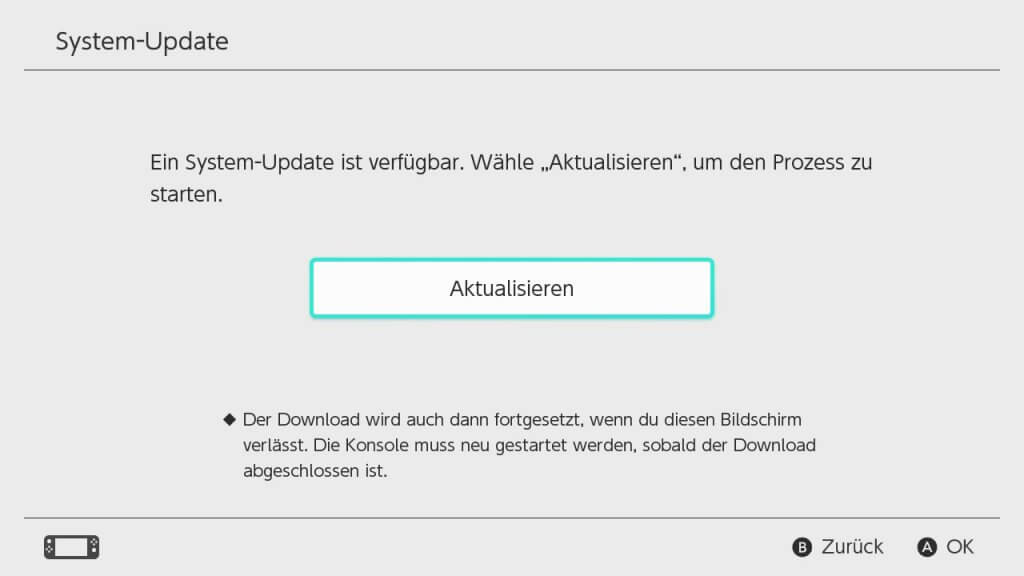
Nintendo hat ein neues System-Update für die Switch bereitgestellt.
Wie bereits angekündigt, wurde das Posten von Screenshots auf Twitter ("X") entfernt und es ist nicht mehr möglich, Screenshots von Super Smash Bros. Ultimate auf Smash World hochzuladen. Zudem können Freunde nicht mehr über die Social-Media-Integration gefunden werden. 3DS-, Wii-U- und Smartphone-Freunde lassen sich weiterhin finden.
In Splatoon 3 werden Bilder nur noch zu Nintendo-Servern hochgeladen und können hier weder auf Twitter, noch auf Facebook hochgeladen werden. Das bedeutet aber auch, dass Bilder von unter-13-Jährigen nicht für andere sichtbar sein werden. Sie werden aber ins Album kopiert und es kann auf diese weiterhin über einen PC per USB-Kabel oder drahtlos über ein Smartphone zugegriffen werden.
In Splatoon 2 kann auch nicht mehr auf Twitter gepostet werden. Hier werden die Bilder und Charaktere durch Nintendo-eigene Inhalte ersetzt; es sind also keine nutzergenerierten Inhalte mehr sichtbar.
UPDATE: Atmosphére und hekate wurden aktualisiert und sind kompatibel.
Synchronisiert die Uhr der Wii U mit dem Internet.
Die API, die verwendet wird, um die aktuelle Zeitzone zu erkennen, kann jetzt geändert werden – dafür stehen drei Dienste zur Auswahl. Ferner lässt sich ein Timeout einstellen.
* Wii U Time Sync can now utilize some more services in order to fetch the time offset most accurate to you. The Detect Time Zone setting now allows you to pick from three different APIs to sync your clock with. (Thank you, @dkosmari!)
** If you find yourself having issues with one service, you can always try another.
** http://ip-api.com (the one that was used prior to this release)
** https://ipwho.is
** https://ipapi.co
* You can now configure how long to wait for a connection before timing out using the Timeout setting.
** The default setting is 5 s, a change from the previously hardcoded 4 seconds. You can set this from anything between 1 second and 10 seconds.
* Some refactoring was done behind-the-scenes to depend on libcurlwrapper, which reduces the binary size to under 50% of what it was in the previous release. (Thank you, @dkosmari!)
Die Temperaturanzeige wurde behoben und Cheats lassen sich automatisch beim Öffnen des Overlays aktivieren. Hierfür muss der Name des Cheats bearbeitet und ein ":ENABLED" ans Ende gesetzt werden, also bspw. "[60 FPS Mod:ENABLED]".
* Updated libnx
* Fixed temperature rendering
* Added Enabling Cheats by Default on Overlay Open
Das TWiLight Menu++ sieht aus wie das DSi-Menü und kann in Verbindung mit NDS-Bootstrap DS-Homebrews und DS-Spiele von der SD-Karte abspielen.
Ein Anti-Piracy-Patch für die v3.2.3 des ROM-Hacks "Pokémon: Refined Gold Overhaul" wurde hinzugefügt und Fehler im 3DS- und den DSi-basierten Themes wurden behoben.
What's new?
* v3.2.3 of Pokémon: Refined Gold Overhaul is now AP-patched.

Bug fixes
* A confirmed-working fix for where the rotating cubes appear behind box art in the 3DS theme!
* @mentusfentus: DSi-based themes: Fixed incorrect icons & bubble text rapidly changing. (#2426)
Passt die Farben des Switch-Bildschirms an und schont die Augen. Angelehnt an f.lux.
Das Overlay zeigt nun nicht mehr das falsche Farbprofil im gedockten Modus an und es wird keine ungültige Konfigurationsdatei mehr erstellt, wenn noch keine existiert.
v2.5.3:
* Fixes crash when no config is present

v2.5.2:
* Invalid config being created when none exists
* Overlay displaying wrong profile in docked mode