Nach dem Flop der Wii U entwickelte Nintendo das Konzept "Zuhause und unterwegs spielen" weiter und veröffentlichte im März 2017 die Nintendo Switch – mit durchschlagendem Erfolg.
Eine Custom Firmware auszuführen wurde besonders einfach, nachdem ein Hardware-Exploit gefunden wurde, der später nur durch eine neue Hardware-Revision behoben werden konnte. Die Homebrew-Entwicklung verläuft allerdings eher schleppend und die Szene ist seit jeher mit Streitigkeiten überschüttet, die die Community gespalten hat.
Die Switch läutete auch eine Phase ein, in der Nintendo auch rechtlich gegen Homebrew-Entwickler und -Anbieter vorging. So ließen sie auch einige Download-Seiten der WiiDatabase aus dem Google-Index entfernen.
Im Juni 2025 wurde der Nachfolger "Nintendo Switch 2" veröffentlicht.
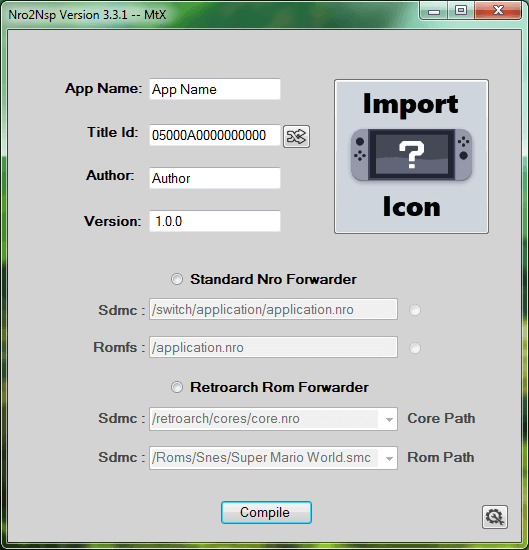
Die NCA-Sig2 wird jetzt unterstützt und das Patchen der NPDM wurde verbessert.
* 4NXCI now patches acid public key and signs nca header (signature 2)
* Enhanced NPDM patching
* Removed key warning message
* Fixed a bug cause loading a file with empty filepath when keyset file is not specified
Der Pfad zur Key-Datei kann jetzt manuell angegeben werden und die Key-Generation lässt sich ändern. Ein Link zur Icon-Datenbank wurde hinzugefügt, in dem passende, vorgefertigte Homebrew-Icons heruntergeladen werden können und einige Fehler wurden behoben.
* Added "Custom Keys Path" to load keys from your own path
* Fixed keys file missing error from Resources folder
* (Keys.dat, Keys.txt, and prod.keys) now all supported
* Added Help icons on main page and settings page for help with use/settings
* Added "Key Generation" setting in Settings menu
* Added LinkLabel theming
* Fixed "Settings.xml" loading error
* Added "Icon Database" LinkLabel to community collection link
* Removed "Old Style Title Id" From setings
* Updated Keys Template file
* Added delcared path checking on the app side
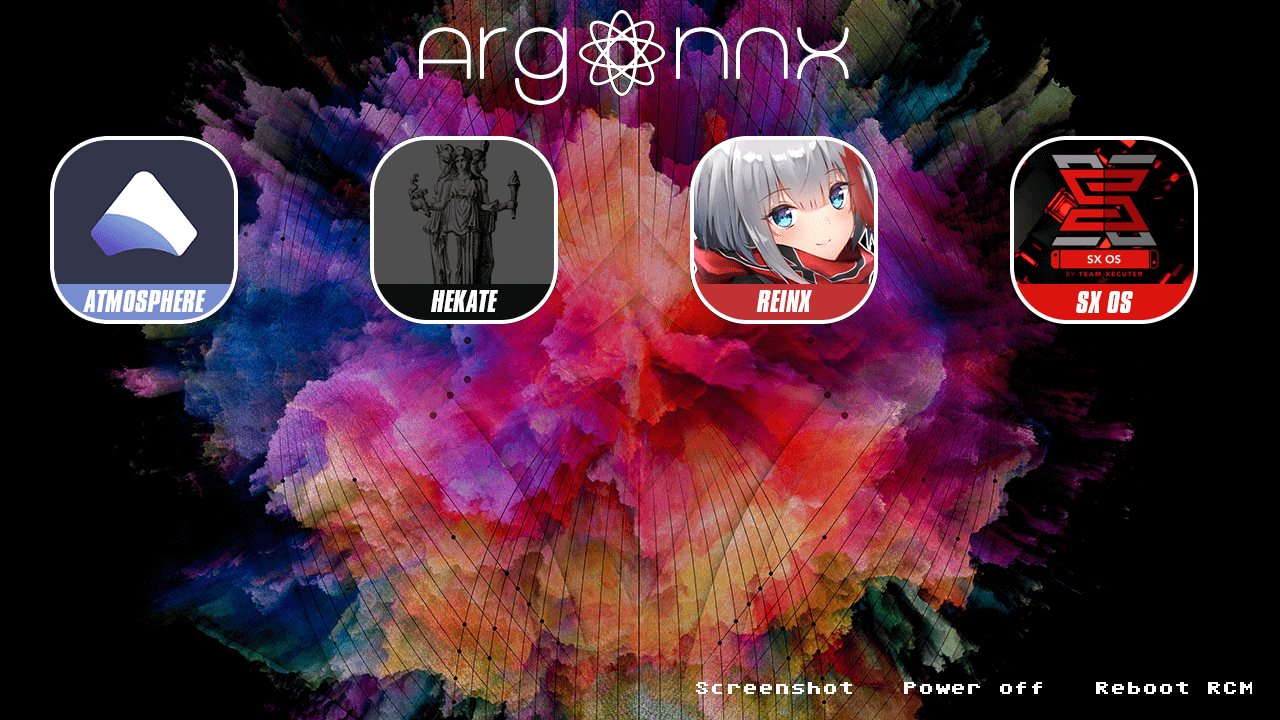
Von Guillem96 kommt "Argon NX", ein Payload-Chainloader für die Nintendo Switch. Mit diesem nützlichen Tool ist es möglich, andere Fusée-Gelée-Payloads von der SD-Karte zu starten. Der Hintergrund sowie die Icons lassen sich sogar selbst anpassen!
Und hier noch ein Tipp für Profis: Wenn ihr Atmosphère oder Hekate/Kosmos verwendet, könnt ihr die argon-nx.bin in "reboot_payload.bin" umbenennen und die vorhandene im "atmosphere"-Ordner überschreiben – so wird bei einem Neustart der Switch übers Menü direkt Argon NX gebootet! Natürlich kann man das auch mit Hekate tun, aber es hat keine schicke Touch-Oberfläche 😉 . Ist auch eventuell für einige Injector, wie den RCMloader One interessant!
Danke an Dash Recorder für den Hinweis (der eigentlich einer anderen Homebrew galt)!
hekate ist ein hübscher Bootloader und Firmware-Patcher, der u.a. NAND-Backups und einen EmuMMC erstellen kann.
Das Wiederherstellen eines NAND-Backups aus gesplitteten Dateien wird jetzt unterstützt und Atmosphère wurde aktualisiert – demzufolge enthält Kosmos jetzt auch die Cheat-Engine. Des Weiteren wurde das Sichern des NANDs beschleunigt und Hekate kann fusee-secondary booten, was bedeutet, dass neue Atmosphère-Releases einfach auf die SD-Karte verschoben und zusammen mit Kosmos benutzt werden können.
Ein praktischer Speicherdaten-Editor und Cheat-Manager. Wird nicht mehr weiterentwickelt – verwende stattdessen das EdiZon-Overlay.
UPDATE, 08.03.2019, 23:12 Uhr: v3.0.1 fixt einen Stack-Overflow wenn zu viele Adressen gefunden wurden und tauscht das Icon gegen ein brandneues aus.
Wie angekündigt kommt EdiZon jetzt mit einem RAM-Editor und einem Cheat-Manager für Atmosphère v0.8.5 daher. Der Auto-Updater wurde überarbeitet, was allerdings auch bedeutet, dass ihr manuell auf diese Version aktualisieren müsst. Das Hochladen von Speicherständen wurde kräftig verbessert; so werden diese jetzt auf edizon.werwolv.net hochgeladen. Wie immer wurden auch einige Fehler behoben, die Oberfläche verbessert sowie eine Fortschrittsleiste hinzugefügt.
v3.0.1:
* EdiZon has a new and beautiful icon by kardch!
* Fixed stack overflow when too many addresses were found
* Renamed "Edit RAM" to "Cheats"

v3.0.0:
* Cheat engine like RAM editor!
* Freezing of variables in RAM using dmnt:cht. Only works with Atmosphère, not with other CFWs!
* Cheat management tool for Atmosphère's dmnt:cht. Only works with Atmosphère, not with other CFWs!
* Reimplemented the auto updater. This is a breaking change! You need to update to this release manually.
* * Now updates configs, scripts AND cheats!
* Fixed and greatly improved the uploading of save files. You now get a code you can enter on http://edizon.werwolv.net . Thanks A LOT to @Ac_K for all his help!
* Lots of UI and touch bug fixes
* Fixed building being impossible except your were me
* Added progress bars to many long lasting operations
Cheat-Codes werden jetzt unterstützt. Cheats werden von "SD://atmosphere/titles/TITLEID/cheats/BUILD.txt" geladen. Mehr Informationen findet ihr auf GitHub. Cheat-Codes für SX OS sind ebenfalls kompatibel. Ein Update für EdiZon wird weitere Cheat-Features unterstützen.
Inhalte auf Per-Titel-Basis lassen sich überschreiben, separat vom HBL. Damit lassen sich Mods für den selben Titel verwenden, der zum Starten des HBL genutzt wird. Mehr Informationen dazu in den Release-Notes. Wie immer wurden auch einige Fehler behoben.
Eine existierende Key-Datei, die den master_key_07 enthält, wird nicht überschrieben und falls nur Title-Keys von Spielen gedumpt werden sollen, wird der eticket_rsa_kek von dieser Datei ausgelesen. Auch wird der "switch"-Ordner automatisch erstellt, falls er nicht schon existiert.
Für alle Keys ab 7.0.0 muss Lockpick RCM verwendet werden.
* Do not overwrite existing keyfile that contains master_key_07
* Read eticket_rsa_kek from existing keyfile in case user is only running this for titlekeys
* Create /switch folder if needed
shchmue hat einen Fusée-Gelée-Payload für die Switch veröffentlicht, der das Dumpen aller Switch-Keys erlaubt. "Dank" der Änderungen der Switch-Firmware 7.0.0 kann die normale Version von Lockpick die aktuellen Keys nicht mehr auslesen – hier kommt Lockpick RCM ins Spiel, das in Zusammenarbeit mit Atmosphères "sept" die neuesten Keys dumpen kann. Zum Auslesen der Title-Keys von Spielen muss aber weiterhin die NRO-Version benutzt werden.
BENUTZUNG:
Stelle sicher, dass du den "sept"-Ordner von Atmosphère auf deiner SD-Karte hast (ansonsten wird maximal bis zum master_key_05 gedumpt)
Portierung des Easy RPG Players für RPG Maker 2000/2003 Spiele auf die Wii.
Dies ist wirklich ein großes Release und in den letzten vier Monaten wurde mehr Code hinzugefügt, als in den zwölf Monaten davor! Interessierte finden einen umfangreichen Blogeintrag auf der Seite des EasyRPG-Teams.
Mit Rekado lässt sich ein Fusée-Gelée-Payload per Android-Smartphone senden. Funktioniert komplett ohne Root-Zugriff!
Hekate wurde auf v4.8 aktualisiert und wieder Abstürze beim Start behoben. Nutzer, die eine frühere Version installiert haben, sollten diese vorher deinstallieren, anstatt direkt ein Update durchzuführen.
* Updated Hekate to 4.8
* Added Polish localization (thanks @mixon606)
* Improvements in under-hood initialization, but it will not work for updating from previous versions of Rekado (#33)
* Material Dialogs updated to 2.0.3.
Die BIS-Keys werden jetzt ohne Master-Keys generiert und der TSEC-Dump von Hekate v4.8 wird unterstützt.
* Generate bis keys without master keys
* Update file size check to support Hekate v4.8 TSEC dump
* Fixed prod.keys alphabetization error
* Fixed build warning for ff.c
* Added in-app disclaimer about which keys can be dumped
Diese Version enthält nur Fehlerbehebungen – so stürzt die Switch-Version beim Laden einer zweiten ROM nicht mehr ab und die Ausrichtung des Gyrosensors wurde behoben. Auf dem 3DS sollte das Menü auch nicht mehr einfrieren. Näheres im Blogpost.
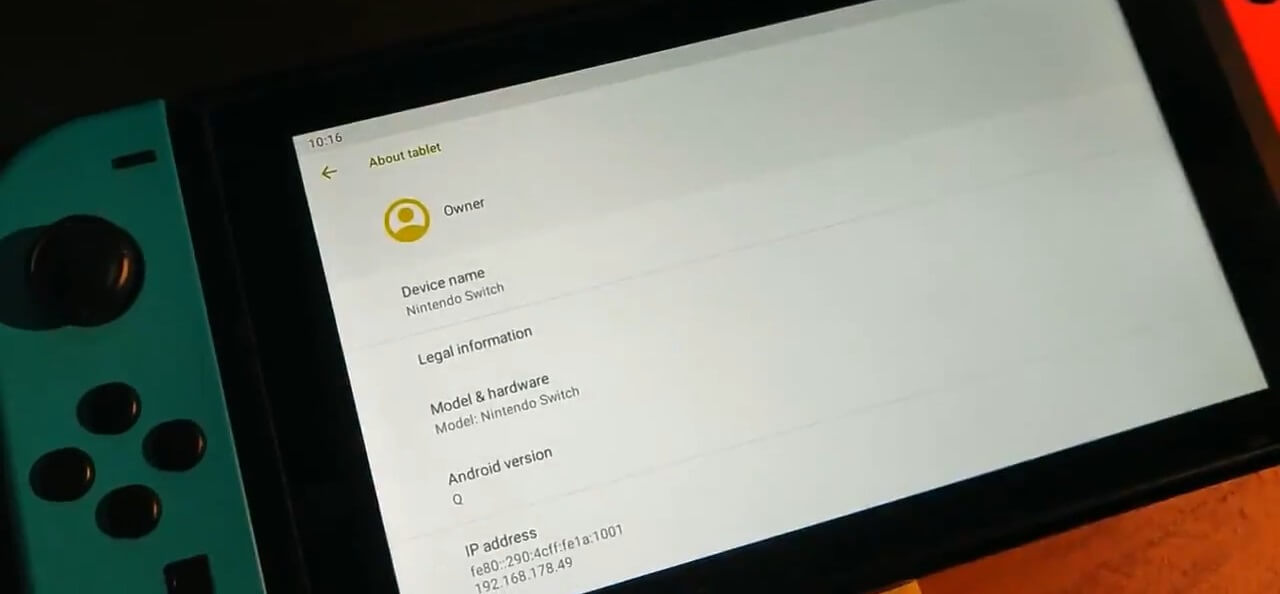
Die beiden Android-Entwickler Max Keller und Billy Laws arbeiten momentan an einem Port des Android-Betriebssystems auf die Nintendo Switch.
In dem Twitter-Video wird der momentane Fortschritt gezeigt. So funktionieren WLAN, Bluetooth, die Joy-Con und Touch, aber das System ruckelt noch, da die Grafiken momentan per CPU gerendert werden – das soll sich aber ändern, wenn die GPU-Treiber funktionieren wie sie sollen.
Die Entwicklung geschieht offen auf Gitlab. Wenn es fertig ist, wird sich Android so wie Linux starten lassen – völlig unabhängig von Horizon.