Zum Inhalt springen
Menü

Theme ändern
Unterstütze uns
PayPal-Logo Patreon-Logo
Abonniere uns per RSS Lies WiiDatabase Radar Folge uns auf X (ehem. Twitter) Like uns auf Facebook Trete dem WiiDatabase-Kanal auf Telegram bei und erhalte alle News sofort!

Wir hosten zurzeit 649 Homebrews mit über 4.430.288 Downloads!

Nützliche Links
Kategorien
Archiv
Über uns

Kategorie: vWii

"vWii" (virtuelle Wii) bezeichnet den Wii-Modus der Wii U.

Mehr: https://wiki.wiidatabase.de/wiki/VWii

Wiimms SZS Tools v1.25a r4715

vWii, Wii, Wii: Update , , , ,

Wiimm hat seine SZS-Tools aktualisiert.

Download

 - New KMP command for CKPT, ENPT and ITPT: $SPLIT: Split the group into 2 or
   more peaces. See http://szs.wiimm.de/doc/kmp/syntax#ckpt-grp for details.

 - New KMP parameter for ENPT and ITPT: @AUTO-FILL: Add additional points if
   the distance between points is smaller than the defined value.
   See http://szs.wiimm.de/doc/kmp/syntax#enpt-par for details.

 - KMP compiler: New snap variant to define x- and y-rotation.
   See http://szs.wiimm.de/doc/kmp/snap for details.

 - Command 'wkmpt COBJECT' accepts now option --kcl-script to filter the
   exported OBJ file.

 - Some small fixes for tool wctct.

Quelle: szs.wiimm.de

USB Loader GX Beta r1218

vWii, Wii, Wii: Update , , , , ,

Das USB Loader GX Team hat eine neue Beta des USB Loader GX veröffentlicht!

Download

In dieser Version wurden einige Fehler gefixt, u.a. beim Playlog, dem EmuNAND und dem Löschen von Gamecube-Spielen. Es wurde auch Nintendont-Support hinzugefügt. Dazu muss die boot.dol von Nintendont im Loader ausgewählt werden und der Gamecube-Mode auf "Nintendont" gestellt werden. Die Belegung der Knöpfe wurde verbessert, es werden nun mehr Knöpfe unterstützt (bspw. kann das Karussell mit dem Steuerkreuz des Gamecube- und Classic-Controllers gedreht werden.

Der USB Loader GX lädt nun auch schneller und kann nun auch ohne cIOS gestartet werden. Um Spiele zu spielen werden trotzdem immer noch cIOS benötigt! Weiteres im Changelog!

* Fixed missing games in "GameCube Delete menu" if
  the "GameCube Source" setting has USB priority.
* Fixed Playlog writing when using Hermes cIOS v4 (untested)
  (Requires AHB access).
* Fixed EmuNAND when using cIOS revision 65535 ( issue 2225 )
* Added Nintendont support:
  1. Select Nintendont's boot.dol folder in userpath settings.
  2. Set the "GameCube Mode" setting to Nintendont.
  3. Nintendont share some of DIOS MIOS (Lite) settings.
* Added sections in the Loader settings
  (Wii/gamecube/Devolution/DIOS MIOS/Nintendont).
* Updated the GameCube game settings to display only
  the selected GameCube mode related settings.
* Updated some menus to support more controller's input:
   - Prevent GC/CC X and Y buttons to change row number in
     Wall layout (use d-pad up/down only)
   - Added GC/CC support to carousel's arrow button
   - Added GC/CC support to Wall/Carousel continuous
     scroll (+/- on CC, L/R on GC)
   - Added GC support L/R and Start buttons in the
     settings/homebrew browser.
   - Added D-pad support in listing windows if not pointing
     the screen. The cursor now moves with the selection
     (not very good with high Overscan value) (issue 2093)
* Changed the StartupProcess to speed up launch time by
  using AHB access to read config files. IOS argument in
  meta.xml has priority over AHB detection.
* Added IOS58 + AHB support for launching the loader
  without cIOS (Wii games and EmuNAND still require cIOS).
* Added a Loader's IOS setting (now Loader and Games use
  two separate settings: loader can use 58 and games 249).
* Added LibruntimeIOSPatch to patch IOS58 and Hermes v4 to
  get ISFS access and enable Banner mode, Channel's title
  and System font with these IOSes (Requires AHB access)
* Added a delete prompt if downloaded cheat file is empty.
* Force all launched homebrew to reload to IOS58 if available.
* Changed Gecko.c to send logs to wifigecko too.
* Changed wifigecko IP to send logs to all IP 192.168.0.x
* Updated French translation.

Quelle: Googlecode

SysCheck HacksDen Edition v2.1.0

vWii, Wii, Wii: Neu , , , , , ,

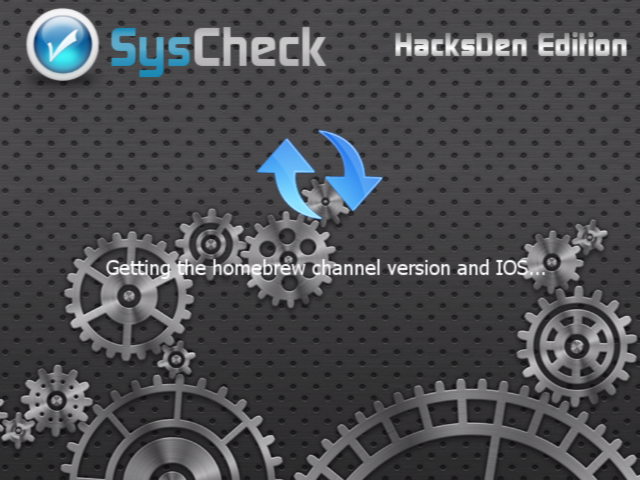
syscheckhacksdenJoostinOnline hat seine Modifikation des SysChecks released! Diese beinhaltet Verbesserungen bei der Erkennung des Homebrewkanals und des Homebrew Filters. Außerdem wurden einige andere Dinge gefixt.

Download

syscheckhacksden_screen

Änderungen:

- Fixed HBC 1.1.x detection for languages other than English
 - Fixed HBF detection for languages other than English, and removed German message if it doesn't exist
- Fixed compile warnings
- Added support for proper display in Windows Notepad
- Fixed format of meta.xml file
- Updated libCheckRegion so that it supports new Wii and vWii regions
- Fixed Region report for the vWii
- Added check for Shop Channel Country
- Improved code readability
- Support for custom 4.1 System Menu versions (544xx)
- Changed the background and icon
- Changed the English date format to MM/DD/YYYY because that's how it's used in conversation
- Other minor changes

Quelle: HacksDen.com

Wiimms SZS Tools v1.24a r4703

vWii, Wii, Wii: Update , ,

Download

 - Bug fix for wctct: Winning + losing ceremony after GP enabled.

 - wctct: More possible names for music and property ids.
   See http://szs.wiimm.de/doc/slot-id for details.

 - Transforming complete tracks: VRCORN will now patched by default, if not
   excluded by option --patch-file=list.

 - Linux 'make': LIBPNG will be linked as static library, if available.

Quelle: szs.wiimm.de

Wiimms SZS Tools v1.23a r4682

vWii, Wii, Wii: Update , , ,

Wiimm hat seine SZS-Tools aktualisiert!

Download

 - Exported BMG text files will now show all characters of the Unicode Basic
   Multilingual Plane (BMP; codes <=0xfffd) without escape sequences. New is,
   that surrogates and private ranges are always printed as escape sequences.

 - New options for BMG text output: --color and --no-color: If enabled, colors
   are printed as new escape sequence "\c{color}". 'color' is eihter a known
   color name or a hex number with 4 digits. At the moment, --no-color is
   the default to avoid problems with old versions and other externl tools.
   In 2014 --color shall become the default. However, the BMG text scanner
   accepts the new escape sequence from now and independent of these options.

 - New modes for option --patch-bmg: 'ID', 'ID-ALL', 'CT-COPY' and 'CT-FILL'.
   See http://szs.wiimm.de/opt/patch-bmg for details.

 - New command: wstrt DUMP: Dump the data structure of DOL files as text.

 - wstrt ANALYSE: Analyse DOL files and compare them section by section with
   the orginal main.dol file of MKWii.

 - New command: wstrt EXTRACT: Extract the sections of a DOL file into a
   directory. StaticR.rel files are ignored.

 - New global option: --ctcode: Enable the CT-CODE modus of the tools.
   See http://szs.wiimm.de/doc/ctcode for details and about CT-CODE.

 - wstrt PATCH --add-ctcode: Add CT-CODE to original main.dol files.

 - New tool: wctct: Manage CT-CODE. See http://szs.wiimm.de/wctct and
   http://szs.wiimm.de/doc/ctcode for details.

Quelle: szs.wiimm.de

Mit Convert2vWii kinderleicht WADs für den Wii-Modus der Wii U konvertieren!

vWii, Wii: Neu, Wii: Update , , , , , , ,

JoostinOnline hat "Convert2vWii" released!

Download

Ziehe einfach einen Wii-Kanal auf die "Convert2vWii.bat" und er wird für den Wii-Modus der Wii U konvertiert!

INSTALLIERE KEINE IOS VOM NUS AUF EINER WII U, DIESE KÖNNEN NICHT KONVERTIERT WERDEN!

Benutzung wie immer auf eigener Gefahr.

Quelle: HacksDen.com

Wiimms SZS Tools v1.22a r4602

vWii, Wii, Wii: Update , , , ,

Wiimm hat seine SZS-Tools aktualisiert.

Download

 - The Windows installer will now force type REG_EXPAND_SZ for path variables.

 - New commmand: wbmgt MIX: Works like CAT, but combines all input files.

 - Exported BMG text files will now show all characters of the Unicode Basic
   Multilingual Plane (BMP; codes <=0xfffd) without escape sequences.

 - Tool wbmgt: Option --single-line supports now 2 levels and option --brief
   3 levels. See http://szs.wiimm.de/opt/wbmgt/single-line and
   http://szs.wiimm.de/opt/wbmgt/brief for details.

 - New option: wszst --patch-bmg: Patch BMG sub files directly. There is no
   more need to extract BMG files before patching.

 - New option for tools wszst and wbmgt: --msg=list: If set, the BMG messages
   are filtered by this list. Only enabled messages are exported to the ouput
   BMG file (binary or text).

 - If an archive (SZS,...) is found while reading a BMG file, the archive is
   searched for BMG sub files and found sub files together are used as BMG
   source.

 - wstrt can now detect main.dol files and its type (PAL, USA, JAP or KOR).

 - Option --kmp accepts now the keywords 1LAP, 2LPAS ... 9LAPS to modify the
   first byte of KMP/STGI (numer of laps). This first byte has only impact on
   patched main.dol files.

Quelle: Offizielle Website

WiiFlow v4.2

vWii, Wii, Wii: Update , , , , , , , , , ,

Das WiiFlow-Team hat den WiiFlow aktualisiert!

Download

Es wurde ein FTP-Server hinzugefügt, sodass vom PC aus auf die Festplatte zugegriffen werden kann. Auch wurde ein Dateimanager und ein Sprachen-Downloader hinzugefügt. Die Pfade für WiiFlow und dem emulierten NAND können dank dem neuen Pfadwähler einfacher ausgewählt werden. Custom Banner können nun auch direkt heruntergeladen werden, was eher für Gamecube-Spiele nützlich ist. Auch neu ist ein WAD Installer für den emulierten NAND. Es wurde außerdem noch ein automatischer MIOS Installer für verschiedene Gamecube-Spiele hinzugefügt. Wie das geht lest ihr am besten im Changelog.

Ein weiteres Highlight ist das neue "Source" Menü. Damit können mehrere Coverflows auf einmal angezeigt werden. Dies kann in den Starteinstellungen konfiguriert werden. WiiFlow unterstützt nun auch "UStealth", ein Tool, welches die Festplatte "versteckt", sodass die Wii U diese nicht andauernd formatieren möchte. WiiFlow erkennt mit dieser Version die Platte nun. Weitere Informationen zu UStealth gibt’s auf GBATemp, wir bieten dieses Tool nicht an. Zu guter Letzt gab es noch nicht gelistete Bugfixes.

Hey everyone, finally its time again for a release here! :)
Now we do move up to 4.2 because of all the big additions to wiiflow!
The main new features are
-a FTP Server
-a File Explorer
-a Language Downloader
-a Path Selector for both wiiflow paths and Emulated NAND paths
-a custom banner downloader
-a WAD Installer for Emu NAND Channels
-an automated MIOS installer for different GC games
-a new Source Menu feature to select multiple coverflows to display at the same time
I hope that includes most of the important changes.
You can find the FTP Server and File Explorer in the Home Menu of WiiFlow
The WAD Installer is used via the File Explorer, you can also uninstall Channels now from your Emu NAND using the same way as for every other game
The Language Downloader is located in the general settings as well as the Path Selectors
The custom banner downloader are in the per-game settings, mainly downloading GC banners
To use the automated MIOS installation just use the new "mios" folder in your wiiflow main folder, copy in dm.wad for diosmios, dml.wad for diosmios lite, qfusb.wad for quadforce usb, qfsd.wad for quadforce sd and mios.wad for the regular mios, the wads you need to copy in depend on your personal usage
To use the new Source Menu features just go into the startup settings and enable Multisource, you can use the + button to select more than one source then.
WiiFlow now also has full compatibility to UStealth, a tool to hide your HDD from the WiiU question if you want to format it, check out gbatemp.net/threads/352786 for more details about that tool.
now this is just the list of big things, yet again they are alot of smaller additions and as always bugfixes, cleanups and speedups.
To find out more about the new release you can join the irc channel #wiiflow on irc.abjects.net or just go to the gbatemp.net wiiflow thread and just ask what you want to ask.
Thanks to everyone still supporting the project, especially to fledge68, Ayatus, mamule and all the beta testers and contributors behind the scenes!
Have Fun!

Quelle: Googlecode

Wiimms SZS Tools v2.1a r4578

vWii, Wii, Wii: Update , , , ,

Wiimm hat seine SZS Tools aktualisiert!

Download

 - Improved built-in help system. Type e.g. "wszst help help" or visit
   http://szs.wiimm.de/cmd/wszst/help for details.

 - New keyword for option --kmp: FORCE: Ignore little repairable file structure
   issues on reading KMP files. Works like --force, but only for KMP files.

 - Bug fix: The check for the right position of all KMP sections failed.

 - Optimized handling for SZS sub files with 'out of range offsets'.

 - wszst: Option --auto-add can now be used together with the commands PATCH
   and NORMALIZE. EXPERIMENTAL!

 - Bug fix: Wrong calculation of parent directory index in U8 header fixed.
   This bug existed from the beginning of the SZS tools and it seems, that it
   had no impact for running a track or for other tools. However, the positive
   impact is, that the creation of the files Track.szs, Race.szs and the other
   language independent SZS files of MKWii directory './Scene/UI' works now.

Quelle: Offizielle Webseite

Configurable USB-Loader Mod r65

vWii, Wii, Wii: Update , , , , , ,

R2-D2199 hat nach einer langen Zeit seine Mod des CFG-Loaders aktualisiert. Entsprechend groß sind auch die Änderungen.


Download

Neben Fehlerbehebungen beim Disc installieren wurden viele weitere Fehler gefixt und ein paar Änderungen im Benutzerinterface durchgeführt. Support für Kanäle wurde auch hinzugefügt. Mehr im Changelog-Spoiler

Spoiler

-fixed searching for hdd when
only sd is used (issue 110)
-added neek2o plugin (thx Maxternal)

-Fixed installing the second disk of multi disk gamecube games
-Fixed the size of multi disk gamecube games
-Added error messages for read errors when installing a gamecube game 

-Added new command gui_button_jump to theme.txt so the jump button can be used within themes

-Added battery level display to Home Menu
-Fixed covers failing to load after scrolling through a lot of them
-Fixed installing game cube disk to NTFS drive
-Fixed delays caused by trying to access channels & gamecube files as wbfs files
-Fixed jump when starting on Okami
-Fixed Home Menu button size when the home key is set to priiloader
-Added banner sounds for gamecube and channels to console menu
-Fixed tennis genre
-Fixed Home Menu, priiloader and home brew channel not displaying as disabled when disable_options = 1 

-Fixed DML copying from NTFS to sd Estimated time remaining and size
-Improved time for copying gamecube games from ntfs to sd by 29% for DML
-Fixed Crash when selecting skip wbfs mounting
-Fixed downloading covers with "N" as the region code
-Improved channel loading into the game list time by 50%
-Fixed crash when downloading covers and getting a network error

-Added Channel delete
-Fixed Channel size display
-Fixed Filters working within favorites

-Added Channel banner sound
-Added display of Channel Req ios
-Added auto ios selection for channels. Auto used to always select ios 249 that may work better.
-Changed installing a game to display the cover if downloaded
-Changed installing a game to  return to the game just installed
-Fixed crash after filtering to no games then switching favorites,  switching profiles, unlocking admin or installing a game
-Added reading names out of channel files
-Fixed loading channels not closing directories properly

-Fixed loading an empty entry in the game list for each channel
-Fixed reading game options for id4
-Fixed 3 channels being loaded on the channel list that shouldnt

-Added filter by Game Type
-Moved filter wii, gamecube & channel into filter by Game Type
-Added download of channel info in wiitdb
-Added sort by Game ID
-Added sort by duplicate ID3 (console mode only)
-Fixed starting a channel wasnt updating playstats.txt
-Fixed reading playstats.txt when game id is ID4
-Fixed startup going to previous channel
-Added genres to game info Display

-change the way channels are loaded

-Added Jump Feature (updated to better handle titles with multibyte first characters)
-Added more Genre filters
-Fixed RPG genre
-Fixed console menues for filter by genre, controler and online (when wii, gamecube & channel options were added the menu sizes werent updated which made a mess)
-Fixed missing begin end brackets when adding controllers to the filter by controller console menu
-Moved console mode filter by online players from the filter by genre menu to the filter by online menu
-Fixed back option getting overwritten on graphic filter menu when channels were added

Quelle: GoogleCode

Witgui v2.0.4

vWii, Wii, Wii: Update , , , , , ,

Witgui wurde aktualisiert. Witgui ist ein WBFS-Manager für OS X auf Basis von Wiimms ISO Tools. Für den Zugriff auf NTFS-Platten kann NTFS-3G nachinstalliert werden.

Download

Festplatten können nun auch in WBFS formatiert werden. Witgui funktioniert nun auch auf Snow Leopard und höher. Auch wurden Fehler gefixt. Mehr im Changelog

v2.0.4
Fixed bugs:
- Creating a parent directory when converting/renaming a file works now.

New features:
- Formatting a drive as WBFS is now supported.

Updates:
- This is the first version of Witgui that works on Snow Leopard, Lion and Mountain Lion. Accessing WBFS partitions on Lion is now supported (all unmounted partitions get listed as a potential WBFS partition; trying to open a listed non-WBFS partition will simply cause an error).
- The details popover is automatically updated when the selected game changes inside the same window.

v2.0.3
New features:
- Games can be dragged to the Finder to start a conversion. Parent folders with a custom name can be created when converting/renaming a game by inserting appropriate “/” characters in the text field and preset naming conventions can be selected as well (to add/remove a preset, you have to hold the ALT/OPT key when the menu is shown).

Fixed bugs:
- The database window can be opened again.

Updates:
- A custom format can be chosen when exporting a game list to txt or html (exporting to html no longer requires each cover being downloaded again).

Quelle: Offizielle Webseite

WiiBrowser r121

vWii, Wii, Wii: Update , , , , ,

logogave92 hat seinen WiiBrowser aktualisiert.

Download

Der WiiBrowser ist eine Alternative zum Internet-Kanal um Webseiten anzusehen.

Neu ist die Möglichkeit, Favoriten von anderen Browsern zu importieren. Hierbei kann man nun auch seine WiiBrowser-Favoriten exportieren. Die Verbindung wird nach Abbrüchen automatisch wiederhergestellt, das OnScreen-Keyboard wurde auch verbessert. Des weiteren werden heruntergeladene Dateien nun auch entzippt.

- Import/export favorites from/to other browsers
- Automatically resumes connection on failure
- Better onscreen keyboard with text pointer
- Unzip downloaded files

Quelle: WiiBrew

Wichtig: Newer Super Mario Bros. Wii v1.0.3 released

vWii, Wii, Wii: Update , , , ,

newerLogo

Der Mega-Hack von New Super Mario Bros. Wii scheint ja viel Aufmerksamkeit zu erregen: Täglich downloaden viele User den Hack!

Seit dem Release im Juni wurden allerdings viele Bugs gefixt, deshalb wäre es ratsam, den Hack nochmal zu downloaden.

Den Download findet ihr auf dieser Seite, ISO-Dateien können natürlich auch wieder erstellt werden.

  • Der Schrift-Bug für deutsche User wurde gefixt, die Schrift wird nun korrekt angezeigt
  • Bugs wurden gefixt, in denen Spieler außerhalb des Bildschirms gelangen konnten (Welten 1-6, 1-Schloss)
  • Ein Fehler mit 2 Spielern in Welt 4-1 wurde gefixt, in dem der zweite Spieler nicht aus der Blase befreit werden konnte
  • In Welt 3-7 wurde ein Fehler behoben, in dem man mit Yoshi nicht die fliegenden Q-Blöcke treffen konnte

Wahrscheinlich wurden auch noch andere Bugs gefixt.

Quellen: RVLution Forum