Zum Inhalt springen
Menü

Theme ändern
Unterstütze uns
PayPal-Logo Patreon-Logo
Abonniere uns per RSS Folge uns auf X (ehem. Twitter) Like uns auf Facebook Trete dem WiiDatabase-Kanal auf Telegram bei und erhalte alle News sofort!

Wir hosten zurzeit 648 Homebrews mit über 4.295.951 Downloads!

Nützliche Links
Kategorien
Archiv
Über uns

Lunar Magic v3.00

Wii: Update ,

Lunar Magic ist mittlerweile 18 Jahre alt! In dieser Version wurde ein ASM-Hack integriert, der das Verstellen der Höhe von horizontalen Leveln erlaubt. Es gibt auch ein neues FG/BG Init-System mit neuen Optionen für Eingänge, Verbesserungen für den Sprite Loader (so können sich nun 128 Sprites in einem Level befinden, statt 84), Unterstützung für geheime Ausgänge 2 und 3 im Overworld-Editor und viele weitere Änderungen und Fixes.

Alle Änderungen findet ihr hier unten im recht umfangreichen Changelog oder in der Hilfe-Datei von Lunar Magic.

Lunar Magic unter Windows 10 Technical Preview

Changelog

* integrated an ASM hack submitted by Vitor into LM that allows changing the height of horizontal levels, effectively making it possible to change the level dimensions. You can find the new setting controlling this in the "Change Properties in Header" dialog, along with a new * option that lets you view the full bottom row of tiles in horizontal levels.
* the sprite loader now has a cache added by Vitor to reduce the performance impact from parsing most of the sprite list to access sprites on later screens. 
* added a setting to the "Change Properties in Sprite Header" dialog to control the sprite vertical spawning range for horizontal levels and an option for smart spawning. 
* levels can now have up to 128 sprites instead of 84 for non-SA1 ROMs. 
* a limitation of the original game where sprites could not start with an FF byte has been removed (previously LM would silently move the sprite on save when it encountered this to avoid premature termination of the sprite list for the level). 
* in vertical levels most objects will no longer break up on horizontal subscreen boundaries (but they still will on vertical ones). 
* added an option for entrances to use a new FG/BG init system which can set the FG relative to the player, and calculates the BG position relative to the FG position, scroll settings, level height, and BG height. The BG height is a new setting in the "Change Other Properties" dialog, along with an option to just set the BG relative only to the FG which is meant mainly for layer 2 levels. 
* added 4 new vertical scroll settings for layer 2 (Variable 2, Variable 3, Variable 4, and Slow 2). Note that these take up slots that were previously blank (H/V Scroll of None), so you may want to double check your scroll settings in older levels. To have H/V scroll set to None, you should be using the 4th entry in the list rather than one of the later ones. 
* added a new option for entrances to have Mario face the left direction. 
* made it so that using the "Shoot From Slanted Pipe Right" entrance action combined with the "Face left" option will make Mario shoot left instead of right. 
* added a new option for midway entrances to redirect a midway entrance to another level. This allows you to have the midway entrance for an overworld level be in another level entirely. 
* added a new option for secondary entrances to make the level a water level. Note that the older option for the same thing in screen exits can also still be used. 
* added a new option for secondary entrances to exit to the overworld. You can also optionally set an exit to the overworld to pass the level with the normal/secret exit of your choice or just switch players, use a different base event when passing the level, and teleport to a different location. 
* added a new toolbar button to the overworld editor that can set secondary exit teleport locations, which uses the same table as the Star/Pipe tiles. 
* made it possible for the overworld Star/Pipe index table to hold twice as many entries (0x100), to accommodate secondary exit teleport locations. 
* made it possible to use Secret Exit 2 and Secret Exit 3 in the game. This means the overworld editor now has direction to enable settings on level tiles for both of these, and the Secret Exit 2 and Secret Exit 3 goal point tape sprites have been added to the sprite list. 
* made it possible to change level tile settings for tiles 0x82-0x86 in the overworld editor. While they can't be entered as levels, they are valid stopping points so this allows you to assign them a level number in case you want them to display a name or give them initial enabled directions. 
* moved the music and time limit settings from the "Change Properties in Header" dialog to the "Bypass Music and Time Limit Setting" dialog, then renamed the latter to "Change Music and Time Limit Settings". 
* made it so that when you copy a color to the windows clipboard in the palette editors, it will also copy the SNES RGB hex value in text to the clipboard so you can paste it into edit fields in the ExAnimated Frames dialogs. 
* added a new toolbar button to the level editor and overworld editor that will insert all GFX and ExGFX then reload the graphics. 
* added a new view menu option that allows viewing tile surfaces. This is mainly meant for showing the shape of slopes and for revealing if a tile is solid or not. 
* added a few basic command line functions for some common operations. See the technical section in the help file for more info. 
* added a new option to the overworld editor that allows disabling the Forest of Illusion ghost from being hidden until an event has been passed. Also made it so you can change the events that it gets shown on. 
* when linking star/pipe tiles, the program no longer requires that the second tile be a star/pipe tile. This makes it easier to create warps from a star/pipe tile to tiles that you can't warp from. 
* changed the Modify Screen Exits dialog to allow typing full values directly into the index combo box for faster selection. 
* changed how the "Insert Manual" dialog works for objects and sprites in the level editor. Instead of specifying X/Y and the screen number, LM will now simply insert the object or sprite near the upper left corner of the level editor window. 
* made it so that the sprite size table is loaded on level load, not just on ROM load. 
* added "Delete All" to the level editor's "Edit" menu, which was previously only available through the Ctrl+Del keyboard shortcut. 
* moved Shift+Scroll Wheel for Bring to Front/Send to Back to Ctrl+Alt+Scroll Wheel, added Ctrl+Shift+Scroll Wheel for vertical scroll, and made Shift+Scroll Wheel and Ctrl+Shift+Scroll Wheel unaffected by objects/sprites selected. 
* tweaked some code so that scroll bar thumbs are now sized proportionally more like the way you'd expect. Thanks goes out to Vitor for pointing this out. 
* fixed a bug from 2.43 where the undo/redo/F3 keys in the palette editors would not function while any other modal dialog window in the program was open at the same time. 
* fixed a crash bug from 2.30 that could occur under certain circumstances when selecting tiles in the Layer 1 Event Editor Mode of the overworld editor. Thanks goes out to Wiimeiser for reporting this. 
* fixed a bug from 2.30 where if you saved a level then used undo to revert a change to a secondary entrance then saved again without making any other changes to secondary entrances, LM would not save the reverted change for the secondary exit. Thanks goes out to Ramon for reporting this. 
* fixed a bug from 1.70 in smkdan's VRAM patch where if you rapidly scrolled past the top of the BG image (such as by setting layer 2's vertical scrolling to constant), there was a chance you could get a brief 1 frame glimpse of a couple rows of pixels at the top or bottom of the screen showing the wrong tiles. Thanks goes out to Vitor and Super Maks 64 for reporting this. 
* fixed a bug from 1.10 where the program would not load/save/export/import the last color of the Special World shared palettes for when Special World had been passed. Thanks goes out to yoshifanatic for reporting this. 
* corrected the description for Mario Action 7 of midway entrances to "Do Nothing or Pipe Exit Down (Water Level)" and changed how it's displayed in LM. Normally midway entrances that use this setting skip the pipe exit part. It never came up in the original SMW levels, though it seems to have been used in SMA2. However it still acts as a pipe entrance if accessed via a screen exit. To avoid confusion, it may be better to instead use the "Vertical Pipe Exit Down" action with the separate "Make this a Water Level" setting. 
* renamed Layer 1 vertical scroll setting 2 to "No Vertical Scroll at Bottom unless Flying/etc" to more accurately describe what it's for. Also adjusted the code for this setting to work for horizontal levels that have different heights and vertical levels. 
* fixed an issue in the original game where when switching between levels if you entered a level with layer 2 horizontal scrolling set to None, the layer 2 X position was carried over from the last level instead of being reset to 0 like it does when entering from the overworld. 
* fixed an issue in the original game where if a "No Yoshi" entrance intro is activated for a vertical level, the layer 2 Y position in the intro could be wrong and even possibly display garbage tiles. 
* fixed an issue in the original game where using a pipe exit at the very top of a vertical level could malfunction if Mario's Y coordinate ended up being beyond the top of the level. 
* added a fix for the original game where the sprite load status for indexes 64-127 were not cleared between sublevels, leading to some sprites not appearing if a sprite at that index was killed in another sublevel. 
* adjusted tile used for sprite 99 (Volcano Lotus) in LM so it will appear the same way in the editor as it will in the game. Thanks goes out to WhiteYoshiEgg for reporting this. 
* added a bit of info for sprite 70 (Pokey), as it can't detect if Mario is riding Yoshi if it's within spawning distance of Mario entering the level. Thanks goes out to Wiimeiser for pointing out that something was up with this.

TWiLight Menu++ v6.8.0 -> v6.8.1

3DS, 3DS: Update , ,

TWiLight Menu++

Das TWiLight Menu++ sieht aus wie das DSi-Menü und kann in Verbindung mit NDS-Bootstrap DS-Homebrews und DS-Spiele von der SD-Karte abspielen.

UPDATE: v6.8.1 ist da. Wenn ein Spiel von der Flashkarte per NDS-Bootstrap gestartet wird, werden die Einstellungen mit denen auf der Flashkarte synchronisiert. Außerdem werden Cover jetzt immer auf der SD gespeichert.

Der Bootstrap-Build lässt sich pro Spiel festlegen und der SD-Karten-Zugriff, sowie das Laden von Covern wurde beschleunigt. Außerdem wird der Pfad zur zuletzt geladenen ROM nicht mehr gelöscht, wenn die Einstellungen aufgerufen werden.

Changelog

v6.8.1:
What's new?
* If TWiLight Menu++ is being ran from the SD card, when launching a game with nds-bootstrap on flashcards, nds-bootstrap's settings on the SD card will be synced to the settings on the flashcard.
* nds-bootstrap version is now shown on flashcards.

Bug fixes
* When accessing the flashcard directly from TWiLight Menu++ on the SD card, when trying to access the Settings screen, it will now boot if it doesn't exist on the flashcard.
* Box art path will always be the SD card one, even when accessing the flashcard directly.


v6.8.0:
What's new?
* ???
* Bootstrap build has been added as a per-game setting!

Improvements
* @profi200's improved SD code used in fastboot3DS, and @shutterbug2000 & @ahezard's NDMA code used in nds-bootstrap, are now used to slightly boost SD reads.
* Optimized .bmp image loading, so box art will be loaded a bit faster as a result.

Bug fix
* Fixed last played ROM path being cleared out when going into settings, and it will stay on the main menu as a result.

Wiimms SZS Tools v1.65a r7690

vWii, Wii, Wii: Update , ,

Wiimms SZS Tools

Wiimms SZS Tools sind eine Ansammlung an Kommandozeilen-Tools zum Manipulieren von Dateiformaten primär für Mario Kart Wii.

BMG-Dateien ohne Message IDs (MID1-Sektion) werden nun unterstützt; dafür wurde auch die Option "–bmg-mid" hinzugefügt, mit der sich die Erstellung dieser Sektion anpassen lässt ("OFF", "AUTO" (Standard) oder "ON"). Die Ausgabe der Optionen "–n-mipmaps", "–max-mipmaps" und "–mipmap-size" zur automatischen Erstellung von Mipmaps wurde geändert – näheres dazu kann auf Wiimms Seite gefunden werden. Die Option "–smart" wurde als veraltet markiert und wird nun ignoriert. Die neue Option "–fast-mipmaps" aktiviert den alten Algorithmus für Bilder mit ungerader Höhe oder Breite.

- Support of BMG files without section MID1.
- New Option: --bmg-mid=MODE: Control the creation of BMG section MID1. MODE is one of OFF, AUTO (default) or ON.
- The impact of options --n-mipmaps, --max-mipmaps and --mipmap-size changed. All 3 options together control the automatic creation of mipmaps. Read https://szs.wiimm.de/info/mipmap.html for details.
- Option --smart is deprecated and ignored now. The new option --fast-mipmaps will enable the old algorithm for images with odd width or with odd height. Read https://szs.wiimm.de/doc/img/resize for details.

Snes9x GX v4.4.0

vWii, Wii, Wii: Update ,

Snes9x GX

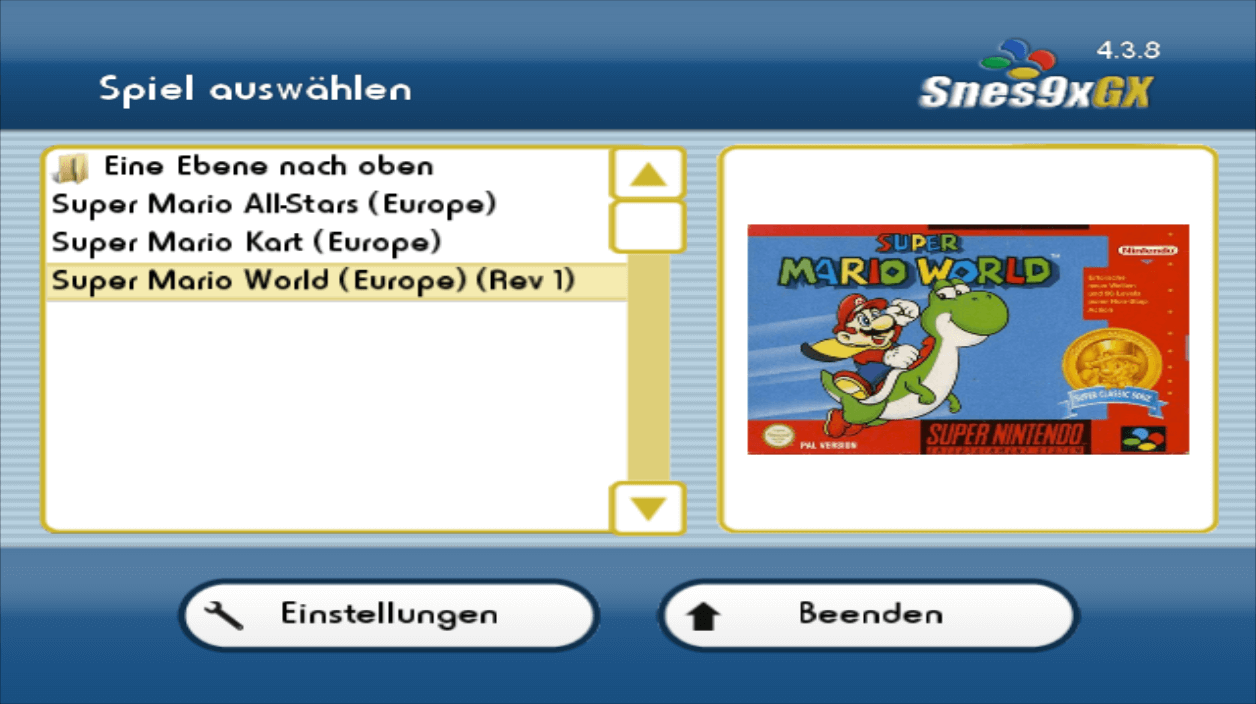
Snes9x GX ist ein exzellenter Super-Nintendo-Entertainment-System-Emulator für die Wii mit einer hübschen, grafischen Oberfläche.

Der Snes9x-Core wurde auf v1.58 aktualisiert und dabei die Kompatibilität verbessert. Auch wurden die SA1-Einstellungen angepasst, damit Super Mario RPG nicht mehr langsam läuft. Des Weiteren kann das Wii U GamePad zur Steuerung verwendet werden, wenn der Emulator in die WiiVC injiziert wird, die WiiFlow-Integration wurde verbessert und das Satellaview-BIOS lässt sich laden. Zudem kann die Audio-Interpolation geändert werden.

Weitere Details im Changelog!

* Updated core to 1.58
* Improved WiiFlow integration
* Added Wii U GamePad support (thanks Fix94!)
* Added setting to change sound interpolation
* Fixed mangled image when switching between HQ2x and scanlines filters
* Added BS-X BIOS loading
* Fixed Tengai Mekyou Zero black screen
* Fixed Chou Aniki black screen
* APU Hacks for 1.58 core to fix Earthworm Jim 2
* Adjusted SA1 settings to fix Super Mario RPG slowdowns with 1.58 core

Wiimms Mario Kart Fun 2018-12

vWii, Wii, Wii: Update ,

Wiimms Mario Kart Fun

Wiimms Mario Kart Fun ist ein populärer Hack für Mario Kart Wii mit über 300 grandiosen Strecken!

In dieser Ausgabe gibt es 18 neue, 19 aktualisierte und 38 wiederkehrende Strecken. Eine vollständige Streckenliste kann wie immer auf ct.wiimm.de gefunden werden. Das Cover sollte demnächst folgen.

XLink Kai für Switch verfügbar – LAN-Spiele online spielen (ohne Homebrew!)

Nintendo Switch, Nintendo Switch: Neu , ,

XLink Kai

XLink Kai ermöglicht das Online-Spielen per LAN-Play und umgeht somit Nintendos Online-Service. Die Konsole muss dazu nicht gemoddet sein!

Das Team XLink hat die populäre Software XLink Kai mit der Nintendo Switch kompatibel gemacht! XLink Kai ist ein populäres Online-Gaming-Netzwerk und täuscht der Konsole vor, sie befände sich in einem LAN und überträgt dabei die Netzwerk-Pakete der Konsole an die anderen Mitspieler – ähnlich wie Switch-LAN-Play.

Man kann damit also per LAN-Modus online spielen und somit Nintendos kostenpflichtigen Online-Service umgehen. Natürlich kann man nur mit anderen spielen, die ebenfalls das Programm verwenden. Das beste ist: Die Konsole muss dafür nicht gemoddet sein! Alles, was ihr dafür tun müsst, ist, die XLink-Kai-Software herunterzuladen, einen Account anzulegen und die Switch mit dem gleichen Netzwerk zu verbinden wie euren PC.

Eine detaillierte Anleitung zum Aufsetzen kann in den XLink-Foren gefunden werden. Dort ist auch eine Liste mit allen unterstützten Spielen. Momentan werden Ad-Hoc-Spiele (wie Smashbros. Ultimate) noch nicht unterstützt.

Danke an TomGER für den Hinweis!

ReiNX v2.0 mit 6.2.0-Support

Nintendo Switch, Nintendo Switch: Update

Die Firmware 6.2.0 wird jetzt unterstützt, außerdem funktioniert nun auch hier der Standby-Modus, wenn die erwartete Fuses-Anzahl nicht übereinstimmt. Auch sind alle KIPs per Standard aktiv; so muss bspw. LayeredFS nicht mehr extra aktiviert werden. Zudem arbeitet Rei wohl an einer Reimplementierung des "tx"-Service, wie er von SX OS benutzt wird.

ACHTUNG, wer vorher schon mal ReiNX genutzt hat, muss die HBL-NSP herunterladen und in "SD://ReiNX/" verschieben, um das Homebrew Menu aufrufen zu können (die hbmenu.nro des HBMenus im Root darf natürlich auch nicht fehlen).

* Full 6.2 support
* warmboot w/ sig checks disabled
* partial implemented services tx, ldr:cht, usbfs
* Recovery chainload
* landscape gfx
* all kips active by default (required)
* lots of stability updates (TM)

JKSM 12/20/2018

3DS, 3DS: Update ,

JK’s SaveManager (JKSM)

Ein Speicherdaten-Manager für den Nintendo 3DS.

Die 3DSX-Version kann wieder andere Titel übernehmen, um bspw. ASLR zu umgehen. Außerdem wurde ein Absturz behoben, wenn keine Spiele installiert sind, aber eine Cartridge eingelegt ist und System-Titel werden auch neu geladen, wenn die entsprechende Option im Hauptmenü gewählt wird.

JKSM can now boot under targeted titles/hax again.
* Fixed crash when no titles are installed, but cart is inserted
* NAND/System titles are also reloaded when Reload titles is selected

SX Dumper v1.0.3

Nintendo Switch, Nintendo Switch: Update

Das Zertifikat der GameCard lässt sich jetzt einzeln dumpen.

* Add option for cert only dumping output:
Selected folder/certificates/gamename [cert crc32].cert
* Various stability fixes and lib upgrades

pPlay v1.2

Nintendo Switch, Nintendo Switch: Update ,

pPlay

Ein Video-Player für die Nintendo Switch.

Der Bildschirmschoner und Auto-Standby werden beim Abspielen von Medien deaktiviert und einige Fehler wurden behoben. Videos lassen sich von einem FTP-Server abspielen, allerdings ist die Ladezeit sehr hoch.

player: disable screen dimming and auto sleep when playing
player: fix pcm* audio format (unable to initialize audio resampler error)
player: fix "unsupported sutbtitle format" error (subtitle will be disabled)
pplay: add ftp support (ftp://user:password@ip:port/), WIP (very slow loading time..)
pplay: fix media information caching of long path/filename
pplay: force loading of media information on load if not cached

TWiLight Menu++ v6.7.0 -> v6.7.1

3DS, 3DS: Update ,

TWiLight Menu++

Das TWiLight Menu++ sieht aus wie das DSi-Menü und kann in Verbindung mit NDS-Bootstrap DS-Homebrews und DS-Spiele von der SD-Karte abspielen.

UPDATE: In v6.7.1 lässt sich das neue Hauptmenü verstecken und wenn die PictoChat- und DS-Download-Play-ROMs in SD://_nds/ (als "pictochat.nds" und "dlplay.nds") gelegt werden, werden diese ohne Neustart gebootet. Auch funktionieren die DSi- und 3DS-Themes wieder für Flashkarten-Nutzer.

Ein neues Hauptmenü vor dem ROM-Menü wurde hinzugefügt, welches den gleichen Look des originalen DS-Firmware-Menüs hat. Von hier aus lassen sich die letzte ROM, Pictochat, DS Download Play (falls beide installiert sind) und GBARunner2 starten. Die "Sound Fix"-Option wurde entfernt – wer sie früher mal aktiviert hatte, muss in der "sd:/_nds/nds-bootstrap.ini" die Option "SOUND_FIX" auf "0" stellen.

Die Meldung für einen fehlenden Anti-Piracy-Patch kann für ein bestimmtes Spiel deaktiviert werden, wenn "X" gedrückt wird. Auch wurde das MHGen-Theme gefixt und das soft-resetten eines Spiels sollte nicht mehr zu einem stummen Ton führen. Mehr im Changelog.

Changelog

v6.7.1:
What's new?
* Main Menu can now be set to be hidden in the settings screen. (Requested by w0nd3rb0yfx and AmandaRose)
* Main Menu: Pictochat and DS Download Play are now booted directly without rebooting. (Fix from NoCash included to fix wireless comminucation issues for both apps.)
Place the following in sd:/_nds:
-pictochat.nds
-dlplay.nds
This is not required for DSi users with Hiya, as they should already be able to use them.

Bug fixes
* Fixed DSi and 3DS themes not working (stuck on white screen) for flashcard users.
* For flashcard users, it should no longer be stuck on the Now Loading... screen in the DSi and 3DS themes.
v6.7.0:
What's new?
* A main menu now appears before the ROM menu!
It has the look of the original DS firmware menu.
Last-run ROM (with box art shown on the top screen), alongside Pictochat, DS Download Play (if both are installed), and GBARunner2 (GBA Mode on DS Phat/Lite consoles), can be launched.
The yellow arrow is to proceed to the ROM select menu.
* Sound fix option has been removed, as it was causing issues with some games.
If you enabled sound fix in the past, open sd:/_nds/nds-bootstrap.ini, and set SOUND_FIX to 0.
* Added option to not show AP message again for specific game.
When launching the game, if the message appears, press X to proceed launch, and not show the message again.

Improvement
* MHGen (Acekard theme) menu_bg.bmp fixed by Vulpes-Vulpeos.

Bug fixes
* Sonic Classic Collection, and Doctor Who: Evacuation Earth, will no longer show the AP message, as they do not need AP patches.
* For some users, soft-resetting the game will no longer have muted sound.

Regression
* As a result of the muted sound fix, the sound frequency setting will not persist when soft-resetting.

Known bug
* When launching a game on a flashcard if TWiLight Menu++ is being ran from the console's SD card, after the ROM path is saved, it can no longer be changed, and you will need to manually remove it from settings.ini at sd:/_nds/TWiLightMenu.

Danke an Volti für den Hinweis!

UAE4All2 Mod v1.81

Nintendo Switch, Nintendo Switch: Update ,

UAE4All2 Mod

Ein Commodore-Amiga-Emulator für die Nintendo Switch.

Ein CPU Speed-Hack für Alien Breed 3D wurde hinzugefügt und eine optionale, eigene Kickstart-ROM kann benutzt werden. Zudem lassen sich Quickload und Quicksave auf Buttons legen, genau wie ein Knopf zur schnelleren Bewegung der Maus.

* allow higher CPU speed hack (for Alien Breed 3D)
* allow optional custom kickstart named kickcustom.rom (for 3.1.4 etc.)
* buttons can now be mapped to quickload/quicksave for fast savestates
* a button can be mapped to "fast mouse", hold it down to speed up mouse
* "slow mouse" or "fast mouse" buttons now also affect touch and real mice
* populate custom controls with sensible defaults instead of all blank

pPlay v1.1 – Video-Player für die Switch

Nintendo Switch, Nintendo Switch: Neu ,

pPlay

Ein Video-Player für die Nintendo Switch.

Cpasjuste macht die Nintendo Switch mit "pPlay" zum Video-Player! Er unterstützt die populärsten Video-Formate, Untertitel und HTTP-Streaming. 720p-Videos sollten sich problemlos abspielen lassen; bei 1080p-Videos kann es aber (abhängig von der Bitrate) eventuell ruckeln – dafür wird die Switch aber overclocked (lässt sich deaktivieren) und die Buffergröße kann erhöht werden. Des Weiteren lassen sich auch die Video-, Audio- und Untertitelspur ändern!

In Zukunft soll der Player noch besser werden. Da sind wir mal gespannt!

SX OS v2.5 Beta

Nintendo Switch, Nintendo Switch: Update ,

Hier ist wieder eine neue Beta von SX OS.

SX OS Beta

SX OS war eine kostenpflichtige Custom Firmware für die Switch. SX OS sollte nicht mehr eingesetzt werden, bitte auf Atmosphère wechseln.

Genau wie bei Hekate funktioniert der Standby-Modus jetzt, wenn die Fuses-Anzahl nicht übereinstimmt. Außerdem wurde LAN-Play übers Internet integriert – das ist vielen evtl. als "ldn_mitm" bekannt. Somit kann bspw. bei einem Bann trotzdem mit anderen übers Internet gespielt werden! Dazu wird der LAN-Play-Client von lan-play.com benötigt. Unterstützte Spiele sind bspw. Mario Kart 8 Deluxe, Splatoon 2 und Super Smash Bros. Ultimate.