Zum Inhalt springen
Menü

Theme ändern
Unterstütze uns
PayPal-Logo Patreon-Logo
Abonniere uns per RSS Folge uns auf X (ehem. Twitter) Like uns auf Facebook Trete dem WiiDatabase-Kanal auf Telegram bei und erhalte alle News sofort!

Wir hosten zurzeit 648 Homebrews mit über 4.285.451 Downloads!

Nützliche Links
Kategorien
Archiv
Über uns

pSNES v1.4

Nintendo Switch, Nintendo Switch: Update ,

Cpasjuste hat seinen Snes9x-Port für die Switch aktualisiert.

DOWNLOAD

SuperFX-Spiele (wie Star Fox) funktionieren jetzt und Cheat-Support wurde hinzugefügt. Der Audio-Thread wurde verbessert, was zu einem schnelleren und flüssigerem Gameplay führt und Snes9x wurde auf 1.56.2 angehoben. Vier Spieler werden auch unterstützt. Titelbilder oder 32×32 Icons können in den "titles"- respektive den "icons"-Ordner hinzugefügt werden und ein Absturz wurde behoben, wenn mehr als neun ROMs geladen wurden.

Changelog

* fix SuperFX (star fox working fine now)
* fix cheats loading (put "rom_name.cht" with game genie codes in cheat folder, see readme for format)
* add cheat option to options menu (ON/OFF)
* improve audio thread, faster and smoother gameplay
* disable jerky auto frameskip, smoother gameplay
* update to latest snes9x codebase (1.56.2)
* add 4 players support
* only show zip, sfc and smc files in no-db mode
* add titles images support in the "titles" folder (used by default, press L/R to show previews image)
* add possibility to display icons (32x32 png in the "icons" folder). Can be enabled or disable from pSNES options menu (slow loading time if lot of icons on switch)
* show progress box on rom loading
* update font
* switch: add L/R STICKS ui button icons
* switch: fix crash after multiple roms loading (~9 loaded roms)

DSiMenu++ v4.4.0 Rev 01

3DS, 3DS: Update , ,

Robz8 hat das DSiMenu++ aktualisiert.

DOWNLOAD

Mit der Nightly-Version von NDS-Bootstrap lässt sich nun die Sprache des Spiels ändern, falls es das unterstützt. Neben kleineren Design-Verbesserungen funktioniert jetzt auch "Pokémon Ranger: Spuren des Lichts" – das Spiel nutzt SDK4, eingestellt war die ganze Zeit aber SDK5. Ups!

Changelog

v4.4.0 Rev 01:
* Fixed a derp that was done since months!
Pokemon Ranger: Guardian Signs now works!
It was previously using SDK5 bootstrap, when the game is actually SDK4.

v4.4.0:
What's new?
* You can now set a different language for your games (if the game supports it)!
** NOTE: This feature only works on nightly bootstrap for now.
* You can now see your game's title ID in the per-game settings menu!
* Added French and Spanish versions of the START border text.

Improvements
* DSi theme: Scroll bar of dark/SD theme is now black to match the background.
* DSi theme: START text and scroll bar button/window colors now correctly match the user's set color.
* DSi theme: Moved START border and title box down a pixel.
* The positioning is now the same as the original DSi Menu!
* 3DS theme: Restored green color to cursor image.

Bug fixes
* 3DS theme: Added missing shoulder button images to top screen.
* 3DS theme: Text on top screen is now black to not blend in with the background.
* Other minor fixes to enhance the user experience.

pFBA v1.57

Nintendo Switch, Nintendo Switch: Update , ,

Cpasjuste hat Portable Final Burn Alpha aktualisiert.

DOWNLOAD

Die Schriftart, sowie die Button-Konfiguration wurden geändert. 32×32 PNGs im "icons"-Ordner oder Titelbilder im "titles"-Ordner lassen sich nun als Icons verwenden – viele verlängern allerdings die Ladezeiten. ROM-spezifische Konfigurationen werden nicht mehr auf alle ROMs angewendet und einige weitere, kleinere Fehler und Abstürze wurden behoben. Zudem werden einzelne Joy-Con nun unterstützt – näheres im Changelog unten.

Changelog

* change ui font
* change buttons configuration (see readme at https://github.com/Cpasjuste/pfba)
* add possibility to display icons (32x32 png in the "icons" folder). Can be enabled or disable from pFBA options menu (slow loading time if lot of icons on switch)
* add titles images support in the "titles" folder (used by default, press L/R to show previews image)
* fix consoles titles/previews/icons not using consoles prefix
* fix per rom config applied to all roms
* fix saves states message box buttons visibility bug
* switch: fix crash in point scaling + fullscreen (point scaling limited to 1x, 2x and 3x scaling)
* switch: fix a random crash after multiple rom loading
* switch: update button icons, add LSTICK/RSTICK icons
* switch: add single joycon mode: enable SINGLE_JOYCONS in option
* switch: fix (+) and (-) keys inverted in config menu
* and more untracked changes... (to enhance the user’s experience...)

gcdumptool v1.0.4 und XCI Explorer v1.2.1.0

Nintendo Switch, Nintendo Switch: Update , ,

DarkMatterCore hat sein gcdumptool aktualisiert.

DOWNLOAD GCDUMPTOOL

Der exFAT-Modus ist nun automatisch aktiv und die Padding-Option wurde mit einer Trimming-Option wie beim XCI Cutter ersetzt. Auch wird die verbleibende Zeit und die Dump-Geschwindigkeit angezeigt und der XCI-Dump lässt sich mithilfe einer XML von NSWdb.com verifizieren. Downloadet diese einfach und packt sie in den Root der SD-Karte! Das funktioniert allerdings nur, wenn ein vollständiger Dump angelegt wird. Wenn die XML genutzt wird, werden Dumps nun auch nach den Szene-Releases benannt – für Mario Odyssey also bspw. "Super.Mario.Odyssey.NSW-BigBlueBox.xci" statt "0100000000010000_20180625-234930.xci"

gcdumptool Changelog

* exFAT mode turned on by default.
* Replaced padding option with a trim output dump option (same as XCI-Cutter).
* Added dump speed and ETA calculation.
* Added XCI dump verification using XML database from nswdb.com (NSWreleases.xml). The file must be saved to the SD card root directory. Also, keep in mind that dump verification is only performed if you choose to create a full dump (with or without cert), not a trimmed one.
* Made CRC32 checksum calculation + XCI dump verification a configurable option.
* Output XCI dumps will get renamed to their corresponding Scene release if a match is found using the XML database from nswdb.com (e.g. "sdmc:/0100000000010000_20180625-234930.xci" -> "sdmc:/Super.Mario.Odyssey.NSW-BigBlueBox.xci").


StudentBlake hat eine neue Version seines XCI Explorer Forks veröffentlicht.

DOWNLOAD XCI EXPLORER

Im "Partitions"-Tab lassen sich die NCA-Dateien verifizieren – dazu einfach auf eine NCA klicken und unten im Fenster steht dann, ob die NCA valide (grün) oder defekt (rot) ist. Des Weiteren lassen sich XCIs jetzt in die Textbox ziehen, um sie sofort zu öffnen.

XCI Explorer Changelog

v1.2.0.0:
This release adds drag and drop capabilities and some minor fixes. Just drag the XCI to the file text box (where the path would be located) and it will automatically load that file.

v1.2.0.0:
Check the partitions tab for a new feature! You can now check the integrity of your NCA files before you extract them. Just click on an NCA and look at the bottom for information (green = match, red = corrupt).

EdiZon v1.1 – Savegame-Editor für die Switch

Nintendo Switch, Nintendo Switch: Neu ,

Thomasnet-mc und WerWolv98 haben ihren Savegame-Editor für die Nintendo Switch veröffentlicht.

DOWNLOAD

"EdiZon" nutzt ein neues Konzept: Anstatt alle Werte und Spiele in die Anwendung fest einzuprogrammieren, nutzt die Homebrew Config-Dateien, welche alle Daten beinhaltet, die geändert werden können und an welcher Adresse sich diese befinden. Eine Beispielkonfiguration zum Ändern der Münzanzahl in Super Mario Odyssey ist bereits enthalten. Backups werden natürlich auch angelegt. In Zukunft folgen sicherlich noch mehr, auch aus der Community!

Wer selbst eine Config-Datei erstellen will, findet auf GitHub eine Erklärung.

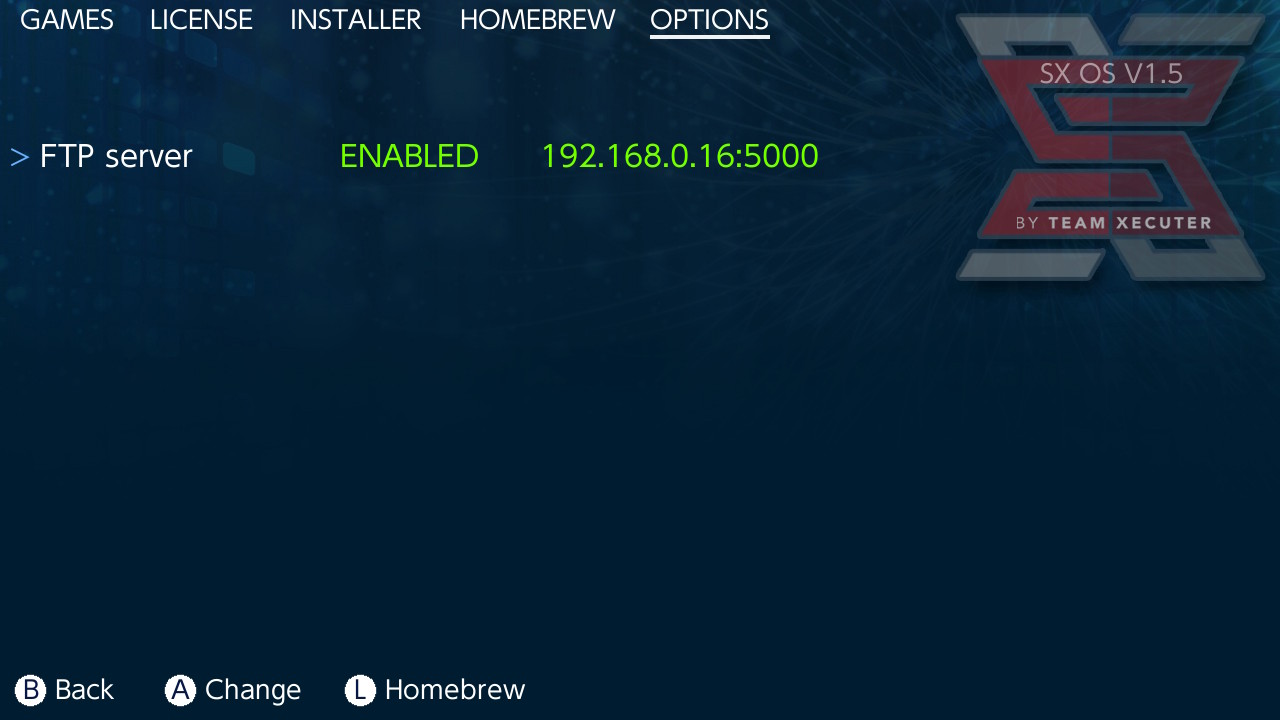
SX OS v1.2

Nintendo Switch, Nintendo Switch: Update , ,

Team Xecuter steht nicht still und hat bereits das zweite Update für ihr SX OS veröffentlicht.

DOWNLOAD

CARD2-Spiele lassen sich jetzt abspielen! Auf nswdb.com findet ihr eine Liste mit allen, einfach nach rechts scrollen und nach "card" sortieren. Die Homebrew-Kompatibilität wurde auch wieder verbessert, so funktioniert pSNES nun. Zu guter Letzt wird die eFUSES-Prüfung jetzt übersprungen, sodass gedowngradete Firmwares verwendet werden können.

DSiMenu++ v4.3.2

3DS, 3DS: Update ,

Robz8 hat erneut ein Update für DSiMenu++ veröffentlicht.

DOWNLOAD

Der Startup-Splash stürzt nicht mehr ab, wenn das ROM-Menü aufgerufen wird und die Toucheingabe sollte wieder korrekt funktionieren, außer in GameYob und nesDS.

Bug fixes
* The startup splash is no longer rendered on EasyGL2D side to avoid crashing when going into ROM menu.
* DSiMenu++ is now always ran in NTR touch mode, in order for touch input in DS games to work properly.
* On DSi with CFW, when exiting settings, DSiMenu++ is rebooted, to avoid crashing when returning to ROM menu.

Known bug
* Touch input still isn't working in GameYob and nesDS.

Fix für Akku-Problem nach Linux-Benutzung auf der Switch veröffentlicht

Nintendo Switch, Nintendo Switch: Neu , , ,

Heute wurde auf GBATemp ein Fix für das Akku-Problem nach der Benutzung von Switch Linux veröffentlicht.

DOWNLOAD

Das Problem stellt sich so dar, dass der Akku nicht mehr kalibriert ist und sich die Switch schon bei ca. 30% ausschaltet. Dies tritt üblicherweise nach der Benutzung von Linux auf der Switch auf. Der obige Fusée-Gelée-Payload behebt das Problem komplett per Software, sodass der Akku nicht entfernt werden muss!

BENUTZUNG:

  1. Binary mit Fusée Gelée laden
  2. Beim Fusée-Bildschirm das USB-Kabel entfernen, der Bildschirm sollte ausgehen
  3. (optional?) POWER-Knopf für zehn Sekunden gedrückt halten, die Switch wird sich nicht anschalten, das ist aber gewollt
  4. USB-Kabel/AC-Adapter anstecken und die Switch wird sich anschalten

gcdumptool v1.0.3 – Switch Game Cards dumpen

Nintendo Switch, Nintendo Switch: Neu , , , ,

DarkMatterCore hat ein weiteres Tool zum Dumpen von Nintendo Switch Game Cards veröffentlicht.

DOWNLOAD

Das Tool hat eine schicke, textbasierte Oberfläche und sollte selbsterklärend sein. Das kann es:

  • Generiert XCI-Dumps mit oder ohne Zertifikat
  • Optionales Padding
  • CRC32-Prüfung
  • Präzises Raw-Dumping
  • Dateisystem-Browser mit manuellem Dumpen von Dateien der Cartridge
  • Manuelles Dumpen des Zertifikats
  • File-Splitting (2 GiB)

Im Test: Xecuter SX Pro

Nintendo Switch, Test , , , , ,

Willkommen zu unserem Test des Xecuter SX Pro! Nach langem Warten ist das Produkt nun endlich da. Mithilfe des Xecuter SX Pro und des enthaltenen OS lassen sich Backups von Nintendo-Switch-Spielen, sowie Homebrew ausführen. Team Xecuter hat uns freundlicherweise ein Review-Sample bereitgestellt – danke dafür! Dann sehen wir uns das Ganze doch mal an!

Weiterlesen "Im Test: Xecuter SX Pro"

XCI Explorer v1.1.0.0

Nintendo Switch, Nintendo Switch: Neu , , ,

StudentBlake hat den XCI Explorer gemoddet.

DOWNLOAD

Mit dem XCI Explorer können Nintendo Switch Cartridge-Dumps (XCI) getrimmt und das enthaltene Zertifikat exportiert, importiert, gelöscht und angesehen werden. Auch werden verschiedene Infos angezeigt.

ACHTUNG, die keys.txt muss mit den richtigen Keys befüllt werden! Auch muss eventuell hactool aktualisiert werden.

In dieser Version werden CARD2-Spiele unterstützt.

pSNES v1.2 – SNES-Emulator für Switch

Nintendo Switch, Nintendo Switch: Neu , ,

Cpasjuste hat pSNES für die Nintendo Switch veröffentlicht. Es handelt sich hierbei um eine Portierung von Snes9x v1.55.

DOWNLOAD

Genau wie pFBA kommt pSNES mit einer einfachen GUI daher. Neben Savestates werden auch einzelne Joy-Con unterstützt und verschiedene Video-Filter lassen sich auf das Bild anwenden. Ebenso lässt sich das Bild linear skalieren. Cover/Titelbilder können mit dem gleichen Namen wie die ROM und der Endung "png" in das "previews"-Verzeichnis abgelegt werden.


DSiMenu++ v4.3.0 -> v4.3.1 rev01

3DS, 3DS: Update , ,

Robz8 hat sein DSiMenu++ aktualisiert.

DOWNLOAD

UPDATE: v4.3.1 rev01 wurde veröffentlicht. Das Verlassen der Einstellungen führt nicht mehr zu einem Whitescreen und die Soundausgabe wurde gefixt.

Das Logo, Icon, der Splashscreen und Einstellungsbildschirm haben nun ein neues Design. Zudem lassen sich spielespezifische Einstellungen festlegen, wenn SELECT gedrückt wird und "Quick-Start" ist jetzt standardmäßig auf dem 3DS aktiviert (und sollte auch aktiviert werden, falls das Laden der ROMs nicht funktioniert). Näheres im Changelog.

Changelog

v4.3.1 rev01:
* Sound not playing in ROM select (or games, if Quick-start ROM is on).

v4.3.1:
* Exiting from settings should no longer stay stuck on a white screen.
* A smiley face no longer appears next to the name when pressing Left in the DSi/3DS theme.

v4.3.0:
What's new?
* A new look for the DSiMenu++ logo/icon, and the splash and settings screens! (Graphics and mockups provided by Vulpes-Vulpeos)
* The top screen border and shoulder graphics return to the DSi theme!
* Per-game settings added! Set a specific setting for your game.
* * Press SELECT on your ROM to bring up the settings.
* Quick-start ROM is now turned on by default for 3DS users.
* * If you still have it off, be sure to turn it on, in case launching a ROM takes you back to the 3DS HOME Menu.
* You now only need one bootstrap (two, counting SDK5 build) for both 3DS and DSi consoles!
* * The separate bootstraps for 3DS and DSi have been merged.
* unofficial bootstrap has been renamed to nightly bootstrap.

Improvement
* START border color/text in DSi theme is now the same from regular DSi Menu!

Bug fix
* If Quick-start ROM is set, and going into Start last-ran ROM in DSiMenu++ Launcher is done, starting a game in ROM select menu no longer breaks touch input.
* Removed Use donor ROM option.