Zum Inhalt springen
Menü

Theme ändern
Unterstütze uns
PayPal-Logo Patreon-Logo
Abonniere uns per RSS Folge uns auf X (ehem. Twitter) Like uns auf Facebook Trete dem WiiDatabase-Kanal auf Telegram bei und erhalte alle News sofort!

Wir hosten zurzeit 648 Homebrews mit über 4.284.857 Downloads!

Nützliche Links
Kategorien
Archiv
Über uns

XCI Cutter v2.4 -> v2.4.1

Nintendo Switch, Nintendo Switch: Neu , ,

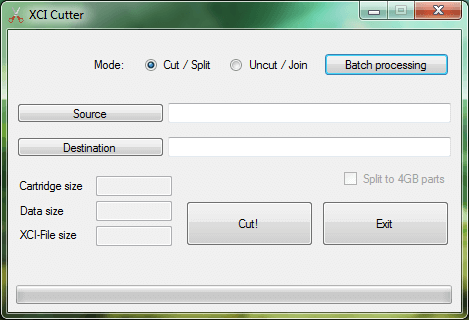
Destiny1984 hat seinen XCI Cutter aktualisiert.

DOWNLOAD

UPDATE: Mit v2.4.1 wurde das Splitten in 4 GB Parts behoben.

Der XCI Cutter entfernt ungenutzte Datenteile von Nintendo Switch Cartridge-Dumps (XCI) und kann optional XCIs in mehrere Parts aufteilen. Der Vorgang kann auch wieder rückgängig gemacht werden. Das kann schon für einige Einsparungen sorgen, eine Tabelle kann auf GBATemp gefunden werden.

Neu in dieser Version ist ein optionaler "Fast Mode" für die Stapelverarbeitung, welcher alle Sicherheitschecks deaktiviert und die Dateien direkt verarbeitet, was allerdings auch dazu führen kann, dass die Dateien korrumpieren.

implemented optional "fast mode" for batch processing

WAINCartDumperNX v0.0.3: Switch-Cartridges als XCI dumpen

Nintendo Switch, Nintendo Switch: Neu , ,

Auf dem ReSwitched-Discord wurde der WAINCartDumperNX geleaked. Später wurde dieses Tool auf GBATemp reverse-engineered und es stellte sich heraus, dass es eine unerlaubte Modifikation des Switch Game Card Dumpers ist. Diese Modifikation kann Spiele im XCI-Format dumpen, auch auf ein FAT32-Gerät!

DOWNLOAD

Spiele können auf exFAT, als auch auf FAT32 gedumpt werden, wobei bei letzterem 2 GB Parts angelegt werden, die am PC zusammengefügt werden müssen. Es können auch Dumps ohne das private Zertifikat angelegt werden. Dieses kann auch später per XCI Explorer entfernt werden. Werden die Zertifikate entfernt, so stimmen die Dumps mit den Scene-Releases überein. Nur Xecuter OS kann bisher diese Dumps abspielen.

Neuere "cart2" Spiele mit einer "Logo"-Partition können damit leider nicht gedumpt werden!

"WAIN" steht übrigens für "Without An Interesting Name".

fastboot3DS v1.1 beta

3DS, 3DS: Update ,

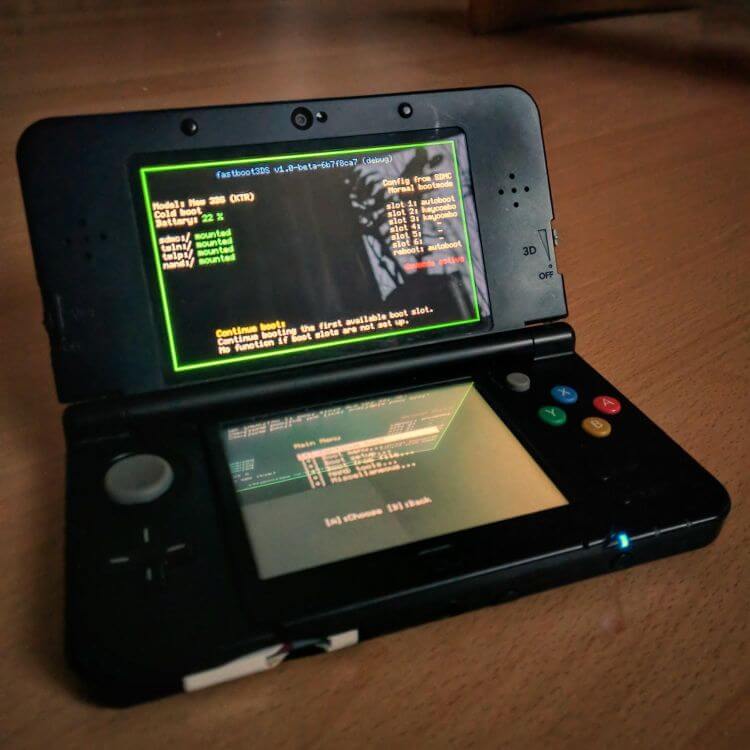
Derrek, profi200 und d0k3 haben die boot9strap-Alternative "fastboot3DS" aktualisiert.

DOWNLOAD

Bitte beachtet, dass dies eine Beta-Version ist!

Custom Splashscreens werden jetzt unterstützt, außerdem lassen sich FIRMs nun per A9NC vom FCRAM direkt übers Netzwerk starten. Per "SuperHax" können jetzt die Bootrom und der OTP gedumpt werden und die Bootzeit wurde dank eines verbesserten SDMMC-Treibers verringert – dadurch erhalten NAND-Backups auch einen Geschwindigkeitsboost.

* Support for custom splashscreens (Luma splashcreens work)
* Support for FIRM from FCRAM (A9NC support)
* Extended FCRAM support on N3DS
* Added Bootrom / OTP dumper via SuperHax
* Vasty improved boot times thanks to improved SDMMC.c driver
* Faster NAND backups and restores thanks to improved SDMMC.c driver
* Tons of under-the-hood improvements and smaller bugfixes

Gag Order v0.1.0: Switch "Super Update-Nag" patchen

Nintendo Switch, Nintendo Switch: Update ,

Adubbz hat eine Homebrew für die Nintendo Switch veröffentlicht, welche den Ende April entdeckten "Super Update-Nag" patcht.

DOWNLOAD

Nun gibt es leider ein kleines Problem: Die NRO muss über das Homebrew Menu aufgerufen werden und das geht mit dem Supernag ja nicht. Insofern ist hier ein kleiner Umweg über hekate (startbar per Fusée Gelée) vonnöten, welches mittlerweile auf jeder Firmware gestartet werden kann (und sogar die Nutzung von Homebrew auf jeder Firmware ermöglicht!).

NX-Shell v1.0.1 Beta 2

Nintendo Switch, Nintendo Switch: Update ,

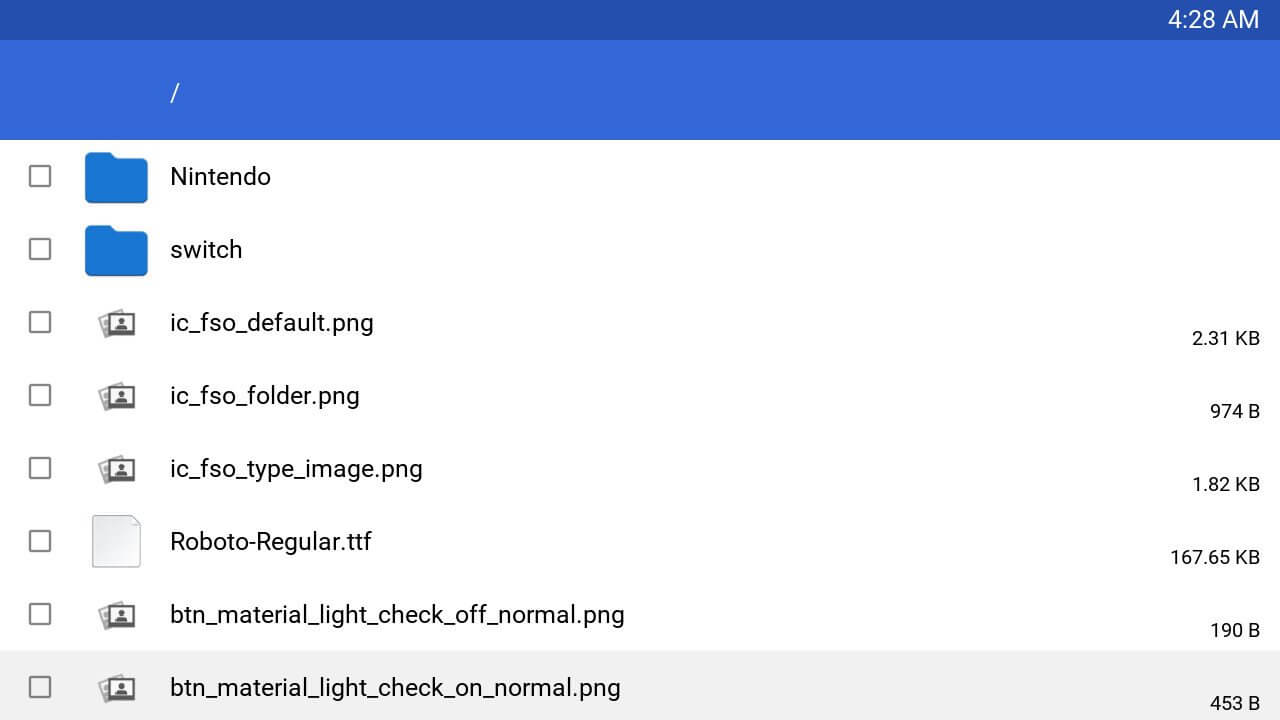
Joel16 hat NX-Shell aktualisiert.

DOWNLOAD

Eine Menüleiste wurde hinzugefügt, welche mit Y geöffnet werden kann. Momentan sind dort nur die Einstellungen verfügbar, wo sich auch ein Dark Mode aktivieren lassen kann. Sortieroptionen wurden hinzugefügt und ZIPs lassen sich extrahieren, sowie BMPs und GIFs betrachten (wobei letztere nicht animiert werden). Des Weiteren wurden noch einige Fehler behoben.

Changelog

Features:
* Added a menu bar - Use the Y button to access it. (Can only open settings for now, so the settings icon stays highlighted. The animation is something I tend to improve upon in later releases)
* Added dark theme mode. (Can be enabled/disabled in settings)
* Added .ZIP extraction. (Press A on a .zip file)
* Added Sorting options under settings. (Sort by alphabetical - ascending and descending order, by date (currently doesn't work properly), by size - smallest and largest).
* Add support for GIF/BMP images in image viewer. (GIFs will be displayed as a static image)

Improvements and Fixes:
* Progress bar is now properly displayed for copying/moving/extracting files.
* Improved many textures as well as some internal improvements in handling textures and some fixes with font alignment in certain areas.
* Fixed copy/move being enabled at the same time. If you press B in the options dialog it will cancel the item that is currently in the copy/move list. Instead, X should be used to open/close the file options dialog. The row/column will also reset when the B key is pressed.
* Freed some textures that weren't previously freed, also free entries once we are done using them.

Snickerstream v1.00

3DS, 3DS: Update , ,

RattletraPM hat seinen NTRViewer für den 3DS aktualisiert.

DOWNLOAD

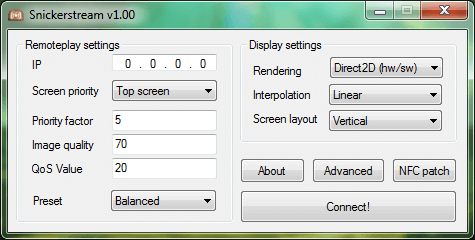
Snickerstream ist ein verbesserter NTRViewer, um den Bildschirm eines New3DS per NTR CFW auf den PC zu streamen. Im Gegensatz zu kit-kat und anderen, auf NTRViewer basierenden Clienten, wurde er komplett "from scratch" geschrieben und kommt daher mit einem besseren Netzwerkcode und weniger Speicherverbrauch daher. Enthalten ist auch eine 64-Bit-Version.

Die Highlights dieser Version:

  • Mehrere New3DS können nun zu einem Clienten streamen, wenn NTR gepatcht und der Port geändert wird
  • Alle Einstellungen lassen sich jetzt direkt im Programm ändern
  • Skalieren eines einzelnen Bildschirm im Direct2D-Modus
  • Hotkeys lassen sich in der INI bearbeiten (s. Changelog)
  • Neue Bildschirm-Layouts
  • Eigene Presets
  • Weitere, kleinere Änderungen und Design-Anpassungen – näheres im Changelog

Changelog

* A brand new “Advanced” settings menu which lets you change all variables that could only be changed by directly editing the INI file before.
* Multiple 3DS streaming to a single PC is now supported (after patching NTR & changing the listen port, click here for a guide)
* (D2D Only) Individual screen scaling – finally! You can either set this via the Advanced menu or by editing/adding TopScalingFactor and BottomScalingFactor in the INI.
* (D2D Only) You can now pop up the other screen in full screen modes with the push of a button! (default: Spacebar) The screen can also be scaled using the previously mentioned individual screen scaling function.
* Hotkeys can now be customized by editing/adding a “Hotkeys” key to the INI. They have to be specified as a string of seven hexadecimal key codes separated by a vertical bar, ex. 26|28|25|27|0D|53|20|1B. The functions corresponding to the key codes are: Scale up, Scale down, Change interp. (plus), Change interp. (minus), Return to the connection window, Capture a screenshot, Show secondary screen popup (only in fullscreen modes), Exit Snickerstream. A full list of keycodes supported by AutoIt is available here.
* You can now choose whether to center the screens or not (via Advanced menu or by editing/adding CenterScreens to settings.ini)
* New screen layouts! Non-streched fullscreen (top), Non-streched fullscreen (bottom), stretched fullscreen (bottom) and separate windows! (Keep in mind that all of these are D2D only except for stretched fullscreen bottom)
* You can now specify the settings INI file’s name and path manually by passing it as a command line argument to Snickerstream. Useful if you want to connect multiple 3DSes. Example usage: ‘snickerstream.exe C:\Path\to\setting\file.ini’
* Added support for custom presets. Custom presets will only change the remoteplay settings (except for the IP), they don’t need you to reopen Snickerstream each time you want to change them (but you will need to restart your 3DS if remoteplay has already been started) and are stored on a separate INI file, making them very useful if you wish to save different settings for your games. Snickerstream will always look for the presets.ini in the same directory as the settings INI, even if you specified a custom path for it. Thanks to ElderCub for the suggestion!
* A shiny new icon made by Trinsid!
* Improvements & Bug fixes:
* The quality value will be set to 10 if it’s too low (10 is the lowest quality value allowed by NTR).
* Snickerstream will no longer pause if you right-click on its tray icon.
* Snickerstream now returns to the connection window if it’s not able to receive the stream after initializing remoteplay (instead of hanging on a black screen) and tells the user to double check its firewall rules/listening ports.
* A completely redesigned about screen!

ROM Properties v1.3

3DS, 3DS: Neu, Wii, Wii U, Wii U: Neu, Wii: Neu , ,

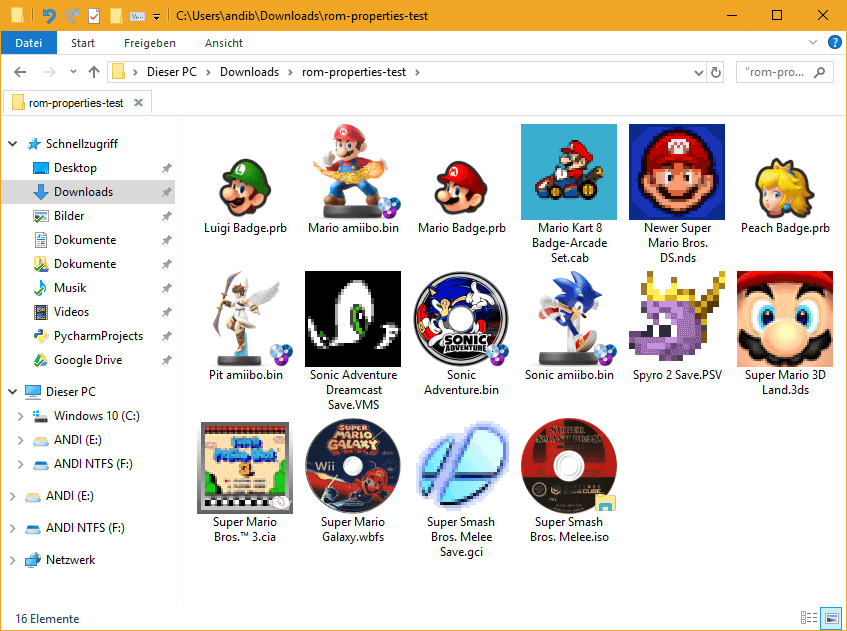
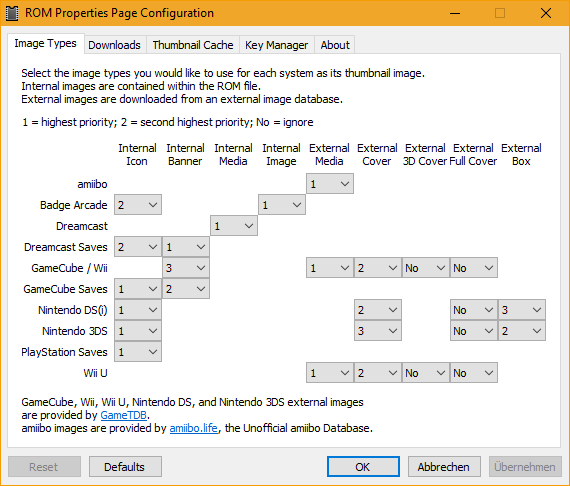
GerbilSoft hat seine Shell-Erweiterung für Windows und Linux aktualisiert, die Thumbnails und nützliche Informationen zu etlichen Formaten anzeigt.

DOWNLOAD

In dieser Version werden Übersetzungen unterstützt, eine deutsche Übersetzung ist allerdings noch nicht mit an Board. Die Formate Khronos KTX, Valve VTF, VTF3 (PS3), Ericsson ETC1 und ETC2, S3TC-Kompressionen (wie RGTC und LATC) und DXT1 mit und ohne 1-Bit-Alpha werden jetzt unterstützt und Informationen zu ELF, RPX und game.com-Abbilder lassen sich anzeigen. Zudem wurden noch einige, kleinere Fehler behoben.

Der volle Changelog kann auf GitHub gefunden werden.

Checkpoint v3.2.0

3DS, 3DS: Update, Nintendo Switch, Nintendo Switch: Update , , ,

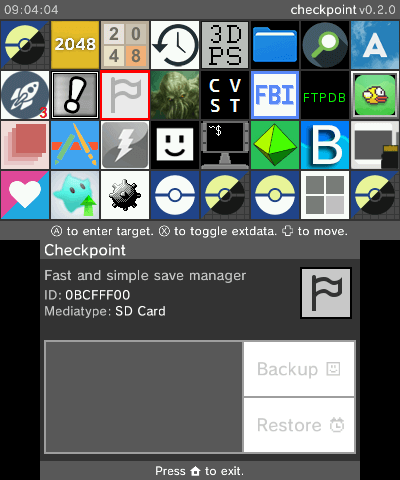
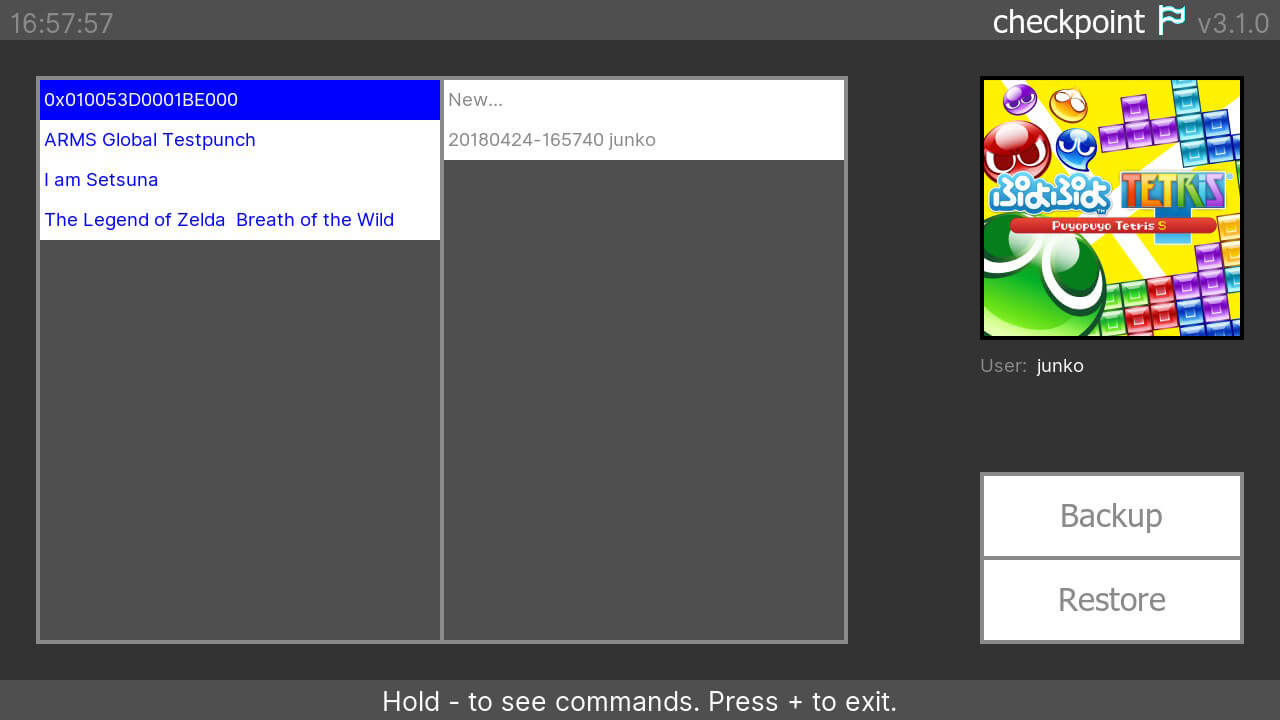
BernardoGiordano hat den Speicherdaten-Manager "Checkpoint" für den Nintendo 3DS und die Switch aktualisiert.

DOWNLOAD SWITCH-VERSION
DOWNLOAD 3DS-VERSION

In der Switch-Version lassen sich Speicherstände nun mit L und R sichern und wiederherstellen und einige Abstürze auf einigen Firmware-Versionen wurden behoben. Auch werden Spiele mit Nicht-ASCII-Zeichen im Namen jetzt korrekt angezeigt.

Switch-Changelog

* Added: touch-less backup and restore by using L and R.
* Fixed: occasional crashes on various firmware versions are now fixed.
* Fixed: now the user interface uses the Shared Font: this means you're now allowed to see the correct name for games with non-ascii characters in their name.
* Fixed: now you can backup a save using the default backup name (datetime + username) if you have accented characters in your username.
* Fixed: control speed is now slower.
* Refactoring and tons of small fixes to enhance the user experience.

Die 3DS-Version hat Unterstützung für eine config.json erhalten. Damit lassen sich Titel filtern, mehr Ordner hinzufügen und Speicherdaten von Systemtiteln sichern. Mehr zur Einrichtung kann auf GitHub gefunden werden. Auch hier lassen sich Speicherstände mit L und R sichern bzw. wiederherstellen und neben kleineren Fixes wurde auch ein nerviger Fehler behoben, bei dem der Cursor nicht wieder in die erste Zeile ist, wenn die Seite gewechselt wurde.

3DS-Changelog

* Added: custom configurations. This means you can now:
* * Hide arbitrary titles by passing their title ID inside of the configuration file.
* * Backup system titles savedata.
* * Add more custom folders to look for saves and extdata throughout the entire SD Card, for each title.
* * For more informations about how to setup your custom config.json file, check out the README.
* Added: touch-less backup and restore by using L and R.
* Added: fast scroll in the UI by holding the arrows.
* Fixed: some graphic elements overlapped in the wrong way because of bad depth value.
* Fixed: page count is now fixed when the UI has specific amounts of titles.
* Fixed: cursor now wraps properly in the UI when scrolling the title list with the directional arrows.
* Refactoring and tons of small fixes to enhance the user experience.

Cemu v1.12.1b

Wii U, Wii U: Update ,

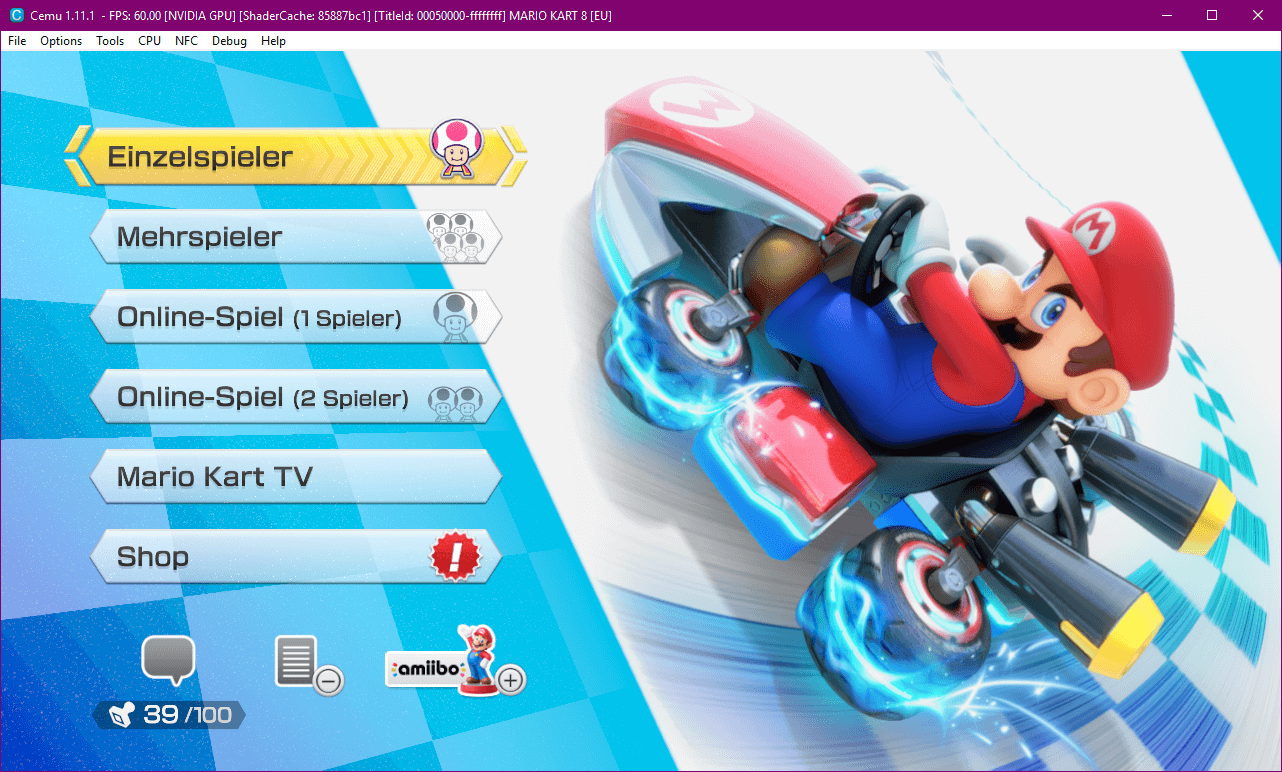
Der Wii-U-Emulator "Cemu" hat ein Update erhalten.

DOWNLOAD

Wie immer wurde die Kompatibilität verbessert – so wird nun bspw. Tokyo Mirage Sessions korrekt gerendert. USB-Geräte werden per Passthrough unterstützt, so funktioniert nun Skylanders Trap Team mit den Portalen. Zu guter Letzt wurde noch der Controller- und Wiimote-Support verbessert und die Startzeit verkürzt.

* General controller and native wiimote improvements
* Added support for USB devices (via passthrough)
* Minor compatibility improvements
* Tons of bug fixes & miscellaneous improvements

[UPDATE 2] PPSSPP auf die Wii U portiert

Wii U, Wii U: Neu , ,

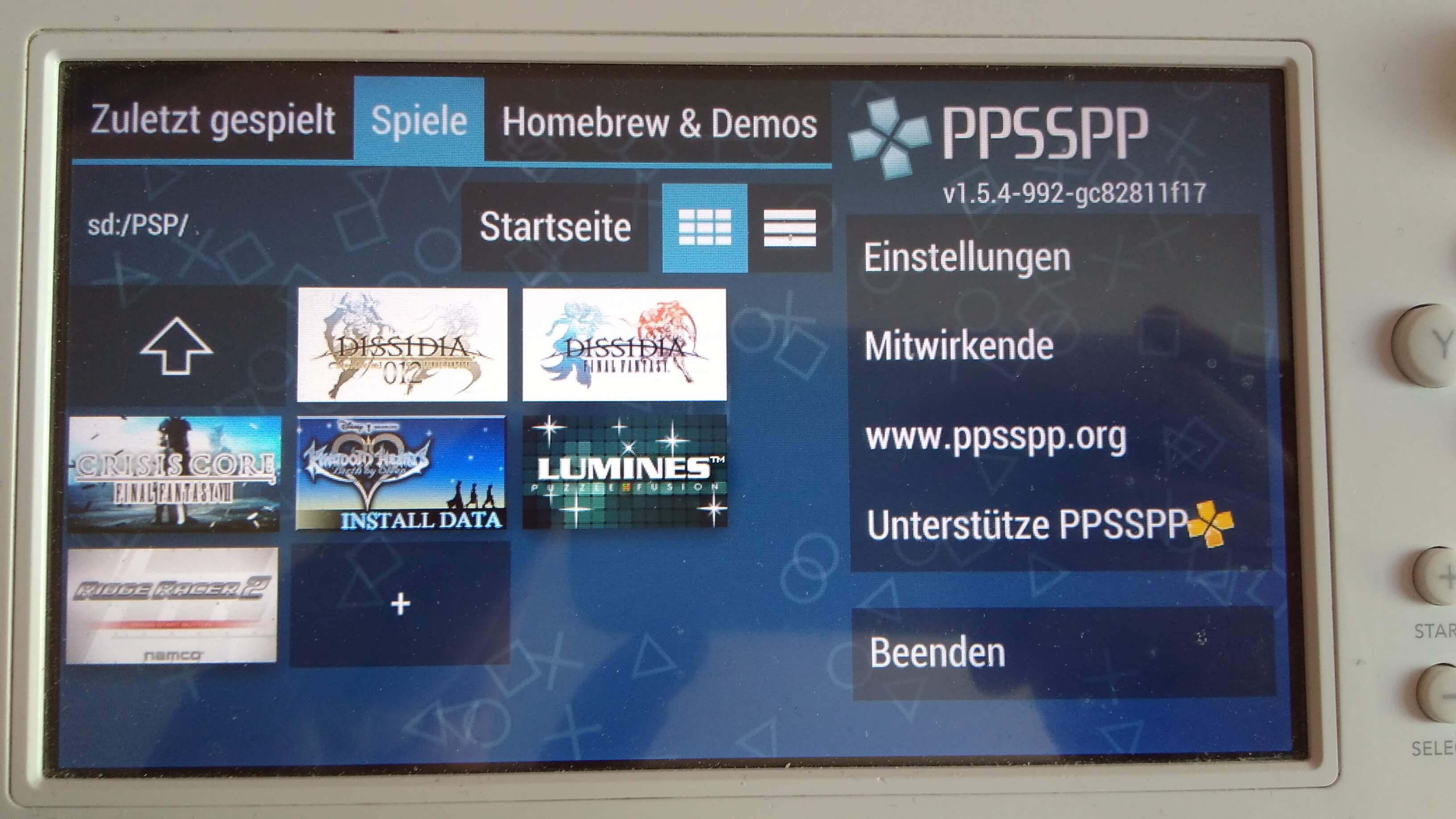
Der PSP-Emulator "PPSSPP" wurde auf die Wii U portiert!

DOWNLOAD

UPDATE, 01.06.: Aliaspider hat PPSSPP aktualisiert und einen Absturz behoben, wenn der Emulator zum zweiten Mal geöffnet wurde. Achtung, die Ordnerstruktur hat sich geändert – löscht einfach den "assets"-Ordner im Root der SD.

UPDATE, 31.05.: Eine neue Alpha wurde veröffentlicht. Die Kompatibilität wurde verbessert, der Emulator stürzt nicht mehr ab, wenn mehrere Spiele vorhanden sind und der USB-Support wurde verbessert.

Dies ist eine Portierung des Standalone-Emulators, nicht des RetroArch-Cores. Die Version ist eine frühe, vorkompilierte Alpha und funktioniert schon recht gut; ein Video kann auf YouTube und eine Kompatibilitätsliste auf Google Sheets gefunden werden.

Swiss v0.4 r451, NDS-Bootstrap v0.8 und PyNX v0.5.1-alpha

3DS, 3DS: Update, Nintendo Switch, Nintendo Switch: Update, vWii, Wii, Wii: Update , , ,

Hier sind die Homebrew-Updates der letzten Tage, namentlich: Swiss, NDS-Bootstrap und PyNX.


Swiss wurde auf v0.4 r451 aktualisiert.

DOWNLOAD SWISS

Phantasy Star Online 1 & 2 + funktioniert jetzt.

PSO 1 & 2 + support

NDS-Bootstrap wurde auf v0.8 aktualisiert. Die Änderungen können dem Changelog entnommen werden.

DOWNLOAD NDS-BOOTSTRAP

NDS-Bootstrap Changelog

What's new?
* Async prefetching has been implemented!
* (This does not apply to the SDK5 DSi build.)
* The Legend of Zelda: Spirit Tracks, now saves to SD card, so you no longer need a donor cart for saving.
* L+R+START+SELECT now activates a new method of soft-resetting a game.
* For 3DS, TWLNAND side of TWLoader is rebooted. For DSi, "SRLoader: Last-ran ROM" is booted.

Improvements
* 16MB/32MB RAM mode is now always used, so to access the cache, RAM mode switching no longer occurs.
* As a result, performance has been slightly increased.
* MegaMan Zero Collection (USA) now loads at near cart speeds!
* Some games that used DSi WRAM as cache, no longer uses it, and instead uses main RAM as cache, like most other games do.

Bug fixes
* Since RAM mode switching no longer occurs, game compatibility has been improved a bit, such as Metroid Prime Hunters (non-Korean) now working for the first time since a year or less.
* DS Download Play support is now fixed for SDK1-4 games! That means DS Download Station/Haxxstation is working again!
* NOTE: Please turn off donor ROM, for your ROM containing DLP, before using the DLP feature.
* Some games that needed donor ROM force-used, no longer needs it force-used.
* DLP demos using thumb, now work.
* DSiWarehax fixes have been implemented to the 3DS build.
* SRLoader v4.1.0 will use the 3DS build for 3DS users using DSiWarehax.

Regression
* As 16MB/32MB RAM mode is always used, and the cardEngine arm9 code has been moved from DSi WRAM, to the 4MB DS debug RAM area (main RAM) for DLP to work, that area is now used, so now only 24MB or lower (8MB or lower, for DSi) ROMs can be loaded into RAM.



PyNX wurde auf v0.5.1-alpha aktualisiert.
DOWNLOAD PYNX

PyNX hat ein eigenes Menü bekommen, mit dem Python-Skripte ausgewählt werden können. Diese müssen mit irgendeinem Namen im /switch/ Ordner oder in einen Unterordner dieses Ordners liegen und dann "main.py" heißen.

PyNX Changelog

v0.5.1-alpha:
* Fix relative import paths

v0.5.0-alpha:
* When launching PyNX, you will now be greeted with a menu that allows you to select the Python program you want to launch
* Python homebrew applications are now placed in the /switch/ directory on the SD card
* Python homebrew applications can be a single .py file or a directory containing a main.py file
* Python homebrews can of course import each other, as long as the homebrew they're trying to import is installed
* Miscellaneous controller input fixes

pFBA v1.55

Nintendo Switch, Nintendo Switch: Update ,

Cpasjuste hat pFBA aktualisiert.

DOWNLOAD

Final Burn Alpha wurde auf v0.2.97.43 aktualisiert. Savestates und NVRAM-Support wurden behoben/aktualisiert (die alten Ordner "config" und "saves" müssen gelöscht werden, um Abstürzen vorzubeugen) und die Unterstützung für einen einzelnen Joy-Con wurde vorerst entfernt. Ferner müssen Konsolen-ROMs nun in einem Unterverzeichnis von /swtich/pfba/roms/ liegen (s. Changelog).

* update to FBA 0.2.97.43
* update/fix save states and nvram support (you NEED to delete old folders: "config" and "saves" to prevent crashes)
* remove m68k cyclone asm core support
* switch: disable single joycon support for now
* fix console roms, no prefix needed anymore, roms need to be in their respective directories:
* * pfba/megadriv
* * pfba/gamegear
* * pfba/sms
* * pfba/coleco
* * pfba/msx
* * pfba/sg1000
* * pfba/pce
* * pfba/tg16
* * pfba/sgx