Zum Inhalt springen
Menü

Theme ändern
Unterstütze uns
PayPal-Logo Patreon-Logo
Abonniere uns per RSS Folge uns auf X (ehem. Twitter) Like uns auf Facebook Trete dem WiiDatabase-Kanal auf Telegram bei und erhalte alle News sofort!

Wir hosten zurzeit 648 Homebrews mit über 4.295.685 Downloads!

Nützliche Links
Kategorien
Archiv
Über uns

3DSident v0.8.0

3DS, 3DS: Update , ,

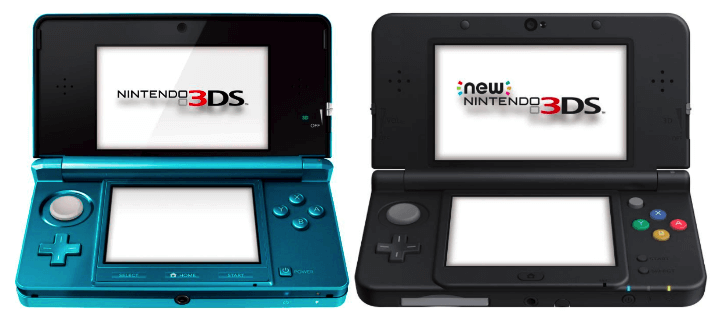
3DSIdentjoel16 hat 3DSident nach einem halben Jahr aktualisiert.

DOWNLOAD

Der Freundescode-Seed wird jetzt angezeigt – sowohl der Originale, als auch der momentan installierte im NAND. Ein paar ungenutzte Funktionen, darunter auch die Screenshot-Funktion mussten weichen – Screenshots lassen sich aber per NTR oder Rosalina erstellen.

In der "originalen Version" (der ohne GUI) wird nun auch die MAC-Adresse für alle drei WLAN-Slots, der Card-Slot-Status und die originale Firmware-Version angezeigt – schreibt doch mal in die Kommentare, mit welcher Firmware euer 3DS kam! Außerdem wurde ein Button-Tester hinzugefügt, wenn START+SELECT in der GUI-Version gedrückt wird.

Dies soll außerdem das letzte Update für 3DSident sein.

Changelog

Both:
* Now displays NAND as well as the original local friend code seed. (Useful to know if you've switched your friend code seed before)
* Removed a bunch of unused functions as well as the screenshot feature. (You should be able to use Rosalina now).
* Based off the latest devkitARM toolchain. Both versions are also under one branch now and can be compiled together.
* CIA versions include the new boot logos by FrozenFire

Original Version:
* Added some features from the GUI version - Now displays mac address for all 3 WiFi slots, card slot status and initial firmware version.

GUI Version:
* Integrated 3DSident button tester. (Use start + select to activate/deactivate)
* Now uses Citro2D and up-to-date tool chain functions as well as many under the hood improvements.
* Slight improvements to UI to make it sort of similar to the Switch version.

ChoiDujourNX – Switch-Updates von der SD-Karte installieren

Nintendo Switch, Nintendo Switch: Neu , , , ,

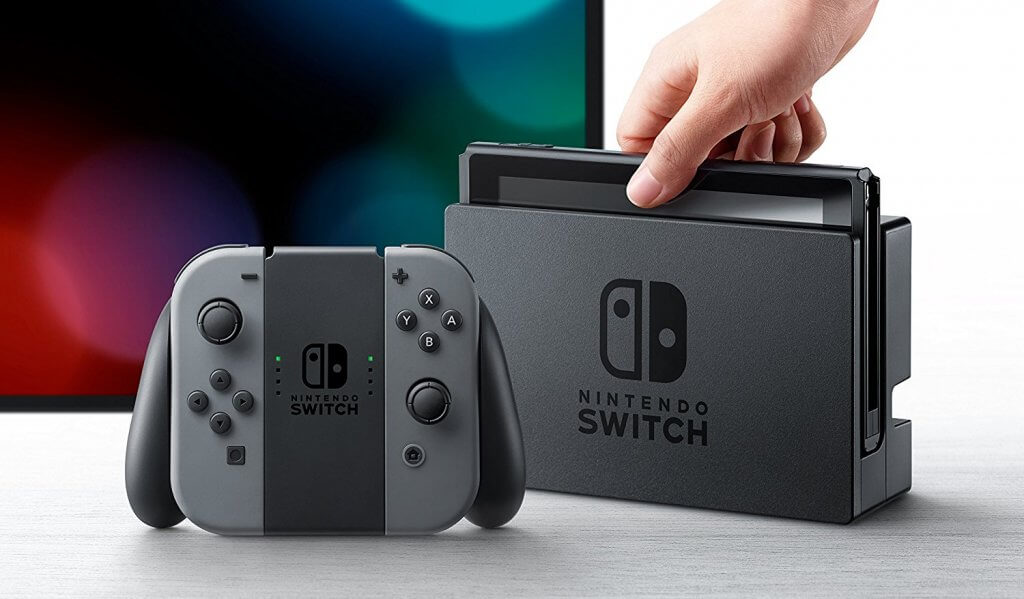
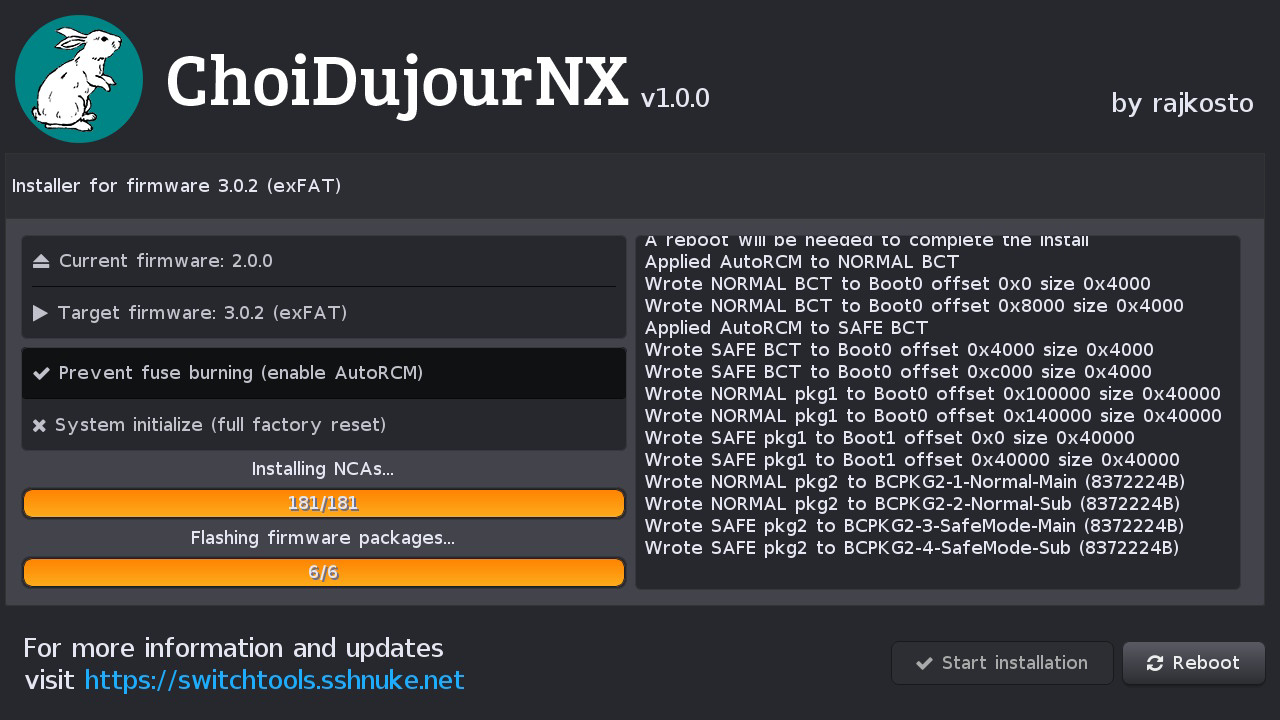
Rajkosto hat ein hübsches Tool veröffentlicht, mit der Switch-Updates von der SD-Karte installiert werden können – und das auch noch ohne eFUSES dabei zu brennen!
DOWNLOAD

Wir empfehlen, dass nur erfahrene Nutzer dieses Tool einsetzen.

ChoiDujourNX installiert Switch-Updates direkt von der SD-Karte – und das mit einer hübschen, einfach zu nutzenden Oberfläche! Gleichzeitig wird auch AutoRCM aktiviert, damit Nintendos Bootloader nicht gestartet wird (was die Fuses brennen würde). D.h., die Switch sollte dann immer per Hekate gestartet werden. Ihr könnt es auch nutzen, um das exFAT-Update manuell zu installieren!

Switch-Updates lassen sich bspw. per hactool von einer XCI extrahieren. Das steht auch nochmal alles auf unserer Download-Seite.


Danke an Tarik für den Hinweis!

Sharkive v1.0.0 – Luma3DS Gateshark Cheat-Code-Manager

3DS, 3DS: Neu , ,

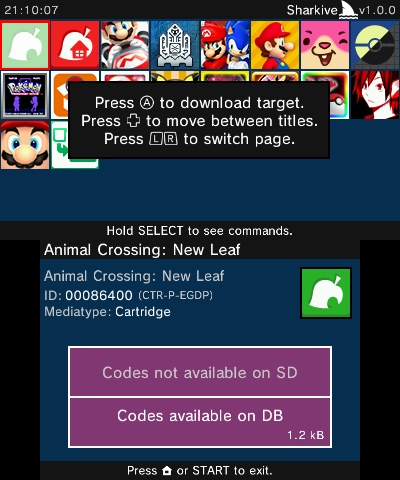
BernardoGiordano hat "Sharkive" veröffentlicht. Damit lassen sich Cheats für Luma3DS neuen Gateshark-Support herunterladen.

DOWNLOAD

Cheats lassen sich direkt im Programm herunterladen! Danach müssen sie noch im Rosalina-Menü von Luma3DS aktiviert werden – näheres erfahrt ihr auf der Download-Seite.

Sharkive basiert auf einer alten Version von Checkpoint, es gibt also noch viel zu tun! So dauert das Laden der Titel beim Start leider etwas lange.

GodMode9 v1.7.1

3DS, 3DS: Update ,

Godode9d0k3 muss GodMode9 nachpatchen.

DOWNLOAD

Schriftarten lassen sich jetzt direkt in GodMode9 als Standard festlegen, das Trimmer-Tool kann nun auch auf mehreren Dateien hintereinander angwendet werden und das NANDManager-Script funktioniert wieder.

* [new] Fonts can be set as default (find some compatible fonts here)
* [improved] Trimmer tool now also works in batch, for multiple files at once
* [fixed] NANDmanager.gm9 script working again (thanks @TheGinGear)

Luma3DS v9.1 mit 11.8-Support

3DS, 3DS: Update , ,

Luma3DSAuroraWright hat Luma3DS aktualisiert.

DOWNLOAD

Die CFW funktioniert jetzt wieder auf der aktuellen Firmware 11.8.0-41. Außerdem wurde eine experimentelle Cheat-Engine hinzugefügt, die Dauer der Splashscreen-Anzeige lässt sich ändern und ein Splash-Screen auf dem unteren Bildschirm (/luma/splashpin.bin) kann angezeigt werden, wenn die PIN-Sperre aktiviert ist. Natürlich gab es auch wieder einige Bugfixes.

Mehr zum 11.8er-Update erfahrt ihr in unserem vorherigen Beitrag.

* Fix 11.8 compatibility
* Add experimental cheat engine (by @duckbill007)
* Fix Rosalina menu interactions with 3dsident, etc.
* Implement "monitor getmemregions" gdb command (by @Nanquitas)
* Fix freeze when attempting to open Rosalina before the system finished to boot (by @Nanquitas)
* Add configurable splash duration (by @Qyriad)
* Add bottom screen splash image (/luma/splashpin.bin) to be shown on the PIN insertion screen (by @Qyriad)
* Make it possible to still boot using an external FIRM in case the CTRNAND FIRM can't be read
* Other fixes

XCI Explorer v1.4.0

Nintendo Switch, Nintendo Switch: Update , ,

StudentBlake hat den XCI Explorer aktualisiert.

DOWNLOAD

Der NSP-Parser wurde verbessert und sollte jetzt so schnell wie der XCI-Parser sein. Zudem wurden benötigte Programme in den "tools"-Ordner verschoben.

For now, I've decided to use a modified version of nstool for loading NSP files. While this is a workaround, this makes it just as fast (if not faster) than loading XCI files.
Files have been restructured so all tools (hactool + dependencies + nstoolmod) are located in the "tools" folder.
Open an issue if a file doesn't work properly and I'll try to figure out why. Thanks!

3DS-Update 11.8.0-41 ist da

3DS , ,

Nintendo hat ein neues Update für den 3DS veröffentlicht.

  • Nach dem Update bootet Luma3DS in einen Blackscreen – NATIVE_FIRM wurde nämlich aktualisiert. Ein Fix ist schon draußen, allerdings nur in der Nightly-Version. Dabei handelt es sich NICHT um einen Brick!
  • Smealum rät nicht-CFW-Besitzern, nicht zu updaten, da er die Binarys noch nicht geprüft hat bezüglich seines zukünftigen ARM9-Exploits
  • NTR CFW funktioniert aufgrund des NATIVE_FIRM-Updates nicht
  • Es ist wohl davon auszugehen, dass DSiWareHax gefixt wurde, da TWL_FIRM ebenfalls aktualisiert wurde
    • DSiWareHax funktioniert noch!
  • Userland-Exploits wurden keine behoben, allerdings gibt es noch keine neuen Payloads
  • Der NIM-Service (Netzwerkinstallations-Manager) sendet bei Installation eine Kopie des App-Tickets an den Server, womit Nintendo feststellen *könnte*, ob der Titel legal erworben wurde (Quelle: SciresM)
    • Wenn eine App gestartet wird, wird NICHTS an den Server gesendet!
    • Das gilt auch nicht für die CIA-Installation, da FBI die NIM-Services gar nicht verwendet
    • Das gilt auch NICHT fürs Online-Spielen!
    • UPDATE: Seit dem 10. August 2018 wird auf ein gültiges Ticket geprüft und der Download ansonsten verweigert

GodMode9 v1.7.0

3DS, 3DS: Update ,

Godode9d0k3 hat GodMode9 aktualisiert.

DOWNLOAD

Der Scripting-Support wurde verbessert und zwei neue Skripte – eins zum Sichern/Wiederherstellen des NANDs und ein Mega-Script – wurden hinzugefügt. Mehrere EmuNANDs lassen sich jetzt nach dem Formatieren aufsetzen und ein Trimmer-Tool für FIRMs, NAND-Abbilder, NDS-Dateien, NCCH und NCSD wurde hinzugefügt.

Dank eines neuen SDMMC-Treibers wurde die SD-Geschwindigkeit verbessert. Auch wurde das Dumpen von DLCs als CIA behoben – frühere Versionen von GodMode9 haben DLCs falsch gedumpt.

Näheres im Changelog.

Changelog

* [new] NANDmanager.gm9 script by @MadScript77 - replaces the old NAND backup / restore scripts
* [new] GM9Megascript.gm9 script by @annson24 included in the official repo
* [new] Trimmer tool for FIRMs, NAND images, NDS images, NCCH and NCSD
* [new] SD formatter tool can now set up multi RedNANDs
* [improved] Faster SD read / write speeds, courtesy of @profi200's new sdmmc.c driver
* [improved] Cleaned up internal readme (thanks @DMSalesman)
* [fixed] Dumping DLCs to CIA (thanks @Steveice10)
* [fixed] Don't copy card2 savedata when dumping card2 cartridges
* [fixed] Added a workaround for handling SHIFT-JIS in mounted NDS images
* [fixed] A whole batch of minor fixes, a lot of them thanks to @windows-server-2003
* [scripting] support for ips, bps, bpm patches via applyips, applybps, applybpm commands (thanks @Hyarion-SS!)
* [scripting] fget and fset commands (to read / write bytes from a file)
* [scripting] sdump command (allows dumping encTitleKeys.bin, decTitleKeys.bin, seeddb.bin
* [scripting] keychk command (to allow checking for user input)
* [scripting] nextemu command and EMUBASE env var (allows checking and setting the current EmuNAND
* [scripting] labelsel -k allows jumping to labels via a keypress

Super Smash Flash 2 v1.1.0

Allgemein ,

SSF2_third_logoMcLeodGaming hat das Fangame "Super Smash Flash 2" für den PC aktualisiert.
DOWNLOAD

Der nächste Patch wurde in zwei Teile aufgeteilt, wobei dies der erste ist. Ultra-Smashes sind leider immer noch nicht enthalten. Die Perfomance des Spiels wurde extrem verbessert und "Trades" werden unterstützt (wenn sich zwei Spieler gegenseitig treffen und Schaden nehmen). Der "Low-Latency" Online-Mode wurde durch einen "Auto-Mode" ersetzt, der die passenden Einstellungen automatisch wählt. Außerdem funktioniert "Grab Breaking" jetzt, was bedeutet, dass wenn sich zwei Griffe berühren, keiner von beiden ausgeführt wird. Natürlich gab es auch einige Fehlerbehebungen.

* MASSIVE performance improvements, especially when playing for extended periods of time.
* Support for “Trades” (when two players hit each other at the same time with attacks, both take damage)
* Online mode’s “Low” latency setting has been replaced with “Auto” which will automatically choose the option that is best for you
* Online mode allows you to limit the number of users allowed to join your room
* Fixed miscellaneous events that you couldn’t get hit on the frame immediately before (landing, grabbing a ledge, etc)
* Support for “Grab breaking” (when two grabs touch, neither player wins)
* Characters no longer slow down when going faster than their max speed in the air if the player is holding forward
* Characters’ dodge rolls standardized

Team Xecuter kündigt neuen Coldboot-Exploit an – auch für neue Switch-Revision

Nintendo Switch , , ,

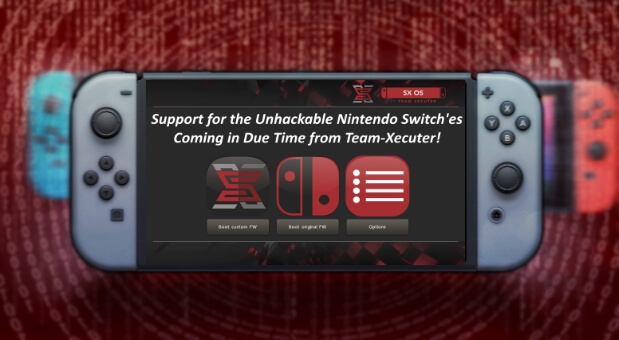
Team Xecuter hat heute einen neuen Coldboot-Exploit für die Nintendo Switch angekündigt, welcher auch auf der neuen Switch-Revision funktionieren wird.

Außerdem erklären sie, wie der alte USB-RCM-Exploit behoben wurde, indem das obere Byte im wLength-Feld im USB-RCM-Endpoint 0 Code per iPatch genullt wird.

Weitere Details zum neuen Coldboot-Exploit sind bisher nicht bekannt.

RPwnG 2 mit 11.7-Support

3DS, 3DS: Update ,

Nba_Yoh hat den sekundären 3DS-Userland-Exploit "RPwnG" für den RPG Maker Player aktualisiert.

DOWNLOAD

Da der Upload des Exploits vor fast einem Jahr blockiert wurde, handelt es sich hierbei nur noch um einen sekundären Exploit, d.h. es wird schon ein Weg benötigt, den Homebrew Launcher zu starten. CFW-Nutzer brauchen natürlich keine Userland-Exploits mehr.

Diese Version funktioniert nun auf der aktuellen 3DS-Firmware 11.7.0-40. Die DAT muss mithilfe eines Speicherdaten-Managers (bspw. JKSM) in die Extdaten des Spiels injiziert werden.

Der Entwickler hat nicht vor, den Exploit für zukünftige Updates anzupassen.

EdiZon v1.3.2 -> v1.3.3

Nintendo Switch, Nintendo Switch: Update ,

WerWolv98 hat den Speicherdaten-Editor "EdiZon" aktualisiert.

DOWNLOAD

UPDATE: v1.3.3 fügt Unicode-Support und Multithreading hinzu.

Einige Fehler wurden behoben.

Changelog

v1.3.3:
* Savefiles encoded in UTF-8 and UTF-16 can now get parsed by the editor
* Implemented multithreading so animations look a lot smoother now!
* * If some animations are too fast, please tell me
* Since the devkit recently fixed exceptions, EdiZon isn't crashing anymore when loading a faulty config file.
* * Also added a message which gets displayed in this case

v1.3.2:
* Fully fixed that extra byte being added to binary save files. I'm so stupid...
* Categories are scrollable now! No more categories going off-screen :)
* Added a "Checking for updates" dialog when pressing - , so the switch doesn't just freeze up
* The position of the cursor in the title select screen now remembers its position when entering and exiting the editor
* Save files you can edit now display in the correct order once again
* Button icons are drawn a bit higher up now
* DEVELOPERS ONLY: People who want to debug EdiZon or the Editor Scripts but don't want to connect their Switch to a WiFi network can now create a file called EdiZon.log inside their /EdiZon folder. This will redirect all STDOUT and STDERR to that log file.
* Updated all configs and scripts to the latest version