Zum Inhalt springen
Menü

Theme ändern
Unterstütze uns
PayPal-Logo Patreon-Logo
Abonniere uns per RSS Folge uns auf X (ehem. Twitter) Like uns auf Facebook Trete dem WiiDatabase-Kanal auf Telegram bei und erhalte alle News sofort!

Wir hosten zurzeit 648 Homebrews mit über 4.287.591 Downloads!

Nützliche Links
Kategorien
Archiv
Über uns

Kategorie: Wii

Nintendos Wii erschien Ende 2006 und überzeugte eine breite Nutzerbasis mit einer innovativen Steuerungsmöglichkeit, bei der der ganze Körper in Bewegung gerät.

Für Nintendo war die Konsole ein voller Erfolg und sie verkaufte sich über 100 Millionen Mal.

Die Homebrew-Szene zählt zusammen mit der PSP- und PS-Vita-Szene zu einer der besten. Der Homebrewkanal ist wohl die bekannteste Homebrew-Applikation, zusammen mit Größen wie dem USB Loader GX, WiiFlow, Nintendont oder die GX-Emulatoren. Nicht umsonst ist die Wii der Namensgeber dieser Webseite!

Ende Oktober 2013 wurde die Produktion der Wii in Europa eingestellt. Die Nachfolgerkonsole "Wii U" war hingegen ein Flop.

WiiFlow Beta r1068

vWii, Wii, Wii: Update , ,

Wir haben wieder die aktuellste WiiFlow-Beta von FIX94 im Angebot!

Download

Ein neues Design, ein Haufen Bugfixes, ein schnellerer WiiFlow, viele neue Features – das würde ewig dauern, alles hier zusammenzutragen! Den Changelog der einzelnen Revisionen könnt ihr euch hier ansehen. Die letzte Revision in unserer Datenbank war die r908! Seht einfach mal selbst rein. Die WiiFlow Betas werden nicht mehr von uns kompiliert, sondern von FIX94 selber. Mithilfe eines Skriptes stellen wir das Paket zusammen.

Alle Jahre wieder: Jetzt vorsorgen für den PriiLoader-Aprilscherz!

Allgemein, Wii , , ,

Code-Dump Aprilscherz - 2012 ,2013 & 2014 wieder
Code-Dump Aprilscherz – 2012 ,2013 & 2014 wieder


Der allseits bekannte Aprilscherz des PriiLoaders geht wieder los: Am 01. April ist es mal wieder soweit… Wenn ihr euch nicht den Dienstag verderben wollt, solltet ihr diesen Beitrag lesen, um den "Scherz" zu umgehen.

Weiterlesen "Alle Jahre wieder: Jetzt vorsorgen für den PriiLoader-Aprilscherz!"

PowerCheck v1.8

vWii, Wii, Wii: Update , ,

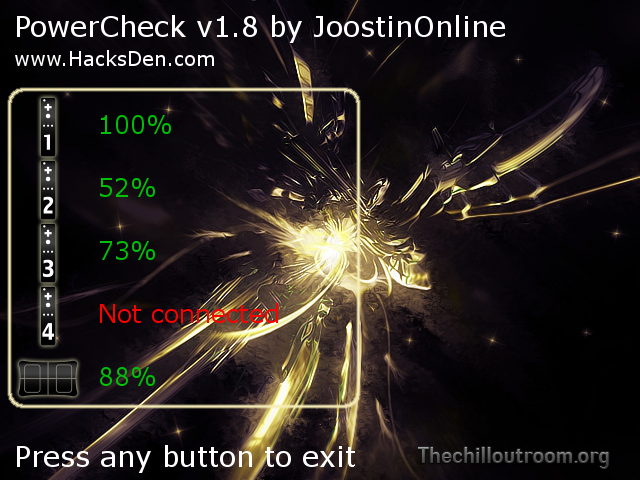
powercheckJoostinOnline hat PowerCheck aktualisiert.

Download

Damit kannst du die Batterien deiner Wii-Fernbedienungen und deines Balance Boards prüfen.

Es ist nun möglich, ein eigenes Hintergrundbild zu nehmen. Der einfachste Weg ist, einfach ein Hintergrundbild aus dem Internet zu nehmen und dieses Template darüberzulegen (bspw. mit Paint oder GIMP). Benenne es dann in "background.png" um und schiebe das Bild in den PowerCheck-Ordner mit der "boot.dol".

PowerCheckv18

- You can now use a custom background by putting "background.png" in your PowerCheck folder
- Made the HacksDen.com text smaller
- Code optimization
- Remotes time out after 2 minutes, just in case

SNEEK funktioniert endlich im Wii-Modus der Wii U / NEEK im Wii-Modus der Wii U einrichten

vWii, Wii, Wii: Update , , , ,

Lange hat es ja gedauert, aber nun läuft SNEEK (NAND-Emulation) endlich im Wii-Modus der Wii U!

Bereits im Dezember 2012 hatte Crediar ein Video von einem funktionieren SNEEK auf der Wii U gezeigt. Nachdem er seine Arbeiten an der Wii U eingestellt hat, hat er noch SNEEK für die vWii veröffentlicht. Das ganze ist etwas komplizierter, da es das IOS80 der vWii braucht. JoostinOnline hat auf HacksDen.com eine Anleitung verfasst, die wir hier aktualisiert und übersetzt haben.

SNEEK (auch "unechter" oder "virtueller NAND") ist ein Programm, welches die Wii sozusagen "emuliert". Man hat somit eine virtuelle Wii, in der man Dinge testen kann oder einfach seinen Spaß daran haben kann, ohne das normale System der Wii zu beschädigen.

Downloads

Vorbereitung

Dumpen des vWii-NANDs
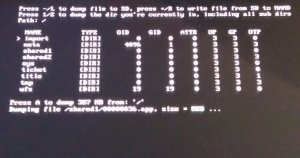
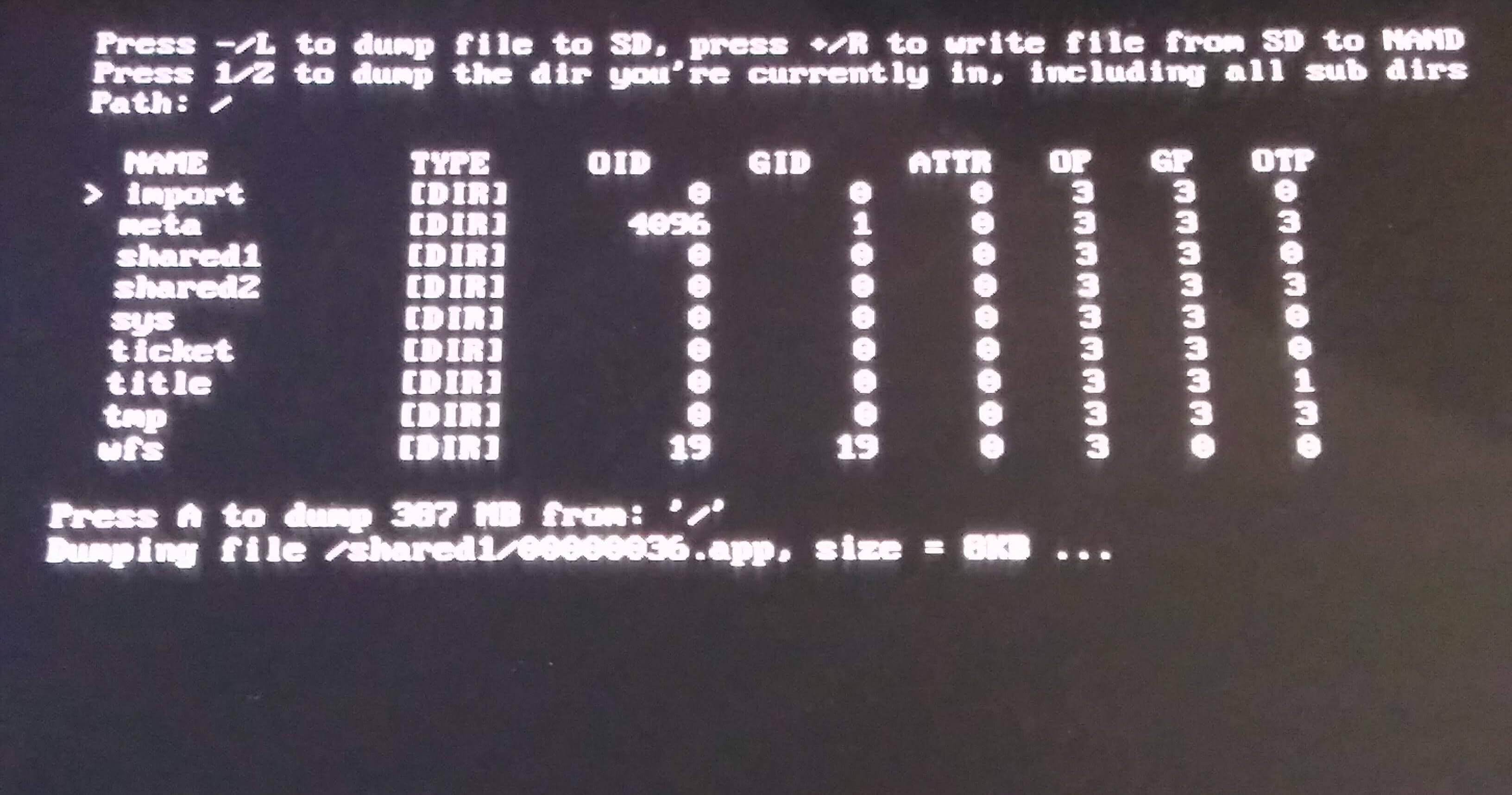
Starte FSToolBox über den Homebrewkanal und stelle sicher, dass deine SD-Karte über mindestens 500 MB freien Speicher verfügt. In FSToolBox, drücke "A" und anschließend "1" und bestätige wieder mit "A", um den gesamten NAND zu dumpen. Währenddessen kannst du die Tools am PC installieren.

Installation der PC-Tools

Installiere devkitPro ("Wii Development") und Python 2.7. Achte bei der Installation darauf, dass du "Add Python.exe to PATH" anwählst!

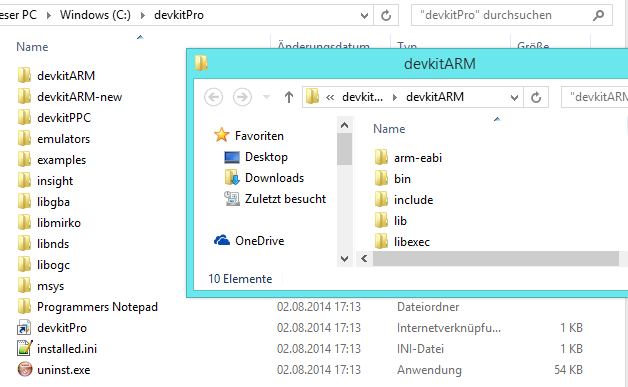
Starte anschließend den PC neuDies ist wichtig! Installiere devkitARM r32: Benenne vorher in c:\devkitPro den devkitARM Ordner um in devkitARM_new. Entpacke als nächstes devkitARM r32 und kopiere den devkitARM Ordner nach c:\devkitPro.

NEEK kompilieren

NEEK-Quellcode herunterladen
devkitarm-kopieEntpacke den Quellcode von NEEK und verschiebe den trunk Ordner an einen Pfad ohne Leerzeichen – bspw. direkt in C:. Extrahiere nun noch die .dll-Dateien aus "ELFins DLL" in den ELFins-Ordner (C:\trunk\ELFIns).

Sobald FSToolBox fertig ist, stecke die SD-Karte an deinen PC und verschiebe den Inhalt des FSTOOLBOX Ordners in den Root der SD-Karte oder in den Root eines FAT32-formatierten USB-Gerätes, je nachdem wo du deinen NAND haben willst. Fahre erst danach fort.

Systemmenü-IOS-Modul holen

Kopiere die Datei "SD ODER USB:\title\00000001\00000050\content\0000000d.app" in den trunk Ordner und benenne sie in 0000000e.app um. Die Datei müsste ca. 165 KB groß sein (SHA-1-Hash auf einer 5.5.5E Wii U: 5EEB98E6A139072863905B3B1A908CC409C41080).

Optional: Systemmenü-Hacks

Öffne die es\SMenu.h mit einem Text-Editor wie Notepad++ (nicht dem Windows-Editor) und scrolle bis Zeile 60. Aktiviere die Hacks, die du möchtest, indem du jeweils den Wert "false" zu "true" umänderst. Manche sind nur USA/JPN only, funktionieren also nicht auf einer PAL Wii U. Wenn du fertig bist, speichere und schließe die Datei.

NEEK kompilieren
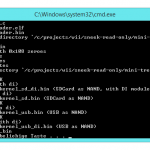
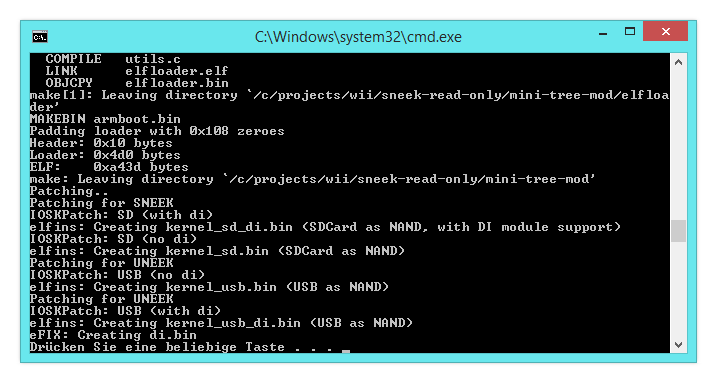
sneek-kompilierenEin normalerweise sehr komplizierter Vorgang kann hier einfach abgekürzt werden: Doppelklicke auf die build_boot2.cmd und ignoriere die Warnungen. Linux-Nutzer müssen im Terminal ./build-boot2.sh ausführen. Achte darauf, dass keine Fehler auftreten.

NEEK einrichten

Jetzt musst du dich noch für einen NEEK-Typ entscheiden. Du hast die Wahl zwischen "SNEEK", "SNEEK+DI", "UNEEK" und "UNEEK+DI". "DI" steht übrigens für das DVD-Interface, damit ist dann Zugriff auf das DVD-Laufwerk möglich – da das auf der Wii U eh nicht funktioniert, ist das aber irrelevant. Hier ist eine handliche Tabelle:

Typ Empfohlen NAND-Speicherort Wii-Backups Homebrew Laufwerkszugriff
SNEEK Nein SD-Karte Nein Auf FAT32 USB Deaktiviert
SNEEK+DI Ja SD-Karte Ja, auf FAT32 USB Auf FAT32 USB Deaktiviert für Spiele, aktiviert für Homebrew (bspw. WiiXplorer)
UNEEK Nein FAT32 USB Nein Auf SD-Karte Deaktiviert
UNEEK+DI Ja FAT32 USB Ja, auf FAT32 USB Auf SD-Karte Deaktiviert für Spiele, aktiviert für Homebrew (bspw. WiiXplorer)

Empfohlen wird UNEEK+DI, wenn der NAND auf einem FAT32 USB-Gerät liegen soll und SNEEK+DI, wenn auf einer SD-Karte. Von USB ist der EmuNAND aber deutlich schneller!

Verschiebe dann die jeweilige kernel_XX.bin in SD://SNEEK/kernel.bin. Also für UNEEK+DI bspw. die kernel_usb_di.bin. Für UNEEK muss die kernel.bin noch in den "SNEEK"-Ordner auf dem USB-Gerät kopiert werden! Falls du "+DI" nutzt, kopiere die "di.bin" auch noch auf die SD (SNEEK+DI) oder auf das USB-Gerät (UNEEK+DI).

Lade dir die Font-Files herunter, sie sind notwendig für das SNEEK-Menü. Das ist ein einfaches, textbasiertes Interface, was über dem Wii-Menü eingeblendet wird – such dir eine Farbe aus (bspw. "Weiß auf Schwarz") und benenne die jeweilige Font-File in "font.bin" um. Verschiebe diese font.bin jetzt in den "sneek"-Ordner auf dem USB-Gerät (UNEEK) oder der SD-Karte (SNEEK).

Extrahiere jetzt noch nSwitch auf deine SD-Karte. Starte nSwitch vom Homebrewkanal aus oder von einem installierten Full-Channel und deine vWii wird in den virtuellen NAND booten! Um zu sehen, ob alles geklappt hat, verschiebe zum Beispiel einen Kanal und starte neu. Der Kanal sollte wieder an seiner alten Stelle sein. Auf HacksDen.com erfährst du auch, wie du Themes installieren kannst!

Homebrews ausführen

In NEEK ist es so, dass die vWii denkt, dass kein Gerät dort vorhanden ist, wo der NAND liegt, daher können Homebrews nur vom jeweils anderen Gerät ausgeführt werden (siehe Tabelle oben). Auch funktioniert der Homebrewkanal nicht (der Open Homebrew Channel sollte aber funktionieren, allerdings habe ich das nicht getestet).

Lade dir den Homebrew Filter und ShowMiiWads herunter. Öffne ShowMiiWads (unter Options -> Language kannst du die Sprache auf Deutsch umstellen), wähle unter Optionen -> "NAND Backup Pfad ändern" und wähle dort dein Gerät mit dem NAND aus. Eventuell musst du oben noch auf "Ansicht" -> "ShowMiiNAND" klicken. Nun wird dir der NAND angezeigt – ziehe jetzt einfach die HBF0.vWii.wad in das Fenster und diese wird installiert! Du kannst hier auch noch weitere WADs installieren oder Kanäle löschen – Forwarder und Full-Channels müssen allerdings mit Convert2vWii konvertiert werden. Wenn du fertig bist, schließe ShowMiiWads einfach.


RetroArch Wii v1.0.0.2

vWii, Wii, Wii: Update ,

RetroArch Wii wurde aktualisiert.

Download

RetroArch Wii ist ein Multi-System Emulator und kann folgende Systeme emulieren:

  • Final Burn Alpha Cores (CPS1 – CPS2 – NeoGeo) [version 0.2.97.26]
  • FCEUmm (Nintendo Entertainment System) [recent SVN version]
  • Gambatte (Game Boy | Super Game Boy | Game Boy Color) [version 0.5.0 WIP]
  • Genesis Plus GX (Sega SG-1000 | Master System | Game Gear | Genesis/Mega Drive | Sega CD) [version 1.7.0]
  • MAME 2003
  • SNES9x Next (Super Nintendo/Super Famicom)
  • VBA Next (Game Boy Advance)
  • Prboom (for playing Doom 1/Doom 2/Ultimate Doom/Final Doom)
  • Mednafen PCE Fast (PC Engine/PC Engine CD/Turbografx 16)
  • Mednafen Wonderswan (WonderSwan/WonderSwan Color/WonderSwan Crystal)
Mupen64 – W coordinate for vertices now properly set according to per-game depth bias. Should fix most of the texture wobbling issues in games.

Mupen64 – Fixed ‘No Controller connected’ issue in Banjo-Tooie.

Mupen64 – Uses refactored audio RSP plugin, includes numerous fixes such as improved MusyX support, etc.

Mupen64 – Glide64 refactoring  - Optimized dither noise code – is now done on the GPU entirely.

Mupen64 – Glide64 refactoring – codebase has been cleaned up significantly, code duplication cut down on.

Mupen64 – (Non-mobile versions) – Three-point filtering option instead of just bilinear filtering. The N64 used an inferior form of bilinear filtering called 3-sample (or 3-point) filtering. Textures were made with this in mind so many look a lot better with point filtering vs. bilinear.

Screenshot comparison here: http://imgur.com/a/M9nRP

Genesis Plus GX – Aspect ratio changes are now applied correctly.

Genesis Plus GX – Other changes.

Mednafen VB – Added Core Options for Virtual Boy – Anaglyph/Palette.

Mednafen (All) – Should correctly save SRAM to save directory now.

SNES9x – Memory leak fixes and some other improvements.

Nestopia – Core updates.

3DEngine – New core. A combination of all other 3D tech demos so far along with advanced libretro features like camera support, GPS/location services, etc. Can also be used to display still pictures (JPEG/PNG). JPEG support is buggy right now.

VBA-M – Adds Code Breaker/Game Shark support (by using cheat files).

FBA core – No more hardcoded 1024×1024 frame buffer – is now set dynamically. Should in most cases free up around 3MB of system RAM.

- More screen resolutions.

- Overlay support.

- Faster blitting – inlined lots of GX functions.

Quelle: LibRetro.com

Nintendont r38

vWii, Wii, Wii: Update , ,

Die Commuity und Crediar haben die rev38 von Nintendont released!

Download

Mit Nintendont kannst du Gamecube-Spiele auf der Wii U spielen! Es funktioniert auch auf der Wii, aber wir empfehlen hier DIOS MIOS (Lite). Anders als Devolution benötigt Nintendont keine Verifizierung. Eine Kompatibilitätsliste findest du hier.

Luigi’s Mansion funktioniert nun. Außerdem wurden viele Bugs gefixt. Der komplette Changelog der einzelnen Revisionen ist hier zu finden.

HINWEIS: Es reicht nicht, einfach nur die Datei herunterzuladen. Folge den Anweisungen auf der Download-Seite!

Wiimms Mario Kart Retro 2014-02

vWii, Wii, Wii: Update , , , , , ,

Wiimm hat eine neue Retro-Ausgabe seiner Mario Kart Distribution veröffentlicht!

Download

Die letzte Retro-Ausgabe erschien im Oktober 2012, nun schlägt Wiimm mit 160 Strecken zurück! Diese Ausgabe enthält alle Wii-, DS-, Nintendo Gamecube-, Nintendo 64-, Gameboy Advance- und SNES-Strecken aus Mario Kart! Eine Liste aller Strecken findet ihr hier!

Wiimms Mario Kart ist ein Hack von Mario Kart Wii mit vielen neuen Strecken, die von der Community erstellt wurden.

Wiimms ISO Tools v2.28a r4980 und Wiimms SZS Tools v1.33a r4983

vWii, Wii, Wii: Update , ,

Wiimm hat seine SZS- und ISO-Tools aktualisiert.

Download ISO-Tools

Download SZS-Tools

Wiimms ISO Tools
 - Full WDF version 2 support:
    - WDFv2 files are a little bit smaller and support alignment.
    - Parts of the WDF library have been rewritten to support WDFv2 and
      alignment. A side effect is a more compact code and a better chunk
      management if modifiying WDF files.
    - Option --wdf forces WDF output, the version is definied automatically.
    - Option --wdf1 forces WDFv1 output.
    - Option --wdf2 forces WDFv2 output.
    - Option --align-wdf defines an alignment between 1 and 1GiB (power of 2)
      and optional the minimal hole size before creating a new chunk.
    - 'wit EDIT' supports --wdf1 and --wdf2 to allow version conversions.
   For technical details about WDF see: http://wit.wiimm.de/WDF

 - Support of split files of CleanRip: If reading a plain ISO file named
   '*.part0', the other parts are detected as continuation files.

 - Windows only: Cygwin update to v1.7.28 2014-02-09.
Wiimms SZS Tools
 - Colorized patch log.

 - New Command: wszst COPY source dest: COPY is an alternative command for
   copying and pathing files. It uses the same internal procedure as command
   PATCH, but has another command line syntax.

 - New mode for option --kmp: FIX-CKJGPT: Fix invalid links to respawn points.

 - wszst CHECK: Test geometry of images:
    - Warnings about invalid images with zero width or height.
    - Warnings about images with width or height not power of 2.
    - Hints about images with width or height >1024.
   See http://szs.wiimm.de/cmd/wszst/check#testlist for details.

 - wszst CHECK: Count and warn about the number of vertices in MDL files
   of 'course_model.brres', 'map_model.brres' and 'vrcorn_model.brres',
   and about the total of all MDL files.

 - New KMP checks for wszst+wkmpt CHECK:
    - STGI: Print modified lap counter.
    - STGI: Print invalid start position or mode.
    - STGI: Print defined speed modifier.
   See http://szs.wiimm.de/cmd/wkmpt/check#testlist for details.

 - The tools 'wkclt' and 'wbmgt' accept the literal "0" as source filename for
   an empty file (like "-" for stdin).

 - Windows only: Cygwin update to v1.7.28 2014-02-09.

Quelle: wit.wiimm.de & szs.wiimm.de

[3 UPDATES] Aus für Mario Kart Wii, SSBB Online uvm.: Nintendo schaltet bald Wi-Fi Connection ab

3DS, Allgemein, DS/DSi/3DS, Wii , , , ,

wfc

Es ist unglaublich, was Nintendo tut und dies ist kein schlechter Scherz! Nintendo schaltet den Onlineservice der Wii und des DS VOLLKOMMEN AB! Damit wird es nicht mehr möglich sein, Online zu spielen.

Weiterlesen "[3 UPDATES] Aus für Mario Kart Wii, SSBB Online uvm.: Nintendo schaltet bald Wi-Fi Connection ab"

3DS-Update v7.1.0-16 und Wii U Update v4.0.3 verfügbar

3DS, DS/DSi/3DS, Wii U, Wii: Update , , , ,

Nintendo haute letzte Woche Updates für den 3DS und die Wii U raus.

Bei beiden "das übliche", also:

Verbesserungen der Stabilität des Systems sowie weitere Anpassungen zur Verbesserung der Nutzerfreundlichkeit.

Es hat sich wirklich nichts weiteres getan. Flashkartenbesitzer sollten sich wie immer erst informieren! Die R4i3DS und die Supercard DSTWO wurden als funktionierend gemeldet.

Homebrew ist bei der Wii U NICHT betroffen! Der Homebrewkanal bleibt in der vWii erhalten! Nur das IOS59 wurde aktualisiert. Die Größe des Updates soll ca. 2 MB betragen.

Quelle: Nintendo-Online.de (1) (2)

SysCheck HacksDen Edition v2.2.1

vWii, Wii, Wii: Update , ,

syscheckhacksdenJoostinOnline hat seinen SysCheck aktualisiert!

Download

Es wurden einige Bugs gefixt und ein paar Änderungen am Code durchgeführt, um das Systemmenü besser zu erkennen. DIOS MIOS wird nun auch erkannt. Auch wird jetzt angezeigt, ob es sich um eine Wii U oder eine Wii handelt.

v2.2.1
- Fixed the pesky bug that sometimes caused the slot number of a vWii cIOS to be way off. Thanks to asper for a good deal of testing.
v2.2.0
- Added support for the new vWii System Menu's.
- Fixed the ridiculous bug (possibly intentional?) where the System Menu region is defined by setting.txt, not by what's installed.
- Added an additional method of checking the System Menu version. The current way works fine, but it doesn't hurt to have some backup methods.
- App now exits properly on error, and memory is cleaned up.
- Added support for DM/DML 2.7-2.10.
- Added libruntimeiospatch v1.6.1.
- Rewrote logfile code so it logs directly to the file (no overflows).
- Fixed bug where a bunch of blank lines are shown on the report when you press Right close to the end of the file.
- Added a .5 second delay after displaying report to decrease the chance of accidental uploads.
- Added a .2 second delay between the init messages.
- Added check for console type (Wii or Wii U).
- Translations added for "Shop Channel Code".
- A fair amount of optimization and cleanup.

Quelle: HacksDen.com

Lunar Magic v2.22

vWii, Wii, Wii: Update , ,

FuSoYa hat seinen Super Mario World Level-Editor "Lunar Magic" aktualisiert.

Download

Es wurden einige Bugs gefixt, darunter auch ein schwerwiegende Fehler, wie z.B. beim VRAM-Patch oder im Overworld-Editor. Näheres im Changelog.

Version 2.22 February 9, 2014

- fixed a bug from 1.70 in smkdan's VRAM patch where sprite 49 (growing/shrinking pipe end) could cause a few pixels of some tiles to be corrupted if the sprite was near enough to the entrance to be processed during fade in. Thanks goes out to WhiteYoshiEgg for reporting this. 
- fixed a potential bug that's been around forever where if your overworld had no silent events at all and was not yet using the new format, LM would create a single entry for the table as required by the game's original ASM, but the contents weren't specified so it could end up holding something invalid/harmful. Note that while LM now sets it to "no event" and recognizes that as valid, the entry created by previous versions still has a chance to trigger the new "silent event corruption" warning added in 2.21. In that case simply resaving the overworld in this version will remove the offending entry. Thanks goes out to Wiimeiser for reporting about this. 
- fixed an issue from 2.20 where opening a level from the "Open Level Address" menu would result in the main and midway entrance not being displayed although the labels still were. 
- corrected the "Mario Path" displayed for overworld layer 1 tile 0x36, which is actually a water version of tile 0x1C. Thanks goes out to Wiimeiser and mariofreak4500 for drawing attention to this. 
- increased the allowed number of sprites for the sprite count warning to 255 if Vitor Vilela's RAM remap for SA-1 ROMs has been used. 
- added some code to prevent attempts at opening a second overworld window under certain conditions. Thanks goes out to Hinalyte for reporting this. 
- made a minor tweak to the optimized LZ2 and LZ3 ASM code to not attempt decompression if the GFX file has not been inserted, to aid with ASM debugging. Will only take effect once you switch compression formats with this version. 
moved most of the options in the options menu to their own "General Options" dialog. 
removed the "Highlight Mouse Cursor in BG Editor" option, as it doesn't seem likely that many people turn it off anyway. 
added a new "Check if Vertical Fireball has Buoyancy" option to the general options dialog, at Alcaro's suggestion. 

Version 2.21 December 25, 2013

- fixed a bug from 2.20 where the new "view sprite data" menu item in the overworld editor would display black squares for the sprite data text if the editor had not yet loaded an overworld that wasn't using a custom palette. Thanks goes out to Wiimeiser for helping to figure this out. 
- fixed a bug from 1.40 (which became more noticeable in 2.10) where changes to the last 8 entries in LM's "Destroy Level Tile Settings" dialog could cause Ghost House/Castle/etc tiles to no longer give the player a save prompt when the event had already been cleared. This is partly due to a mistake in Nintendo's code, as it treats the list as 0x18 bytes long when it's really only 0x10 bytes. This version of LM relocates the table so it can safely have all 0x18 entries, and repairs the other 8 bytes that may have been changed in previous versions. Thanks goes out to Wiimeiser for helping to figure this out. 
fixed a minor entrance label display positioning issue from 2.20 when switching between vertical/horizontal level layouts. Thanks goes out to Koopster for pointing this out. 
- fixed a small bug that's been around forever, where if the save prompt for castle/ghost house/etc tiles was disabled and the player passed a level using one of those tiles, the player would move off the level even if the event had already been passed. 
added a new ASM hack to fix a timing issue in Nintendo's code, where there was a chance that the game could turn the screen on a frame too early during black screen transitions, resulting in a brief full screen flash of color. 
- disabled some Nintendo ASM that apparently served no purpose, which was preventing ExGFX from being used in tiles 4A-4F and 5A-5F of SP1. This also now makes these tiles 4bpp. 
added some filtering and warning messages to detect and remove bad event data in the overworld in case people corrupt it with external tools/patching. 
- made it so that pressing Page-Up in the overworld editor in event editor mode while on event 0x77 will cause the event to be shown as passed, so you don't have to advance through each step with Home/End for that event. Thanks goes out to Everest for bringing this up. 
- added a small bypass warning in the old GFX bypass dialogs and the tileset change dialog when Super GFX Bypass is enabled, at Alcaro's suggestion.

Quelle: FuSoYa’s Niche

Settings Editor GUI v2.0

vWii, Wii, Wii: Update ,

JoostinOnline hat den Settings Editor GUI aktualisiert.

Download

Mithilfe der present.cfg können nun Einstellungen gesetzt werden, die automatisch beim Start der App geladen werden. Dies ist besonders auf der Wii U nützlich, da einige Einstellungen beim Ausschalten zurückgesezt werden. Auch wurden einige Bugs gefixt und der Wii U Support verbessert. Der Videomodus kann nun auch auf der Wii U gesetzt werden, da damit "Progressive Scan" für Devolution aktiviert werden kann.

- You can now define settings in ploader/present.cfg and quick-load them. This is paticularly useful on the Wii U, because it resets some of your settings on boot. You can also set what channel to exit to.
- Updated some of the postLoader code.
- Changed license to GPL v3.0.
- Greatly improved the speed of debug logging.
- Fixed the bug where the wrong resolution was displayed on the Wii U.
- Improved method for detecting the Wii U (thanks crediar).
- Updated libruntimeiospatch.
- Video mode is no longer hidden on the vWii, as it can be used to enable Progressive Scan on Devolution.

Quelle: Wii-Info.fr

GCN MemCard Recover v0.2

Wii, Wii: Update , , , , ,

GerbilSoftmemcardrecover hat sein hervorragendes Recovery-Tool für Gamecube Memory Cards aktualisiert!

Download

Mit dem Nintendo Gamecube Memory Card Recover kannst du eine defekte Gamecube Memory Card retten. Wen dir also deine Wii/dein Gamecube dir anzeigt, dass du die Memory Card formatieren sollst, dumpe sie mit einer Homebrew, wie GCMM oder ctr-gcs DacoTaco-Edition als Rohdump (.raw).

Die Stabilität wurde verbessert und Bugs wurden gefixt. Desweiteren wurde Support für Übersetzung per qt hinzugefügt (wo auch gleichzeitig "Leetspeak" als neue Sprache dabei ist!). Der Support für japanische Speicherdaten wurde verbessert und Banner und Icons von Speicherdaten können nun als PNG oder als animiertes APNG exportiert werden (oder auch als Streifen in PNG). Bevorzugte Regionen können nun ausgewählt werden. Das Tool "gcbanner" wurde hinzugefügt, womit man Banner per Kommandozeile extrahieren kann.

Es wurde auch noch ein "super geheimes Easteregg" hinzugefügt. Meldet euch, falls ihr es findet!

- Stability has been improved. In particular, the custom model for the QTreeView now handles all required signals correctly.
- Some parts of the program now utilize C++ 2011 functionality. A compatibility header has been included for older compilers.
- The toolbar that was formerly located in the "Memory Card" view is now a window toolbar, and contains additional items, such as the "Preferred Region" selection.
- Added preliminary support for displaying scanning progress in the taskbar. Currently, only the D-Bus DockManager protocol is supported. Support for Ubuntu's Unity and Windows 7 will be added later.
- GcImage and Checksum functions have been split out into their own library, libgctools. This library depends on libpng but does not depend on Qt.
- Added support for the Qt translation system. Currently, translations for en_US, en_GB, es_CL, and "1337" are included.
- Fixed some corner cases with full memory card images and certain save files.
- Support for Japanese save files is improved.
- Added preliminary support for compiling with Microsoft Visual C++. The primary distributions will still be compiled with gcc/MinGW.
- Banners and icons can now be exported as image files. Banners and non-animated icons are always exported as PNG. Icons can be exported as APNG, PNG (file per frame), PNG (vertical strip), and PNG (horizontal strip).
- Added "Preferred Region" support. Some games don't have any way to determine the region by simply looking at the description, and in some cases, might be identical in every way other than the region code in the game ID. "Preferred Region" allows you to specify which region you want to prefer in the case that multiple save files in different regions are detected.
- Added support for multiple database files. The included databases are now split by region, e.g. USA, JPN, etc. Homebrew and Unlicensed titles are also contained in their own databases.
- Added a new utility "gcbanner". This utility can extract banner images and icons from GameCube BNR1 and BNR2 opening.bnr files as well as Wii save files (both raw banner.bin and encrypted save files). Animated icons can be extracted to the same formats supported by GCN MemCard Recover's icon extraction function. Banners and static icons are always extracted in PNG format.
- The current directory and block tables can now be switched on the fly. This may allow for easier recovery of files that were deleted in the GameCube file manager, as long as no other files have been saved or updated in the meantime.
- Added a "top-secret" easter egg. :)

Quelle: WiiBrew

Wiimms SZS Tools v1.32a r4958

vWii, Wii, Wii: Update ,

Wiimm hat wieder seine SZS-Tools aktualisiert.

Download

 - wszst+wbmgt: Options --color and --no-color have new meanings (see next
   point). Instead of the old option --no-color, there is a new option named
   --no-bmg-color to suppress '\c{color}' escape sequences of BMG files.

 - New global options for all tools: Option --color forces colorized text. It
   is enabled by default for output to terminals. Option --no-color disables
   colorized text at all. At the moment only the commands COLORS, CHECK and
   SLOTS support colorized text.

 - New command: COLORS: Test colorized text by printing it in different modes
   (colors, bold, underline). Also test the options --color and --no-color.

 - Bug fix: A patched BMG file was not marked as dirty (and not written), if
   only some characters in the second half of the string are modified and the
   length don't change (compared N bytes and not N words).

 - Bug fix: wstrt patch --region=name: New assignment of region names to
   region numbers: 0=Japan, 1=America, 2=Europe, 3=Australia, ...

 - KMP/STGI: Support of the last 2 bytes as `speed modifier':
    - On output, the factor is appended as comment.
    - On input, a floating point number instead 2 single bytes is accepted
      as speed mulitplier. The floating point number is rounded to the nearest
      possible number (16 bit cut float with only 7 bits for the mantissa).

 - New option for tools wszst and wkmpt: --speed-mod=factor: Define a speed
   modifier and patch KMP files.

Quelle: szs.wiimm.de